

The area manager asks why a shelf has been empty for nine days. Receiving says the stock arrived. The stockroom says it put the stock away. The sales floor says nobody asked for a refill. Each team did its part, and the shelf is still empty. Retail business processes are the routines that connect those parts, and this guide maps them: where each routine hands work to the next one and what the team has to write down at that handoff.
It follows three things through a store: a delivery, a shift and a problem. Each section links to our guide for every process on that route. For the wider view of daily tasks, KPIs and roles, start with our retail operations guide.
What are retail business processes?
A retail business process is a routine with a trigger, an owner, a set of steps and a result you can check. Receiving a delivery is one. So is counting a shelf, handling a damaged carton or handing a shift over to the next team. A one-off job becomes a process when the store has to repeat it.
Key operational processes in retail include receiving, stockroom organization, shelf replenishment, pricing and promotions, cycle counts, returns to vendors, damaged goods, opening and closing, handovers, audits, incident reports and maintenance.
A process is not the same as a procedure. The procedure is the written page that tells you how to do one task. The process is the whole chain, including the handoff before it and the one after it.
Large frameworks work at enterprise level. The Object Management Group, a standards consortium, has developed retail business process maps that divide a retailer into seven areas, from serving customers to sourcing goods and supporting the enterprise. This guide stays at store level: the retail business processes a store team runs itself and a store manager has to keep in order.
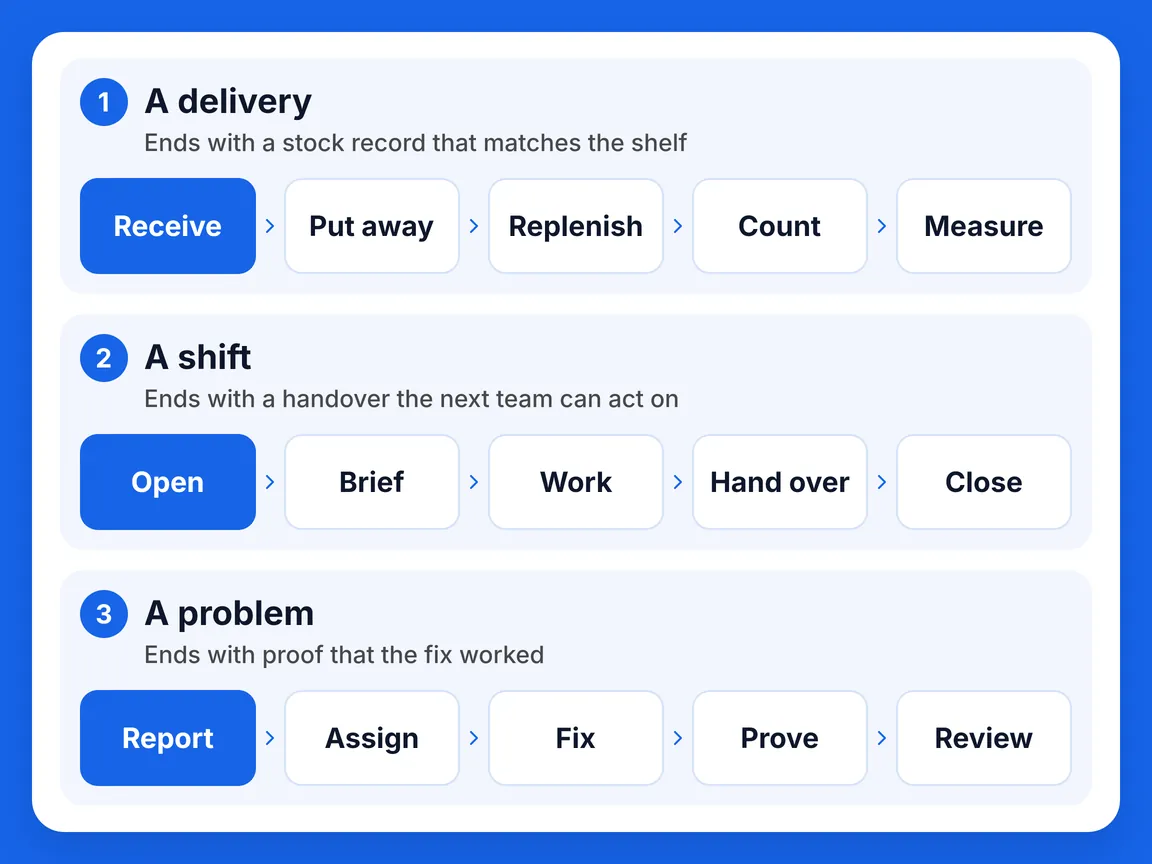
Retail business processes on one map
Three routes cover most of the work in a store between opening and closing. A delivery moves stock from the dock to an accurate stock record. A shift moves the day from the opening checks to the next team. A problem moves from the first report to proof that the fix worked. Every arrow in the picture is a handoff, and every handoff needs a record: a receiving record, a count, a handover note, a photo. Retail business processes break at those arrows. The picture shows the main stops on each route, and the sections below add the branches.
Follow one delivery: from the dock to an accurate stock record
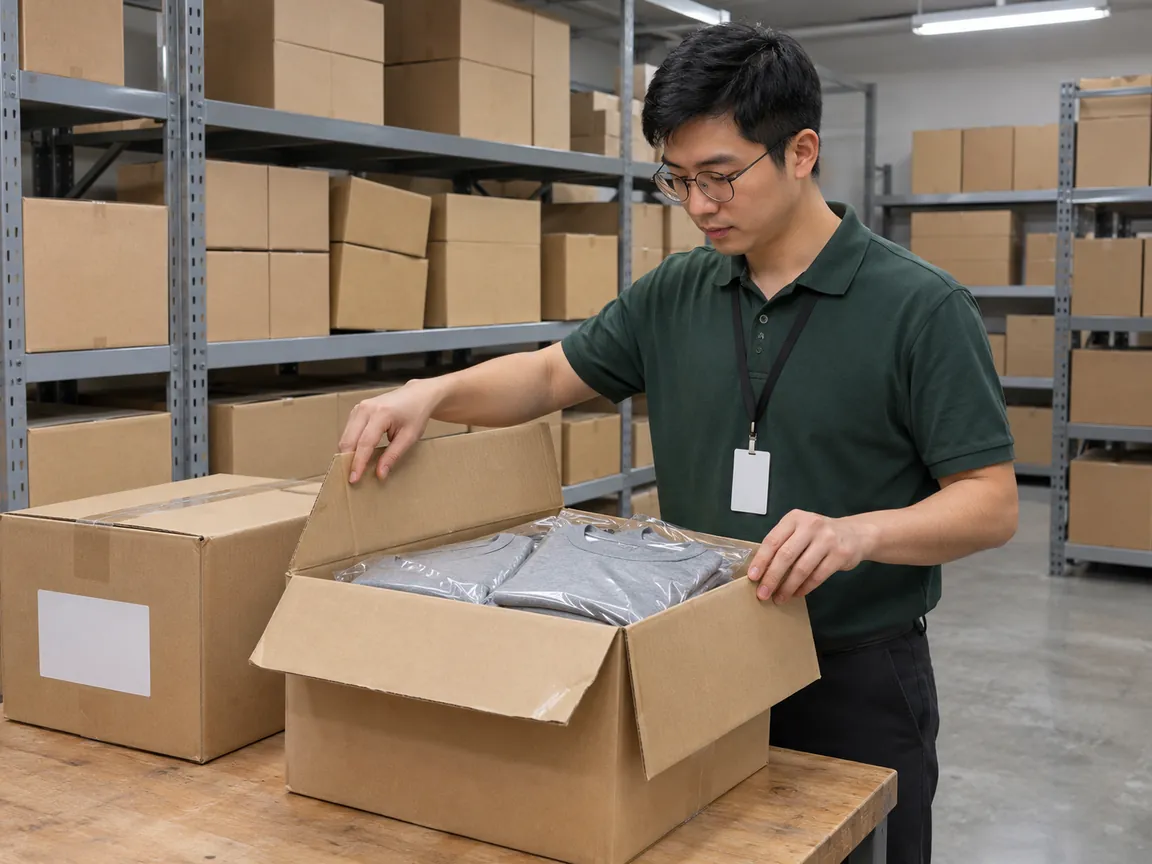
A delivery shows how many retail business processes one carton touches. It starts at the dock and ends only when the stock record, the shelf and the price agree. Seven steps sit between those two points, and each has its own guide.
Receive. Check the delivery against the order, record what arrived and set exceptions aside, as in the goods receiving checklist.
Put away. Give every carton an address so the next person can find it, as in stockroom organization.
Replenish. Move stock to the shelf and record every slot you could not fill. Shelf replenishment shows how, and out-of-stocks shows why a slot stays empty.
Price. Make the shelf label, the approved price and the register agree with a price audit.
Handle exceptions. Damaged stock follows the damaged goods procedure, stock between stores follows the transfer process and stock going back to a supplier follows the return to vendor process.
Count. Count one planned part of the store at a time with the cycle count process, then trace any difference that survives with a discrepancy investigation.
Measure. Track inventory accuracy and cut the avoidable part of loss with shrinkage prevention.
The route works when each step leaves a record that the next step can use. If the receiving record is missing, the count cannot trace a difference. If damage was never written down, the vendor credit is a guess. When two records disagree, look at the handoff between them.
Follow one shift: from opening to handover
A shift repeats every day, so a gap at one moment becomes the starting problem of the next shift. Four moments carry most of it, and each should leave a record that the next one can read.
| Moment | Record it leaves | Where to start |
|---|---|---|
| Open and close | The state of the store at closing, confirmed again at opening | Opening and closing checklist |
| Brief | An ordered list of what comes first today and who owns it | Task prioritization |
| Work | Each routine done to a written standard, with proof | Retail SOP and frontline communication |
| Hand over | Open issues with a status, an owner and a deadline | Shift handover checklist |
Planned shelf work runs inside the shift. A promotion starts on a date, so promotion execution needs stock, signs and prices ready before opening. Grocery planogram compliance checks the shelf against the approved layout, and a merchandising audit checks placement, price and availability together. A store reset changes what stands where for a new plan.
Free checklists for opening, closing and handover are in our template library. Our daily checklist guide for retail stores adds the mid-day round between them.
Follow one problem: from first report to proof
Problems arrive without warning, so the process has to exist before they do. A cracked fixture, an injury, a failed audit check and a routine that staff keep skipping all need the same four things: a report, an owner, a fix and proof that the fix worked.
Two habits keep problems small. Preventive checks find wear before it becomes a repair, as in the preventive maintenance checklist. Planned visits find drift before it becomes a pattern: see how often to audit and what a store visit report should contain. All of them end the same way, with a task that has an owner and proof.
Give every process one owner
When one of your retail business processes has two owners, each one assumes the other is chasing the open items. Name one owner for each route and one backup, and write down where the record lives. The split below is common in chains, and the exact authority varies by retailer.
The store manager owns the store’s routines and decides what needs escalation. The assistant store manager takes charge of the shift: the handover, the floor and the open tasks. The area manager owns the store visit, follows up on what it finds and spots patterns across stores. The district manager takes the problems that no single store can solve and brings the evidence to regional leadership.

Fix one process at a time
Documenting all your retail business processes at once is how the project stalls. Start where the symptom is loudest, and let the map tell you which process to open. An empty shelf with stock in the building points to replenishment. A count that never matches points to receiving and put away. A problem that returns every month points to the follow-up, not to the report. If the symptom is lost time rather than an empty shelf, the one-week log in our retail operational efficiency guide shows where the hours go.
Then change one thing: the process, the owner or the record. Write the new standard on one page and test it in stores that differ from each other over two to four weeks, then roll it out. Two numbers show whether the change worked: the share of runs completed on time and the share of results that passed review.
Run retail business processes across many stores
A single store manager can keep the whole map in mind. Across twenty stores, retail business processes drift apart unless someone can see which routine ran, which did not and which problem is stuck. Bitreport covers the work layer of the map in four places.
Recurring routines such as opening, closing and handover become workflows: tasks repeat daily or weekly, and staff get a structured checklist in the app, confirm each step and upload photos with a timestamp. One-off jobs become tasks that carry clear instructions, a due date and required photo proof. When a check fails in an audit, the failed item turns into a task for the right person, with a deadline and a request for photo proof. Incident reports let staff raise an issue from their phone with a photo, the location and notes, and follow it from submission to resolution.
Bitreport does not hold your stock records, run your checkout or set prices. Receiving counts, adjustments and prices stay in your inventory and point-of-sale systems. What Bitreport adds is proof that the team did the work around them, and a trail for what happened next.
Frequently asked questions
What are retail business processes?
A retail business process is a routine with a trigger, an owner, a set of steps and a result you can check. Receiving a delivery is one. So is counting a shelf, handling a damaged carton or handing a shift over to the next team.
What are the key operational processes in retail?
Key operational processes in retail include receiving, stockroom organization, shelf replenishment, pricing and promotions, cycle counts, returns to vendors, damaged goods, opening and closing, handovers, audits, incident reports and maintenance.
Who should own a retail process?
Name one owner for each route and one backup, and write down where the record lives. The store manager owns the store’s routines and decides what needs escalation. The area manager owns the store visit, follows up on what it finds and spots patterns across stores.
Which retail process should a store fix first?
Start where the symptom is loudest, and let the map tell you which process to open. An empty shelf with stock in the building points to replenishment. A count that never matches points to receiving and put away.