
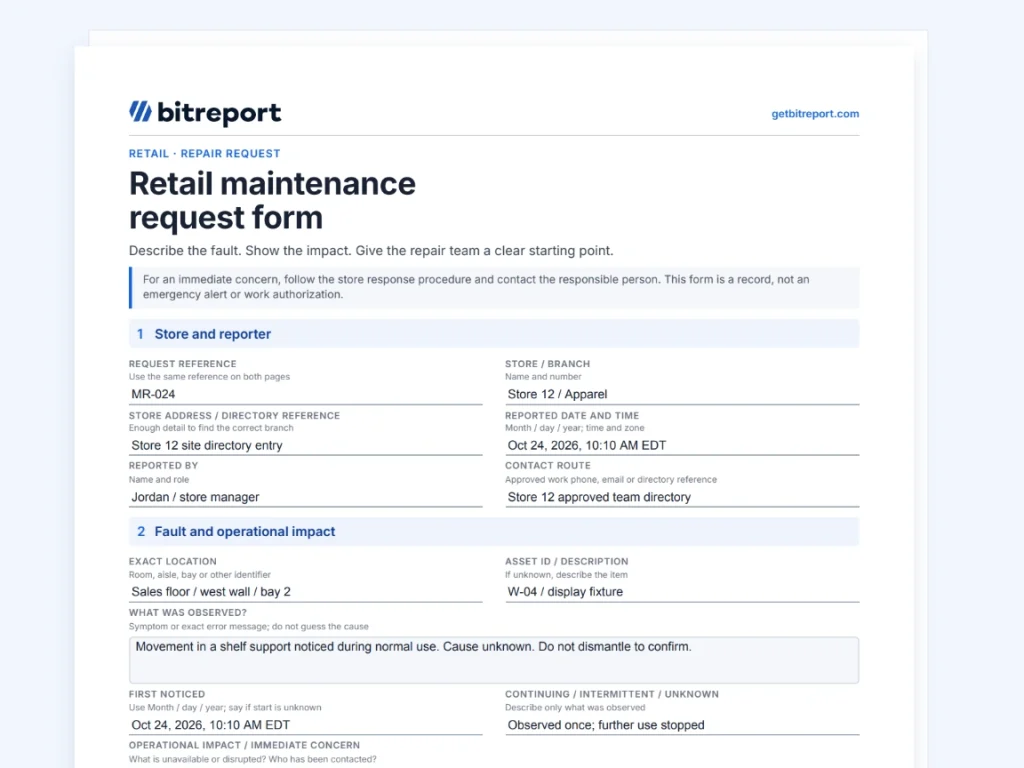
A retail maintenance request form gives the repair team a clear account of a store problem: where it is, what staff observed, how it affects operations and who can provide access or an update. It starts the repair process. It does not authorize the work or prove that the problem has been fixed.
“Display damaged” leaves the coordinator guessing. “Shelf support loose on fixture W-04, wall bay 2; display unavailable under store procedure; photo P-08 attached” identifies a specific issue without inventing a diagnosis.
Use the form below to standardize that first report across stores, then keep the request reference attached to the work that follows. It is one practical part of managing retail operations.
Download the retail maintenance request form
The two-page template separates the store’s report from the coordinator’s review and follow-up. The first page captures the location, observed problem, impact, evidence and access contact. The second records ownership, the next update, a linked work order and closure evidence.
Fill it on a computer or print it. Use one request for one fault or a closely related set of symptoms on the same asset. Keep supporting photos in the approved record and enter their references in the PDF; the form does not embed attachments or send itself to a maintenance team. Check that all entered text is visible before sharing or printing.
If the store already has a reporting platform, use these fields to review its intake form. Avoid creating a second PDF record for every issue if the existing record already contains the information.
What information should a store maintenance request include?
Make the store identity and the exact location separate fields. “Store 12” may identify the branch, but “sales floor, west wall, bay 2” helps the person arriving find the fault. If there is an asset label, include it; if not, describe the item clearly instead of inventing an asset number.
| Field | What to record |
|---|---|
| Request reference | One identifier used in updates and linked work records |
| Store and location | Branch name or number, address and exact area |
| Affected asset | Asset ID if known; otherwise a clear description |
| Observed problem | Symptom, when it was noticed and whether it is continuing |
| Operational impact | What is unavailable or disrupted; any immediate concern |
| Action already taken | Store action under its procedure and who was informed |
| Evidence | References to relevant photos or existing records |
| Reporter and access | Named contact, contact route and proposed access window |
CAPS Group’s guidance for store maintenance reports similarly emphasizes location, the affected equipment, symptoms, operational impact and evidence. The aim is to give the receiving team enough information to assess the request without asking the store to diagnose the fault.
Keep unknown information visible. “Asset label not found” or “first noticed at opening; start time unknown” is more useful than a guessed identifier or failure time. Add new evidence to the original request rather than circulating several versions with different details.
Describe the symptom before suggesting a cause
Write what happened during normal use: a shelf support moves, a fitting has detached, or a unit displays an error. If an error message is visible, record it exactly. Separate a colleague’s account from your own observation when you did not see the problem yourself.
Avoid making troubleshooting a condition of submitting the form. Staff should not have to dismantle a fixture, open a panel or repeat an unsafe action to prove a fault exists. HSE’s maintenance guidance stresses competent people, appropriate information and planned work. Use the retailer’s instructions to determine who may inspect or repair the equipment.
Give enough context for the next person to act
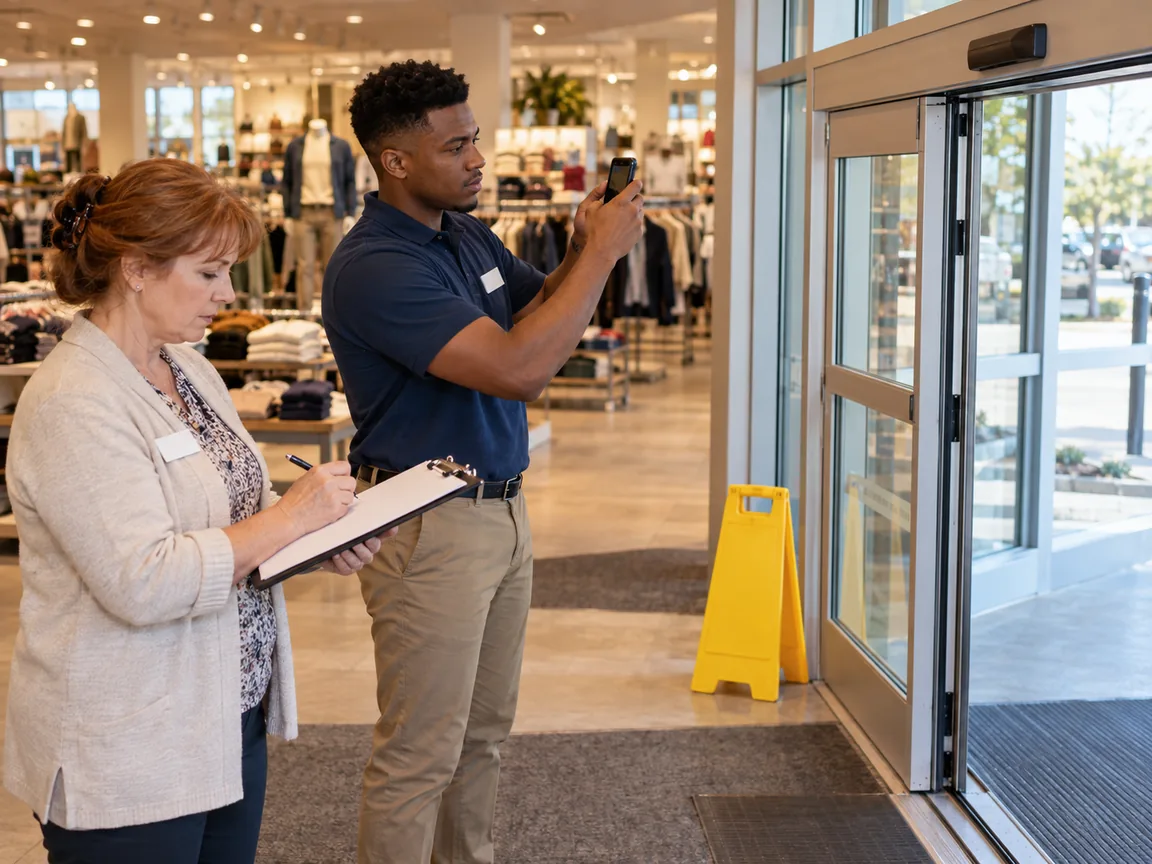
Use a location photo and a detail photo when they can be taken safely and help explain the issue. Keep customer faces, personal information, payment details and access codes out of routine repair evidence. If a useful photo cannot be taken safely, describe the problem and say why a photo is missing.
For access, name the store contact and a proposed window. “Available Oct 24, 2026, 2:00–4:00 PM EDT” is an access proposal, not a confirmed contractor appointment. The coordinator must confirm who is coming and when. Keep alarm codes, keys and other restricted access information in the approved secure channel.
Describe urgency through impact
A store colleague can explain what is affected without choosing the repair team’s technical response. Record whether a display, room or piece of equipment is unavailable, whether the issue is worsening and who has already been contacted. The responsible coordinator then confirms priority under the retailer’s rules.
For an immediate safety or security concern, follow the store’s immediate response procedure and contact the designated person. Do not rely on an unattended form as the only alert. Complete or supplement the written record when it is safe to do so.
For other requests, distinguish three different commitments:
Response: when the request will be reviewed or acknowledged.
Next update: when the store will hear the latest position.
Completion: when the agreed work is expected to be finished.
“Update by 3:00 PM” does not promise a repair by 3:00 PM. Put the type of commitment next to the date and time. If the coordinator cannot yet estimate completion, record that and set the next update instead of making up a deadline. Use your own operating rules and service agreements; this template does not prescribe universal response times.
A filled example: a loose display fixture
This example is invented. It shows how a clear report becomes an owned request without turning the store colleague into the repair technician.
The PDF’s first page belongs to the reporter; the second lets the coordinator add the review and outcome. Leave future completion and verification fields open until those events happen.
Maintenance request, work order or incident report?
A maintenance request reports a need for attention. A work order records the authorized job and the details required to carry it out. IBM’s work order management overview describes a review and approval step between receiving a request and planning and assigning the work.
The store reporter should not need a parts list, contractor estimate or technical repair method to submit a useful request. Those details belong to the person planning the job. Keep the request number and work order reference connected so the store can ask for an update without knowing the maintenance team’s internal numbering system.
An incident report serves a different purpose: it records an event and what happened. If a damaged fixture also led to an incident, use the retail incident report template for that account and link it to the repair request. Keep sensitive incident details in the appropriate record rather than copying them into every contractor message.
Keep the request visible until the repair is resolved
Choose one place for the current status, assigned owner and next update. A PDF can work as a report, but someone still needs to log its receipt, assign responsibility and maintain the record. An email sent to the wrong inbox is not an accepted request.
Check the open queue for requests that have no owner or whose promised update has passed. If the same fault is reported again, connect the new observation to the existing record after confirming it is the same issue. Preserve useful new evidence instead of deleting the second report without a trace.
When a supplier or landlord is involved, keep an internal contact responsible for checking progress. “Sent to landlord” describes an action, not an outcome. Store staff need to know whom to contact and when an update is due, even if another organization performs the work.
With Bitreport Repair Resolution, teams can report store issues with photos and details, assign responsibility and track progress through resolution. That helps keep the reporting and follow-up work connected across locations.
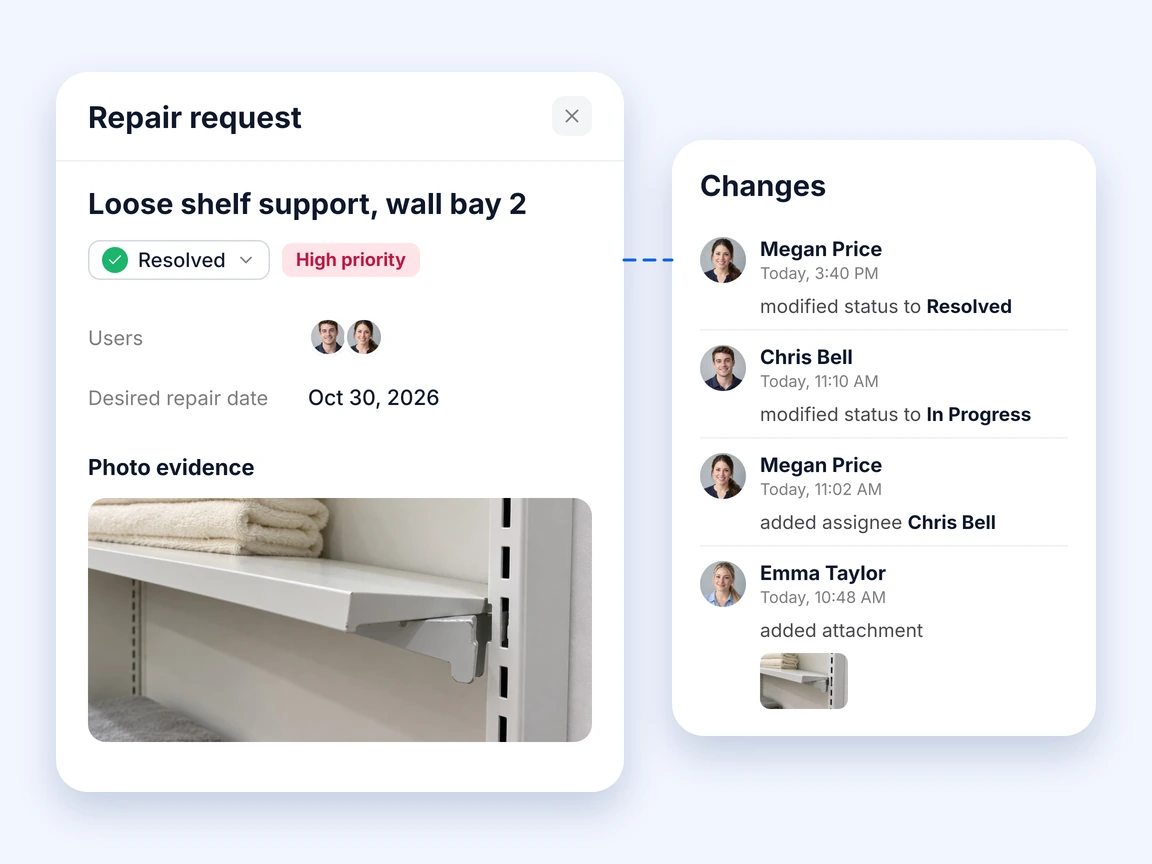
A record marked complete should point to what was done, the supporting evidence and the required confirmation of the result. If the symptom returns, retain the earlier history and record the new observation. That history helps the responsible maintenance professional decide what to check next.
Frequently asked questions
How do I write a retail maintenance request?
Identify the store, exact location and affected item. Describe the observed symptom, operational impact, evidence and action already taken. Add a reporter or access contact, submit it through the agreed channel and keep the request reference for updates. Leave diagnosis and repair planning to the appropriate person.
Is a maintenance request the same as a work order?
No. The request reports a need for attention. After review and approval, a work order describes the work to be performed and who will perform it. Link the records so the store can follow progress from the initial report to completion.
Can I use the form for an urgent repair?
Use the store’s immediate response and escalation procedure first when there is an immediate concern. The form can document the issue and subsequent actions, but it should not be the only alert to a person who may not be monitoring incoming requests.
Does the PDF send or track requests automatically?
No. It is a fillable document. Send the completed form through your agreed reporting channel and record who owns the next action. For shared status and ongoing updates across stores, use an appropriate issue-tracking workflow rather than relying on separate PDF copies.