

A stockroom works when an employee can find the right item, tell whether it is ready to sell and move it to the sales floor without asking someone else where it went. Retail stockroom organization brings those three things together: a clear layout, consistent locations and a process for moving stock between them.
Start by following one carton through your store. Where does it wait after delivery? Who checks it? Where does it go if the assigned shelf is full? If those answers change with every shift, reorganizing the shelves alone will not solve the problem.
Plan the room around the work it has to support
Sketch the room as it is today, including doors, fixed equipment, shelving and the routes people use. Mark where incoming deliveries wait, where employees unpack them and where goods leave for the sales floor. Watch one busy delivery period before moving anything.
The purpose is to make the movement visible. A cart parked in the receiving space may prevent the next delivery from being checked. A popular product behind seasonal stock may force employees to move several cartons every time they need one item.
Divide the backroom into clearly identified working areas. A small store can use labeled bays or shelves for these functions; it does not need five separate rooms.
Incoming stock awaiting checks
Give unchecked deliveries a defined place. Keep the delivery reference with the goods so staff can match what arrived to the expected shipment. Agree who checks them and when they should move out of this area.
Stock ready for replenishment
This is the normal home for goods approved for sale. Group products in a way employees can use consistently, such as department followed by product family and variant. Keep the arrangement aligned with how the sales floor requests stock.
Goods on hold
Separate damaged items, returns awaiting a decision and delivery discrepancies from saleable stock. Identify why each item is held and who owns the next action. Restricted or hazardous products need the retailer’s specific storage arrangements; a generic hold shelf is not suitable for every product. Our guide to the damaged goods procedure explains who decides what happens to the items on that shelf and how the case is closed.
Outgoing goods and reserved orders
When the store handles transfers or customer orders, distinguish those goods from stock available for shelf replenishment. Keep the relevant order or transfer reference with them. A colleague should not need to open several packed cartons to learn which one is leaving.
Supplies and empty equipment
Give packaging, cleaning supplies and empty carts their own designated storage. Follow the applicable separation and handling instructions for cleaning chemicals. Empty equipment should have a parking place that does not become an unofficial stock location.
Finish receiving before the delivery disappears into the room
A carton in the building can still be unchecked, damaged or waiting for a stock-record update. Make the receiving handoff explicit: identify the delivery, check the goods under the store’s procedure, record discrepancies and assign the next move. Our retail goods receiving checklist covers the checks to complete when the delivery arrives and the record to leave behind.
For an invented example, consider a delivery of twelve cartons. Eleven match the shipment; one contains damaged merchandise. The receiver records what was checked and separates the affected goods for the authorized decision. The person putting stock away needs to know which cartons can move and which must remain on hold.

Avoid treating the entire delivery as finished because the receiving area looks clear. Confirm that accepted goods reached their assigned locations and that the stock records were updated in the retailer’s inventory system by someone with the right permissions.
The receiving process should also say what happens when the next shift takes over. Record the remaining cartons, their location, the outstanding check and the named owner. A note saying “finish delivery” leaves the incoming team to reconstruct the job.
Give each storage position an address
Use a location code that identifies a physical place, independently of the product currently stored there. For example, B-03-02 could mean bay B, shelf 03, position 02. This is an illustrative convention; choose a format that fits the room and use it consistently.
A product identifier tells the employee which item to pick. The location code tells them where to look. Keep both readable, and distinguish variants that are easy to confuse, such as size, color or pack quantity. A barcode can help if the retailer’s existing system supports it, but staff still need a usable location description.
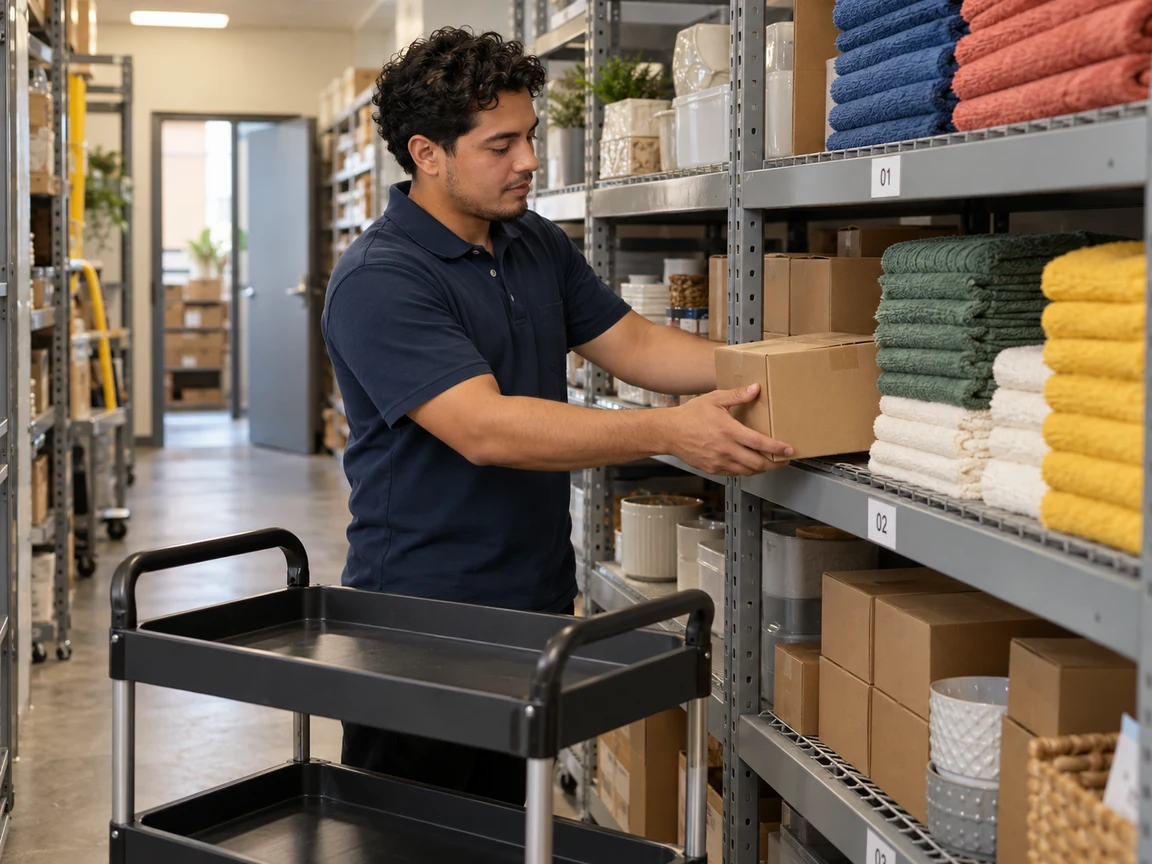
Put the location label where it stays visible when the shelf is full. Use dividers or separate bins when different items would otherwise mix. If stock has to move, update the location record at the same time; an accurate label on the old shelf does not help someone find the new one.
Test the arrangement with an employee who did not create it. Ask them to find a specific variant and return it to the right place. If they need a verbal explanation, adjust the label or location record before rolling the system out across the room. Once every position has an address, our guide to the retail cycle count process shows how to count one bay at a time and compare it with the stock record.
Place stock for access, handling and rotation
Choose storage positions based on how often goods are needed, their size and weight, and the way they must be handled. Frequently picked products should be accessible without repeatedly shifting unrelated stock. Small loose items may need bins; bulky products need space and equipment appropriate to the load.
The Canadian Centre for Occupational Health and Safety’s storage-layout guidance emphasizes room for people and equipment, accessible storage heights and avoiding unnecessary bending or overhead reaching. Use those principles when reviewing the layout with the person responsible for workplace safety. Shelving capacity, access routes and handling equipment must suit the actual site and products.
For dated goods, follow the retailer’s product-specific rotation rules. Keep batches identifiable and arrange them so the team can reach the stock that should leave first. Arrival order and expiration order can differ; do not assume the most recently delivered carton always has the latest date. The retail expiration date tracker guide covers dated-batch checks and follow-up in more detail.
When the backroom is too small
Begin with what is consuming the space. Unresolved returns, empty packaging and obsolete promotional materials can occupy the same shelves needed for incoming deliveries. Give each category an owner and an approved next action; do not simply move everything into a different corner.
Use a named overflow location when the normal bay is full, and record what is there. If overflow becomes permanent, take the pattern back to the store manager or inventory planner. The issue may require a change to delivery quantities, storage equipment or the assortment. Stacking higher is not a substitute for that decision.
Connect the backroom to shelf replenishment
A shelf can be empty even when the product is available in the backroom. Make the replenishment request specific enough that another employee can complete it: product and variant, quantity needed, stockroom location, sales-floor destination and required time. Our retail shelf replenishment guide follows one request from the stockroom to the shelf, including what happens when the shelf can only be partly filled.
Define what happens after picking. Confirm the goods reached the correct shelf, record any shortage or mismatch, and return unused stock to its assigned place. Keep inventory transactions in the retailer’s stock system. A task marked complete does not, by itself, establish that the inventory balance is correct.
In grocery stores, receiving, rotation and replenishment need to fit around the other department routines. Our grocery store operations guide puts those activities into the wider daily operation.
A useful handoff also covers failed requests. If the location is empty, ask the employee to report the product, expected location and what they found. The next action might be a location check, a count or a review of an unresolved delivery. Sending another person to search the same shelf without that context repeats the work.
Use a short stockroom check to catch drift
Assign a brief check at a time that fits the store, such as after a major delivery or before the shift handover. These are suggested starting points, not a universal inspection schedule. The check should reveal work that needs action, rather than reward a tidy photograph.
Keep access routes usable and return empty carts to their designated places.
Identify incoming goods that still need checking or putting away.
Confirm that selected products match their recorded storage locations.
Review held goods for a reason, a named owner and an outstanding next action.
Check that overflow and replenishment requests have been handed over clearly.
For each exception, record the location, what needs to change, who will do it and when. If the same bay repeatedly overflows, investigate the cause instead of assigning another general cleanup. Separate immediate operating actions from decisions that require the store manager, facilities team or inventory planner.
Bitreport task management supports assigned work, recurring routines and photo evidence. Teams can use it to follow up on a misplaced carton, an overdue put-away task or a stockroom check. The retailer defines the task and reviews completion; stock quantities and transactions remain in the inventory system.
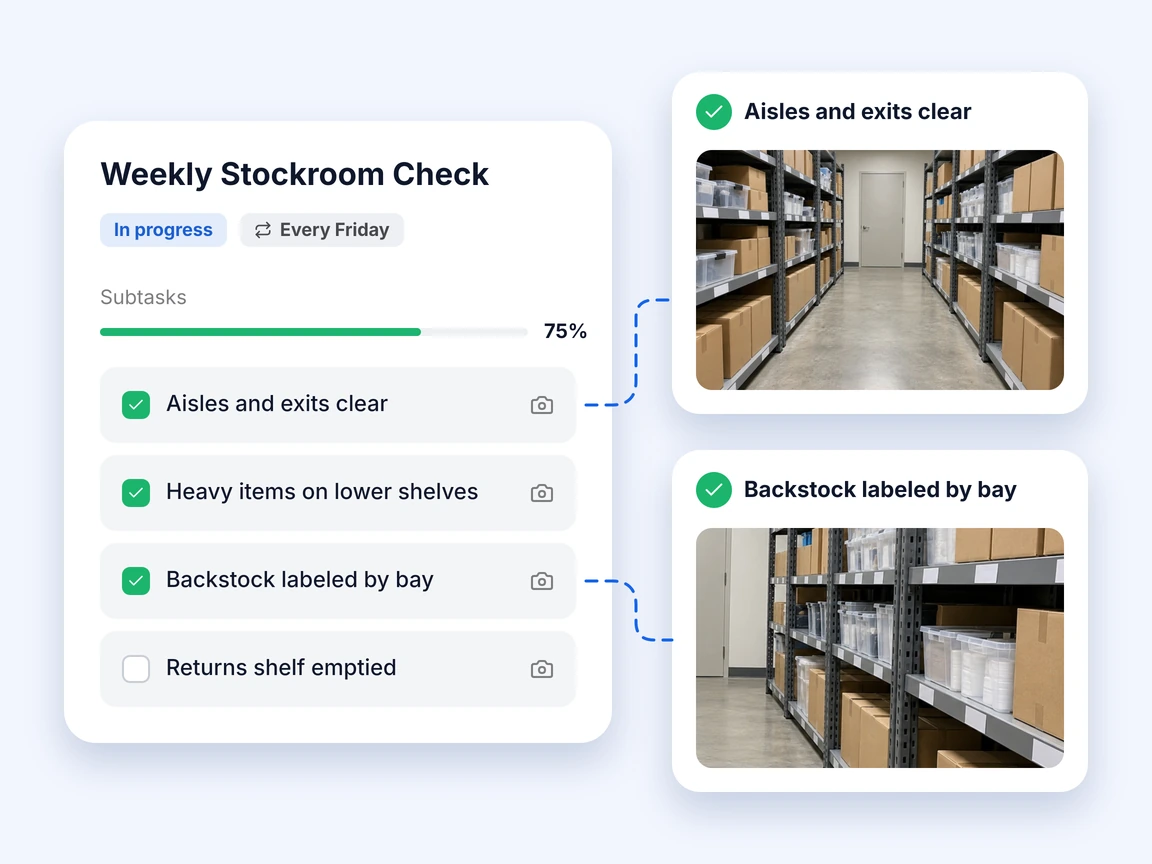
For chains, use the same exception categories across locations while letting each store keep a layout that fits its space. This gives area managers a consistent way to discuss recurring problems. It connects the stockroom to the broader retail operations process without pretending every backroom is identical.
If follow-up currently depends on separate messages and photos, a Bitreport demo can show how instructions, owners and completion evidence sit together.
Start with one bay and one delivery
Choose a small area that causes frequent searching. Give its positions clear addresses, identify any held or overflow stock and walk the next delivery through the revised process. Ask a different colleague to retrieve an item and check whether they can find it without assistance.
Record where the process still breaks: missing product identification, an outdated location, unfinished receiving or an unclear handoff. Fix that specific failure before extending the arrangement. A stockroom stays organized when the next delivery and the next shift can use the system as easily as the team that set it up.
Frequently asked questions
How do you organize a retail stockroom?
Divide the backroom into clearly identified working areas. A small store can use labeled bays or shelves for these functions; it does not need five separate rooms. Use a location code that identifies a physical place, independently of the product currently stored there. Make the receiving handoff explicit: identify the delivery, check the goods under the store’s procedure, record discrepancies and assign the next move.
What is the difference between a product code and a stockroom location code?
A product identifier tells the employee which item to pick. The location code tells them where to look. Keep both readable, and distinguish variants that are easy to confuse, such as size, color or pack quantity. If stock has to move, update the location record at the same time; an accurate label on the old shelf does not help someone find the new one.
How can you organize a small retail stockroom?
Begin with what is consuming the space. Unresolved returns, empty packaging and obsolete promotional materials can occupy the same shelves needed for incoming deliveries. Give each category an owner and an approved next action; do not simply move everything into a different corner. Use a named overflow location when the normal bay is full, and record what is there.
How does stockroom organization help with shelf replenishment?
A shelf can be empty even when the product is available in the backroom. Make the replenishment request specific enough that another employee can complete it: product and variant, quantity needed, stockroom location, sales-floor destination and required time. Confirm the goods reached the correct shelf, record any shortage or mismatch, and return unused stock to its assigned place.