

A retail store workflow is the repeatable sequence of tasks, handoffs, and verification checks that guides store teams from morning opening and delivery receiving to mid-day recovery and evening register closeout.
When store workflows are documented only in static binders or scattered across group chats, shift leads execute processes differently from one location to the next. A structured digital workflow assigns clear role ownership, attaches deadlines to recurring Standard Operating Procedures (SOPs), and gives district and operations managers real-time visibility across every branch.
Read: The Complete Guide to Retail Operations
Below, we break down the core components of a retail store workflow, how to structure your inventory-to-shelf process, and how multi-unit retail teams standardize daily execution.

Key Components of a Retail Store Workflow
Every retail format has unique operational routines, but most retail workflows cover six core areas:
| Workflow area | Trigger / cadence | Store owner | Completion proof |
|---|---|---|---|
| Inventory Receiving & Replenishment | Delivery arrival + mid-day restock waves | Stock Lead / Receiver | Signed ASN log, damage photo, restocked bay sign-off. |
| Merchandising & Promo Setup | Campaign launch + daily recovery | Visual Merchandiser / Lead | Photo verification reviewed against the VM style guide. |
| Shift Handover & Staff Tasks | Opening, shift change, and closing | Store Manager / Shift Lead | Timestamped digital retail operations checklist. |
| Customer Service & Checkout Flow | Continuous during trading hours | Front-End Supervisor | Queue threshold checks and return authorization logs. |
| Cash & Payment Reconciliation | Pre-open float count & closing Z-report | Keyholder / Closing Lead | Dual-verified till count and blind safe drop receipt. |
| Compliance, Hygiene & Safety | Daily walk + scheduled store audits | Store Manager / Area Manager | Fire exit clearance photos, temperature & repair logs. |
Here is what each workflow area covers on the sales floor and in the backroom:
Inventory management. Inventory is the backbone of retail operations, covering purchase order receiving, backroom bin organization, cycle counts, and shelf replenishment so high-velocity SKUs never stock out during peak hours.
Merchandising & store setup. How products are presented directly drives conversion. Standardized workflows govern seasonal planogram resets, promotional endcap launches, pricing accuracy checks, and daily store recovery.
Staff management & task handoffs. Assigning shift responsibilities, briefing incoming teams on active priorities, and tracking task completion keep store associates aligned without verbal misunderstandings.
Customer experience standards. Consistent greeting protocols, fitting room or service-counter coverage, queue backup triggers, and return handling ensure shoppers receive the same service standard at every branch.
Cash & payment procedures. Counting opening register floats, verifying POS terminals, executing mid-day cash skims, and reconciling closing Z-reports protect store revenue and prevent audit discrepancies.
Compliance & safety checks. Scheduled fire-exit inspections, cold-chain or date-code logs, housekeeping sweeps, and equipment maintenance requests keep stores safe and inspection-ready.

Common Retail Workflow Challenges
Even experienced retail teams hit operational bottlenecks when workflows depend on paper binders, spreadsheets, or unstructured messaging threads:
Left unaddressed, these workflow breakdowns erode store margins, frustrate frontline staff, and cost sales during peak trading windows.
Retail Workflow with Inventory: From Backroom Receiving to the Sales Floor
One of the highest-impact workflows in any store is connecting inventory management with frontline task execution. Even when your ERP or POS tracks theoretical stock levels accurately, merchandise only converts into sales if your store workflow moves cartons from the receiving dock to the right shelf position without delay.
A standardized retail workflow with inventory follows four controlled stages:
How to Improve Your Retail Store Workflow
The good news? Most workflow issues can be fixed with a few practical changes:
Standardize processes with SOPs and checklists
When every employee follows the same steps, it reduces mistakes and keeps store operations consistent – even when staff change from shift to shift. For example, Target uses detailed standard operating procedures (SOPs) for everything from stocking shelves to handling returns, which helps ensure that a customer’s experience is the same no matter which location they visit.
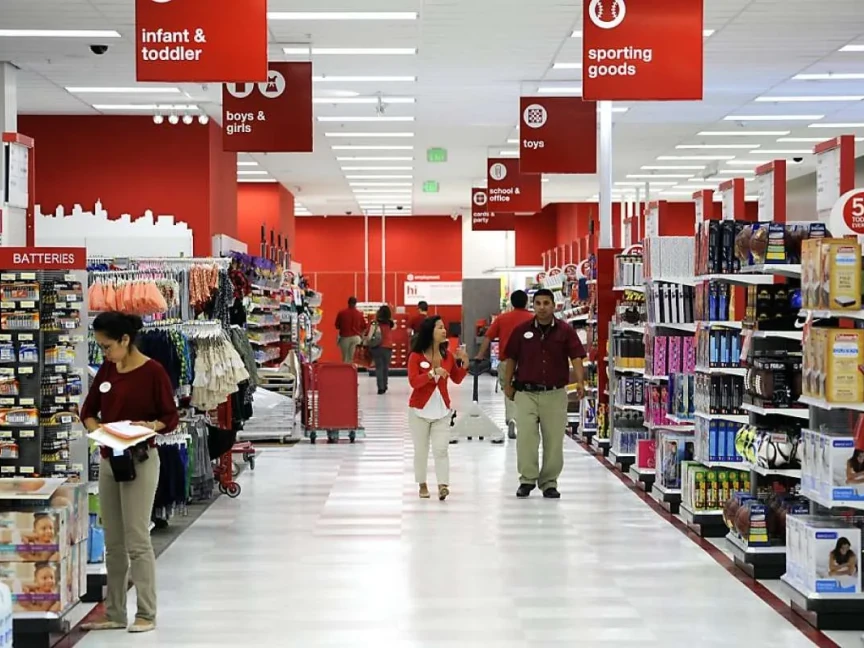
Image source: Medium – Target Store
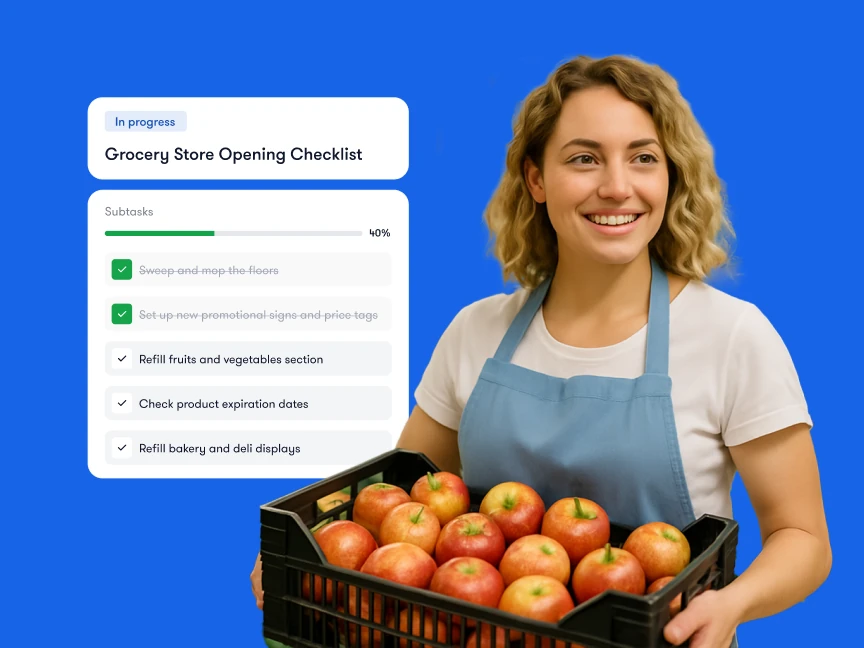
Operational checklists turn static SOP documents into daily action. An opening, mid-day recovery, or closing checklist ensures no critical step is skipped, whether counting the register float, verifying cold-unit temperatures, or locking backroom receiving doors. Instead of relying on paper clipboards that cannot be tracked remotely, multi-store retailers use digital checklists in Bitreport to schedule recurring workflows, require photo proof on key steps, and monitor completion across every branch in real time.
Use data to stay ahead of problems
Operational data highlights workflow bottlenecks before they hurt store revenue. If evening closing tasks consistently run past shift cutoff at specific branches, or if recurring audit failures cluster around promotional endcaps, workflow completion reports show operations leaders exactly where to adjust staffing or simplify SOPs.
To measure workflow health across locations, start with on-time completion, which shows how many assigned workflows are finished before the shift cutoff:
On-Time Workflow Completion Rate (%) = (Workflows Completed Before Shift Cutoff ÷ Total Assigned Workflows) × 100
Dock-to-shelf time shows how long a delivery takes to reach the sales floor:
Dock-to-Shelf Cycle Time (Hours) = Timestamp of Sales Floor Restock Verification − Timestamp of Delivery Receipt
Resolution time shows how long a workflow exception stays open before someone verifies the fix:
Corrective Task Resolution Time (Hours) = Sum of Hours from Flagged Workflow Exception to Verified Fix ÷ Total Resolved Exceptions
Automate repetitive tasks
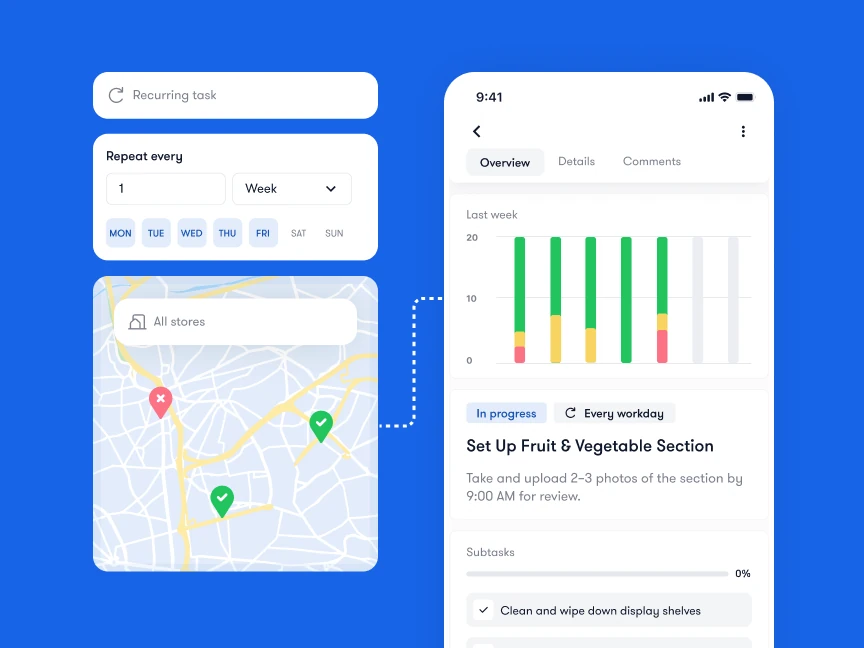
Assigning routine daily and weekly tasks manually eats up hours of store management time and leads to missed handoffs during busy trading weeks. Setting up automated recurring workflows ensures every shift receives the right task list at the exact time it needs to happen.
In Bitreport’s workflow and task engine, headquarters and district managers configure recurring schedules for daily opening walks, weekly safety checks, and campaign rollouts, complete with real-time notifications over websockets. When a store audit item fails, task automation can immediately generate a follow-up corrective task for the store team, removing manual admin work so managers stay focused on the sales floor.
Encourage staff feedback
Frontline associates are the first to spot when a workflow step does not match store reality, whether a delivery window overlaps with peak checkout traffic or a promotional display fixture does not fit a smaller branch layout. Giving store teams a direct communication channel inside their daily task workflow (through task comments, photo attachments, and structured store-to-HQ frontline communication) surfaces operational blockers early so headquarters can refine the SOP before compliance drops.
Review and adjust regularly
No retail store workflow stays static forever. As SKU counts, seasonal promotions, and store staffing models evolve, operations teams should review workflow completion rates and audit scores quarterly to retire redundant checklist items and tighten steps where recurring errors appear.
Related read: Retail Store Visit Checklist: Free Download + Pro Tips and Store Visit Report: Format, Example & Free Template

Conclusion
A structured retail store workflow keeps daily store operations predictable, aligns inventory receiving with sales-floor execution, and removes shift-to-shift guesswork. By combining clear SOPs, recurring digital checklists, and photo-verified task handoffs in Bitreport, retail leaders can maintain consistent execution across every location.
Frequently Asked Questions
What is a retail store workflow?
A retail store workflow is the standardized sequence of daily operational tasks, shift handoffs, and verification checks that store teams follow, covering opening and closing routines, inventory receiving and shelf replenishment, visual merchandising setup, cash reconciliation, and safety compliance.
How does a retail workflow with inventory work from receiving to shelf?
An effective retail inventory workflow runs through four controlled steps: verifying incoming shipments against the Advance Shipping Notice (ASN) at the dock, staging out-of-stock and promo SKUs first while binning backstock with FIFO/FEFO rotation, replenishing the sales floor according to the active planogram, and running daily shelf gap scans to reconcile POS on-hand counts.
How do you manage retail task workflows across multiple locations?
Multi-store retailers replace paper binders and group chats with a centralized retail operations platform where headquarters assigns role-based recurring workflows, sets shift cutoff deadlines, requires photo verification on visual and safety tasks, and tracks real-time completion exceptions by branch.
Which retail store workflows should be automated first?
Start by automating high-frequency recurring SOPs that happen every day or week, such as opening and closing checklists, mid-day store recovery walks, promotional display launches, and automatic corrective task creation whenever a store audit item fails.