
Running one store or a multi-location retail network is hard enough without guessing whether the morning shift counted the safe, tested the POS terminals, checked chiller temperatures, or put up the current promotional signage. That is why multi-unit retailers replace paper clipboards and static spreadsheets with digital retail operations checklists.
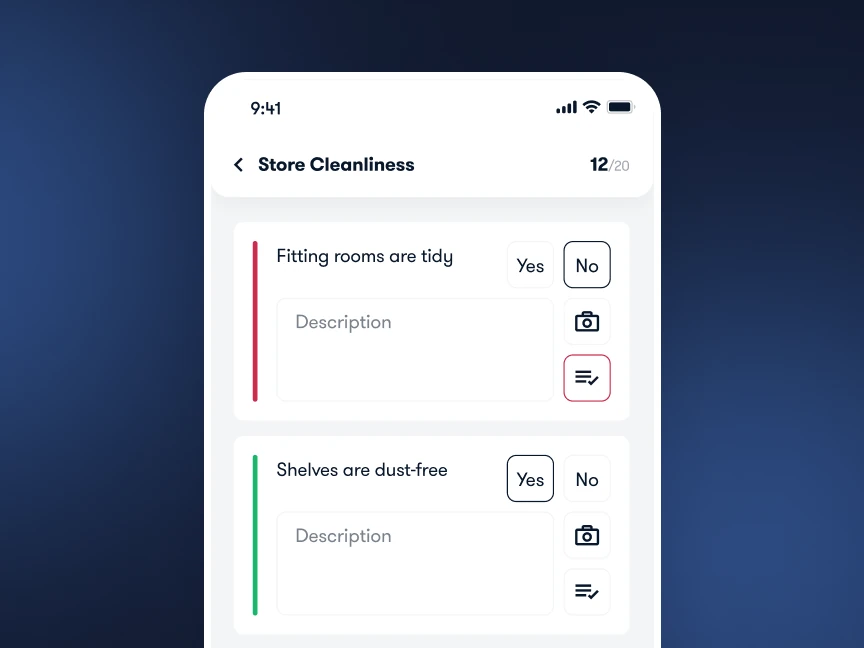
A digital retail store daily task list guides shift leads and associates through every routine on a smartphone or tablet. More importantly, it assigns each check to a specific role, sets shift cut-off times, requires photo verification on visual items, and gives store and district managers real-time visibility across every branch.
Read more: The Complete Guide to Retail Operations
Below, we break down the five core digital retail operations checklists every store uses, what items to include in each, how district managers run store walk-through checklists, and how to standardize daily checklists across all locations.
5 Most Common Digital Retail Operations Checklists
Here are the five operational workflows multi-store retailers standardize first using digital checklists, along with who owns each routine and what proof it requires:
| Checklist type | Cadence & owner | Core store, merchandising & IT checks | Completion proof |
|---|---|---|---|
| 1. Store Opening & POS/IT | Daily (pre-open) · Opening Keyholder | Perimeter safety, lighting/HVAC, cash float count, POS & pin-pad boot test, scanner/printer check, and floor readiness. | Time-stamped sign-off + till count log. |
| 2. Store Closing & Handover | Daily (at lockup) · Closing Shift Lead | Sales floor facing and go-backs, POS Z-report and safe drop, equipment shutdown, waste removal, handover notes, and alarm. | Zone recovery photos + safe deposit log. |
| 3. Promotion Rollout | Per campaign launch · Store Manager / VM | Promo stock staged, POS discount rules tested, window/endcap built to planogram, price tags swapped, old signage removed. | Photo verification reviewed by VM or area manager. |
| 4. Hygiene, Safety & LP | Daily & weekly walk · Store Manager | Fire exits clear, extinguisher tags valid, restroom sanitation, spill kit readiness, racking safety, and incident log review. | Scored pass/fail checks + auto corrective tasks. |
| 5. Repairs & Maintenance | On-demand & weekly · Store / Facilities | Damaged fixtures, lighting/HVAC faults, cooler alerts, broken scanners or printers, QR asset scan, and vendor SLA tracking. | Damage photo + post-repair verification photo. |
Opening checklist
Your store’s customer experience and checkout reliability depend on the 30 minutes before the front doors unlock. A standardized digital opening checklist combines physical floor readiness with a quick retail IT checklist so cashiers never discover a dead card reader, offline barcode scanner, or uncounted till float when the first customer steps up to the counter.
For a printable version you can use right away, see our daily retail store checklist guide. Here are the essential checks to include in your morning opening routine:
Perimeter, lighting, HVAC, and safety walk: Walk the exterior entrance, switch on sales-floor and window lighting, verify HVAC settings, and confirm fire exits and corridors are 100% clear.
Cash drawer and safe float verification: Count opening till floats in two-person view and reconcile against the previous night’s closing log.
POS, payment terminal, and retail IT check: Power on all POS registers, test card pin-pads, Wi-Fi, barcode scanners, and label printers, and restock receipt paper and bags.
Sales floor facing, promo signage, and VM spot-check: Fill overnight gaps on core tables and feature walls, confirm active campaign headers match POS pricing, and check front windows.
Backroom staging, fitting rooms, and restrooms: Log morning delivery counts, clear cartons from customer walkways, and verify fitting rooms, mirrors, and restrooms are spotless.
Pre-shift team huddle and digital task check: Open Bitreport to review overnight headquarters updates, due tasks, open corrective actions, and daily zone assignments.

Closing checklist
Closing the store is about wrapping up the day in a clean, secure, and organized state so tomorrow’s opening shift can focus on customers instead of cleaning up yesterday’s backlog. Combining your closing routine with a structured store recovery walk prevents morning bottlenecks.
Organize your digital closing checklist into four clear phases:

Promotion rollout
When launching a weekend flash sale, seasonal campaign, or supplier endcap promo, execution has to happen on time across every branch. A digital checklist keeps store teams aligned on the visual merchandising brief and lets headquarters verify compliance on day one without visiting every store in person.
Follow this chronological sequence in your promotion rollout checklist (and see our full guide to promotion execution in retail):
Verify promo stock and POS kits in the backroom: Confirm featured SKUs and printed signage kits arrived intact 24 hours before launch.
Remove expired campaign materials: Strip outdated window decals, endcap headers, and clearance talkers so conflicting prices never appear together.
Build feature displays and mount campaign signage: Set fixtures, shelf heights, product facings, and overhead headers to the visual merchandising planogram.
Swap shelf price labels and test POS pricing: Place campaign price cards and scan promotional SKUs at a register to confirm discounts and bundle rules trigger accurately.
Brief floor staff and stage backroom backup stock: Walk associates through promo mechanics during the shift huddle and place backup cases in labeled fast-pick bays.
Upload photo proof for visual merchandising review: Capture a clear photo of the completed display in Bitreport for remote VM approval.

Hygiene & safety audits
A digital hygiene and safety checklist protects customers and staff, prevents regulatory fines, and gives regional leadership documented proof of compliance across every branch. Structuring your audit checklist by store zone makes daily and weekly safety walks fast and repeatable:

Repairs and maintenance
Broken fixtures, flickering lights, faulty chillers, or offline POS scanners disrupt store operations and hurt sales if they sit unreported in a back-office notebook. A structured repairs and maintenance workflow turns every equipment fault into a tracked ticket from discovery to sign-off:
Log the fault and scan the asset QR code: Record the exact location, urgency level, and equipment repair/warranty history as soon as the issue is spotted.
Capture clear photo evidence of the damage: Photograph both the close-up fault or serial plate and the surrounding fixture context.
Route the repair ticket and secure the floor: Assign the task to internal facilities or an approved contractor with a target SLA, and place safety cones or out-of-order signage if needed.
Track repair status and turnaround time in real time: Monitor open tickets across all stores without chasing updates over email or phone.
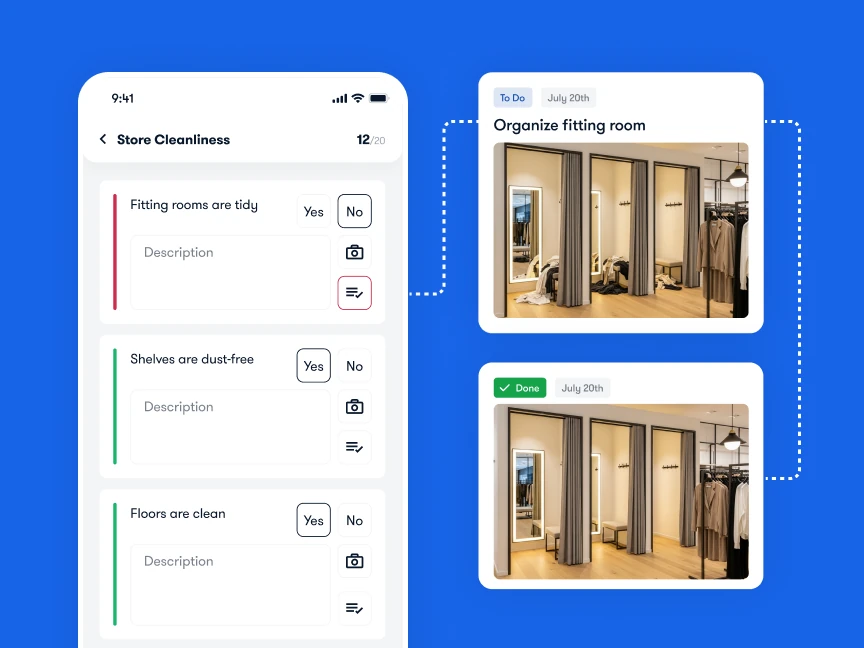
Verify the completed fix with photo proof: Require the store manager on duty to photograph and confirm the repair before closing the ticket.
Flag recurring equipment failures for replacement: Review monthly maintenance logs to identify assets that cost more to patch than replace.

6 Key Components of a Great Digital Retail Operations Checklist
Digitizing a bad paper checklist only gives you a bad checklist on a phone screen. To stop “pencil-whipping” (staff ticking boxes from the back office without walking the floor) and build real accountability across 10, 50, or 200 stores, every digital checklist needs six core components:
Clear task names and descriptions
Every checklist item should state the observable standard in plain, specific language. Instead of writing “clean entrance” or “check POS,” write “sweep entry vestibule, wipe glass doors, and confirm all 3 POS pin-pads process a test connection.” If a newly onboarded associate or seasonal temp can complete the item without asking a follow-up question, the task description is clear enough.
Due dates or repeat schedules
Store operations run on shift windows: opening checks must finish before doors unlock at 09:00, mid-day walk-throughs happen before the afternoon peak at 14:00, and closing checks wrap up before lockup. With recurring workflows and scheduled tasks, each checklist appears automatically for the active shift and flags overdue items in real time so missed routines never go unnoticed.
Assigned responsibility
When a checklist is assigned to “the store,” nobody owns it when a rush hits. Assign every checklist to a specific role or shift lead on duty (such as Opening Keyholder, Visual Merchandiser, or Shift Supervisor) so accountability transfers cleanly across rotating shift schedules without manual reassignment.
Proof of completion
A tick mark says a task was done; a photo shows it. Requiring live camera uploads (rather than gallery uploads of old photos), temperature readings, or digital sign-offs gives area managers instant visibility across every location without driving three hours between branches, and eliminates chasing status photos across WhatsApp groups.
Automated follow-ups
A checklist should never be a dead-end log of problems. When an associate marks a refrigeration unit out of range or a promotional endcap incomplete, the platform should trigger automatic corrective actions with a named owner and deadline so the issue enters the store’s active task queue immediately.
Scoring or audit tracking (optional, but powerful)
Adding weighted scoring to store walk-throughs and visual merchandising checks lets you benchmark execution quality across branches and regions. Over time, score trends reveal which stores consistently execute on the first pass and which locations need targeted coaching or fixture adjustments.
How District Managers Use Digital Store Walk-Through Checklists
While store teams run daily opening, mid-day recovery, and closing checklists, district and area managers rely on a standardized retail store walk-through checklist during their store visits. Unlike a daily shift list, a district manager’s walk-through checklist evaluates the store from the customer’s perspective: curb appeal, promotional accuracy, stock depth on top-selling SKUs, backroom safety, and staff coaching (see our retail store visit checklist and store visit report guide).
To see whether digital checklists improve execution across your stores, start with on-time completion, which shows how many checklists are finished before the shift cutoff:
Daily Checklist On-Time Completion Rate (%) = (Checklists Completed Before Shift Cutoff / Total Scheduled Checklists) × 100
First-pass visual compliance shows how often a photo is approved the first time it is submitted:
First-Pass Visual Compliance Rate (%) = (Photo-Verified Items Approved on First Submission / Total Photo-Verified Items) × 100
The overdue corrective task rate shows how many open fixes have already missed their deadline:
Overdue Corrective Task Rate (%) = (Corrective Tasks Past Deadline / Total Open Corrective Tasks) × 100

Final Thoughts
If your stores still rely on paper clipboards and WhatsApp photo threads to track daily routines, switching to digital retail operations checklists is the fastest way to improve consistency across locations. Start by digitizing your daily opening and closing routines, then layer in promotional rollouts, safety walk-throughs, and automated maintenance tickets so every store team works from the same standard every shift.
Frequently Asked Questions
How do you standardize store opening and closing checklists across multiple locations?
Build one master opening and closing template covering universal brand standards (POS/IT readiness, cash float verification, sales floor recovery, safety exits, and alarm lockup) that makes up roughly 80% of the checklist, and allow a 20% store-format module for local needs such as cold-chain logs or click-and-collect counters. Assign the checklists by shift role in a mobile platform with fixed cut-off times and required photo proof on visual items.
What should be on a retail store daily operations checklist?
A retail store daily operations checklist should be split by shift window: pre-opening checks (lighting, HVAC, cash float count, POS and card terminal test, scanner check, and floor readiness), mid-day walk-through checks (top-SKU restocking, promotional signage, queue coverage, and fitting room/aisle recovery), and closing checks (final recovery walk, POS Z-reports, safe deposit, waste removal, shift handover notes, and perimeter alarm lockup).
What is included in a retail IT checklist for store operations?
A store-level retail IT readiness checklist covers daily verification that all POS registers boot cleanly, card payment terminals and contactless pin-pads process a test connection, handheld barcode scanners and mobile devices are charged and connected to store Wi-Fi, receipt and shelf-label printers are loaded and printing clearly, and overhead traffic counters or digital signage screens are online before doors open.
How do digital store visit checklists help district managers?
Digital store visit checklists give district and area managers a scored, repeatable walk-through template on their phone. As they inspect exterior signage, planogram execution, stockroom safety, and staff readiness, failed items automatically generate corrective tasks with assigned owners, due dates, and photo verification, eliminating manual spreadsheet reports after the visit.