

Retail execution software helps teams turn a commercial plan into completed, verified work in stores. That might mean launching a promotion across a retailer’s own locations or sending a brand’s field representatives to check displays in stores it does not own.
Those are different buying decisions. A regional retail manager needs clear store assignments and a way to review execution. A consumer packaged goods (CPG) brand may also need account prioritization, visit planning, and shelf-level data.
This guide compares seven platforms across those workflows: Bitreport, YOOBIC, Zipline, StoreForce, Axonify, Repsly, and GoSpotCheck by FORM. Start with who does the work and what evidence you need back.
For the broader choice between selling systems, stock management, audits, and execution tools, see our retail management software overview.
What is retail execution software?
Retail execution software coordinates the work needed to implement store standards, promotions, and merchandising plans. It connects instructions, assignments, deadlines, evidence, and follow-up so managers can see where execution needs attention.
For example, headquarters might ask every participating store to install a promotional display before Friday’s opening. The software should help the team distribute the correct brief, assign responsibility, collect a photo, and resolve missing products or incorrect signage before the campaign begins.
For the operational process behind that rollout, use our guide to promotion execution in retail, including a launch schedule, readiness checks, and a worked store campaign.
An acknowledgment tells you the brief was received. Verified execution tells you whether the required work meets the agreed standard.
Execution sits within the wider discipline of retail operations. If you are also evaluating daily audits, incidents, and routine store coordination, our retail operations software comparison covers that broader brief.
Store execution or CPG field execution?
Choose the buyer workflow before comparing feature lists.
Some platforms serve both groups. The distinction helps you test the right workflow; it does not mean a vendor is limited to one industry. A strong store task system is not automatically a field sales system, and detailed shelf analytics alone do not tell a store associate what to do next.
Retail execution software: comparison at a glance
| Platform | Relevant starting point | Execution capabilities to examine | Bring this to the demo |
|---|---|---|---|
|
01.
Store operations & execution
|
Multi-location store standards and visual execution | Tasks, checklists, corrective actions, photo review | One display brief with a rejected submission and correction |
|
02.
Comms & frontline learning
|
Store execution connected to communication and learning | Guided tasks, action plans, photo feedback | A launch requiring instructions, training, and visual approval |
|
03.
Head-office comms to store tasks
|
Turning head-office communication into store action | Day Sheets, task priorities, photo approvals | A campaign brief split into daily store assignments |
|
04.
Labor & workload planning
|
Store execution coordinated with labor capacity | Role-based tasks, store visits, workload visibility | A campaign competing with customer-facing work |
|
05.
Learning & guided execution
|
Execution where associate knowledge is part of the challenge | Guided execution, routines, training, completion insights | A launch that requires both learning and action |
|
06.
CPG field merchandising
|
CPG field sales and merchandising teams | Field planning, account data, in-store execution reporting | A representative’s day across several retail accounts |
|
07.
Field shelf checks
|
Field merchandising and visual shelf checks | Mobile tasks, photo reporting, image recognition | A shelf check using your own products and photos |
Published by Bitreport, one of the vendors included. Product information was checked against official vendor sources on September 17, 2026. Selection reflects workflow fit; this is not a numerical ranking or a hands-on comparative test. Confirm the modules and configuration required for your workflow during evaluation.
Platforms for store teams and regional managers
1. Bitreport: store standards, photo review, and corrective work
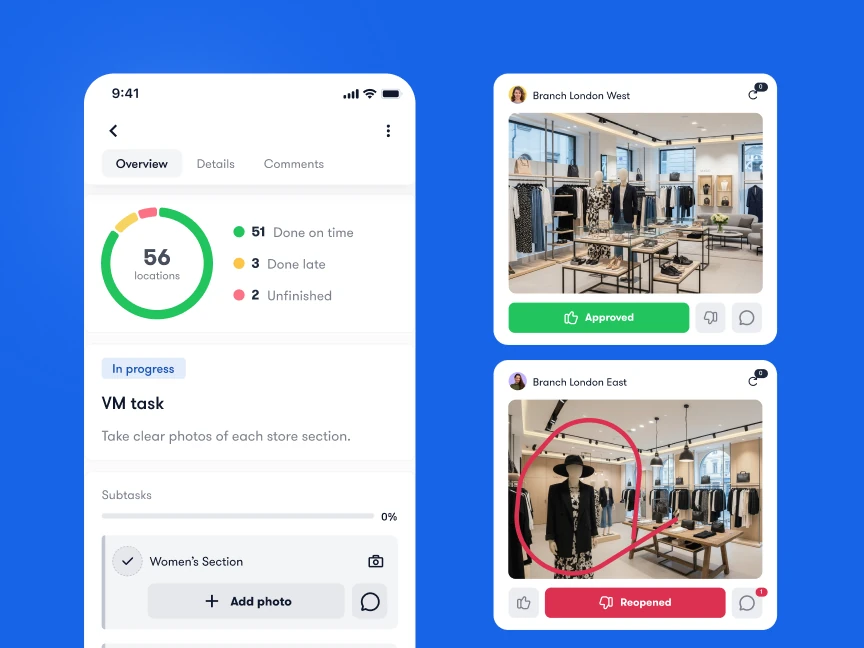
Bitreport is worth evaluating when headquarters needs to see whether store instructions have been carried out correctly. Its task management connects assignments, deadlines, recurring routines, and photo evidence (for a deeper breakdown of daily task tools, see our retail task management software guide). Audits and checklists add structured checks and corrective tasks when a store falls short of a standard.
For visual execution, teams can submit store photos, receive feedback, and correct work that needs another review. That is useful for retailers managing displays and campaigns across several locations without collecting evidence through separate messages.
Bitreport’s published Under Armour CEE case study describes a weekly merchandising workflow across 22 stores in four countries. The retailer reported around 45 minutes saved per store each week on VM tasks, with photo submission, review, and feedback organized in one workflow. This is a result from that specific deployment.
In your demo, start with an incorrect display photo. Follow it through feedback, reassignment or correction, and final review. Then ask the regional manager to identify stores still waiting for action. Confirm separately any requirement for route planning, field sales orders, POS, or inventory accounting; those are different jobs from store execution.
2. YOOBIC: execution with frontline communication and learning
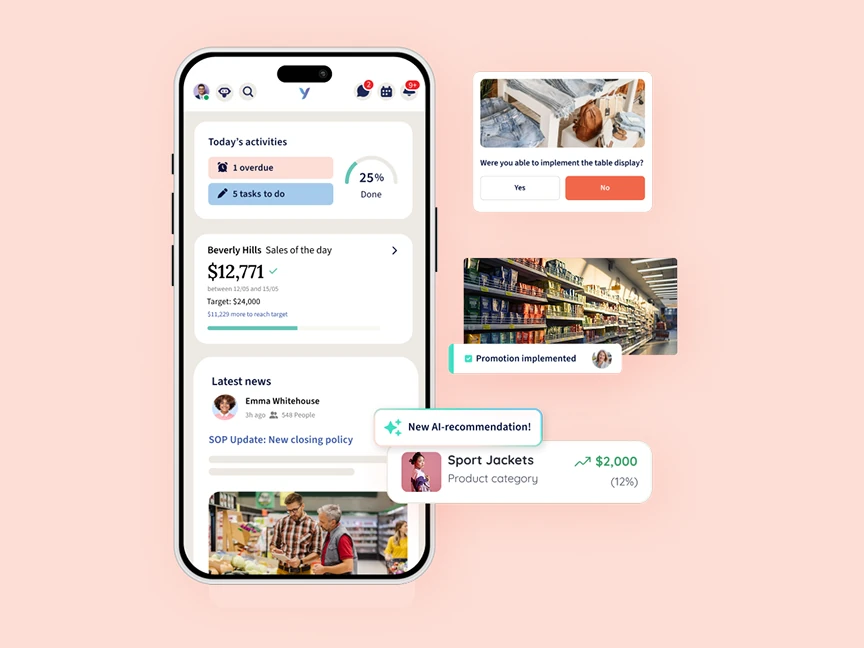
YOOBIC brings tasks, communication, learning, and knowledge into a frontline platform. Its task management includes action plans and photo feedback, including annotation and execution approval.
Consider it when campaign consistency depends on employees understanding the brief as well as completing the assignment. For a product launch, that could involve communicating the priority, explaining the display standard, and reviewing the result in stores.
Ask the vendor to demonstrate a campaign for two store formats with different instructions. Have an associate find the relevant guidance, submit evidence, and respond to feedback. Also inspect the manager’s view of overdue work and rejected submissions.
The evaluation question is how well those connected capabilities fit your existing tools. Identify which communication and learning processes you want to move, who will maintain the content, and which workflows need to remain elsewhere. If YOOBIC is already on your shortlist, compare the replacement scope and evaluation steps in our guide to YOOBIC alternatives.
3. Zipline: communication that leads to daily store action
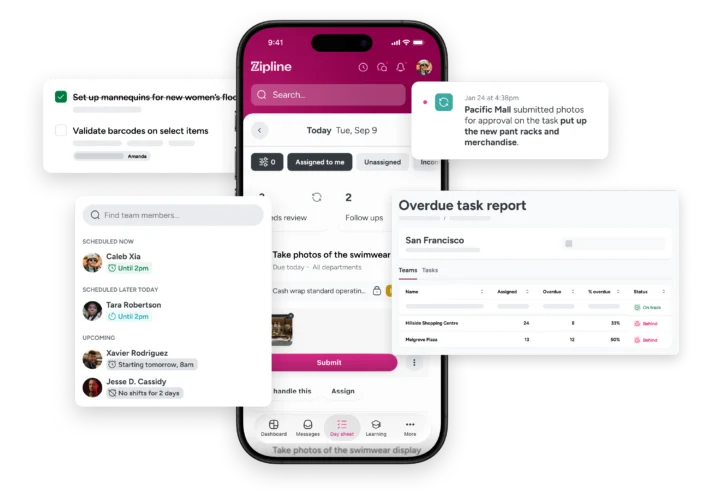
Zipline connects retail communication with task management. Its Day Sheet brings messages, assignments, and task statuses together, while managers can prioritize work and require photo approvals for completed setups.
This makes it a relevant option when stores receive plenty of information but struggle to identify today’s actions. The practical distinction is whether a launch announcement becomes visible, assigned work for the right people.
Use a promotion with several steps in your demo: remove the old signage, build the new display, and submit a photo. Ask how those steps appear to an associate and how a store manager divides the work. Then check what headquarters sees when one step remains unfinished.
Pay attention to publishing discipline. Decide who can send assignments, how conflicting priorities are handled, and whether managers can find outstanding execution without reading every message. A communication platform needs clear operating rules to stay useful — see our retail frontline communication guide for how to separate announcements from assigned work.
4. StoreForce: execution linked to store workload
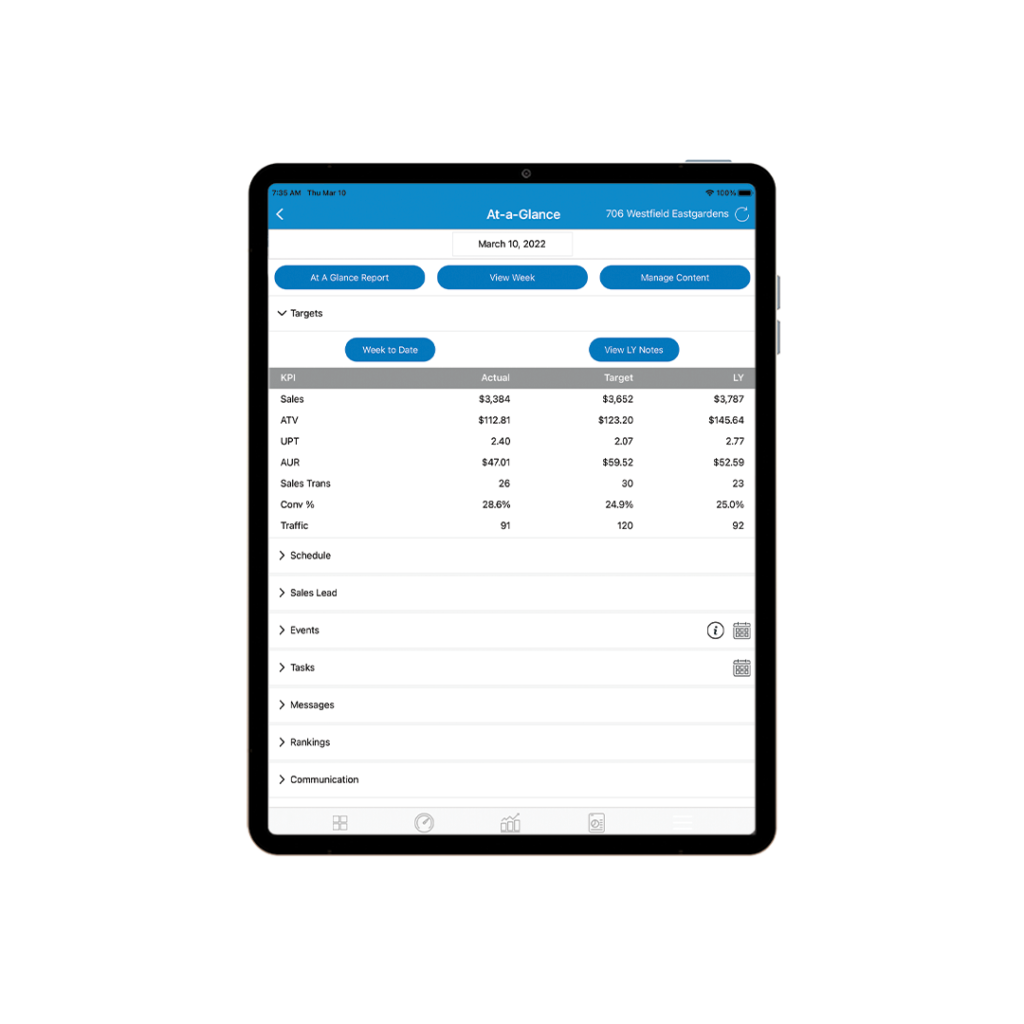
StoreForce connects store tasks with roles, locations, priorities, and schedules. Its execution tools also cover structured store visits, photo and note capture, and follow-up work.
Include it when the central question is whether stores can fit operational work around customer demand. A campaign can be clearly assigned and still fail if its timing conflicts with the team’s available capacity.
Bring a launch that includes several time-sensitive tasks. Ask how headquarters targets the right stores, how the store manager sees the workload, and how an incomplete task is handled during a busy period. Have a regional manager record a store-visit finding and track the resulting action.
Evaluate the wider operating model as well as the task screen. Establish how execution will connect to your scheduling and workforce processes, which data is needed, and who will own those connections. That matters especially if workforce management is part of the same buying decision.
5. Axonify: execution supported by associate knowledge
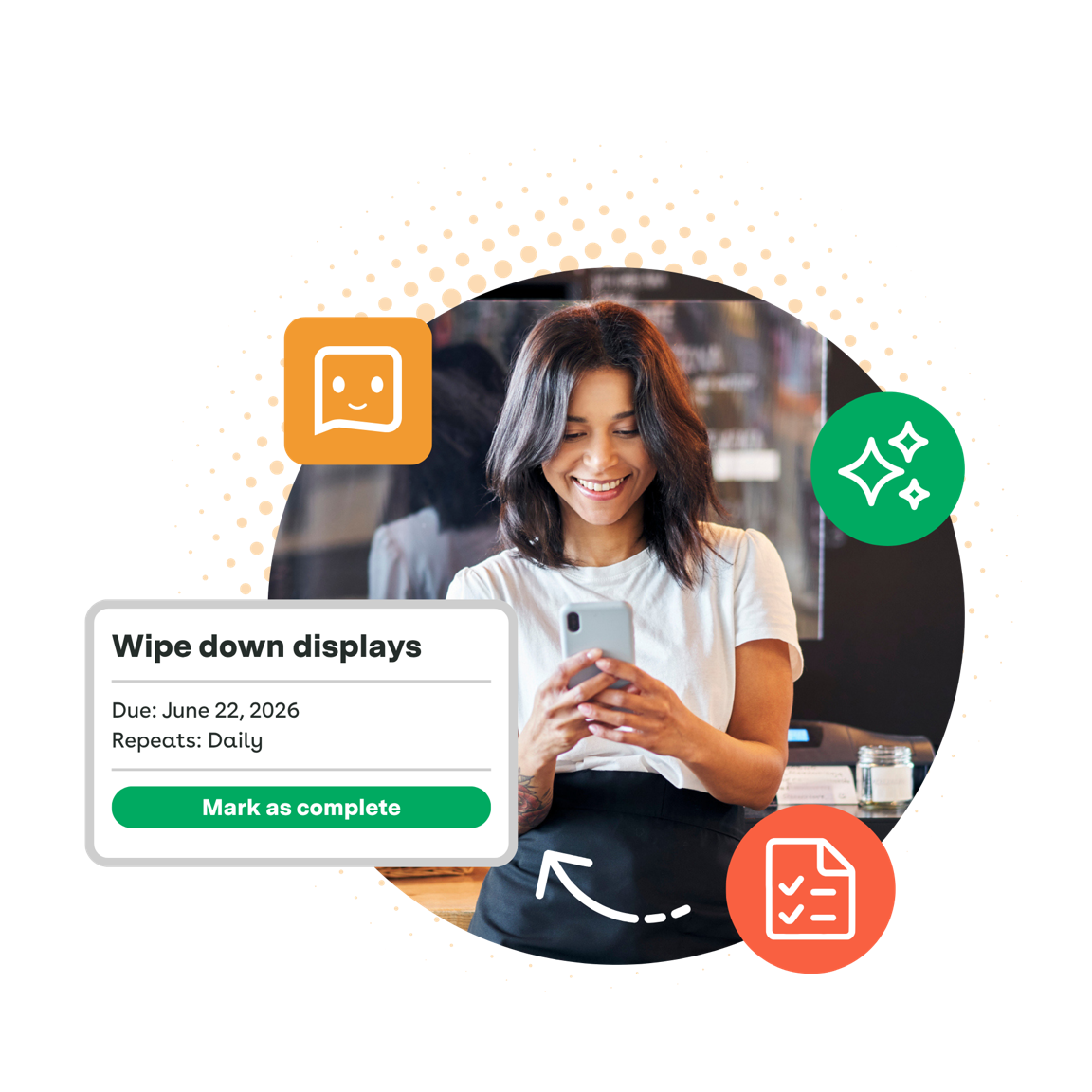
Axonify combines frontline learning with guided execution and insights into completion and knowledge. Its current retail offering explicitly addresses launches, promotions, and procedures; evaluating it only as a training tool would miss that scope.
Consider it when employees need to learn a new process or product before they can execute it consistently. A launch might require both a merchandising change and the confidence to explain the product to customers.
During evaluation, ask to follow one initiative from learning through assigned work and manager review. Inspect whether reporting distinguishes knowledge gaps from unfinished tasks, and demonstrate the exact evidence and approval process you need.
Define success for both sides of the workflow. Training participation is useful, but your campaign still needs an observable outcome in the store. Test that link using your own launch rather than treating course completion as proof of execution.
Platforms for CPG field execution and merchandising
6. Repsly: field teams working across retail accounts
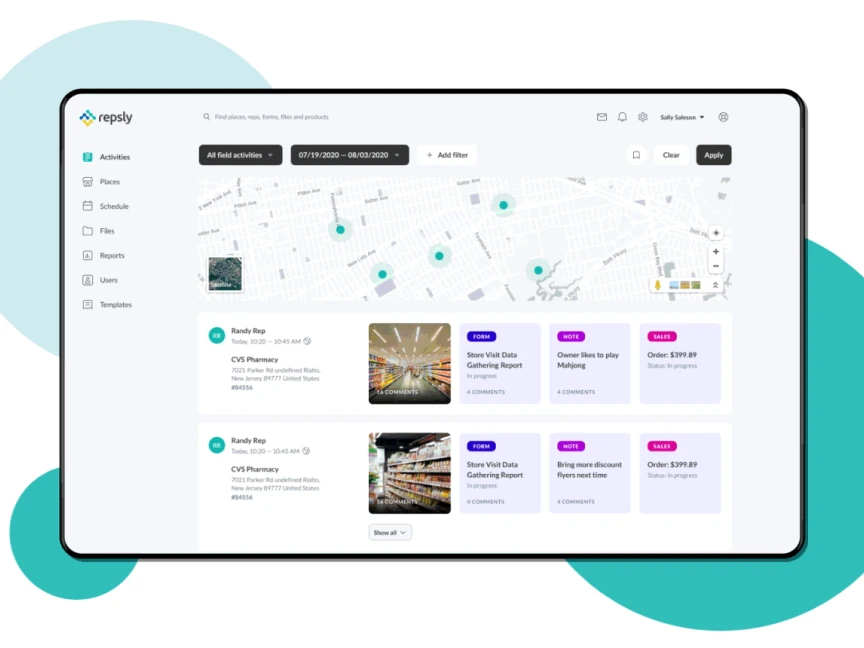
Repsly focuses on field execution, merchandising, and sales activity across retail accounts. Its public product information covers field scheduling, ordering, data collection, account prioritization, and dashboards connecting field activity with in-store execution and sales performance.
It belongs on the shortlist when your people visit retailers on behalf of a brand, broker, or service provider. Their working day is organized around accounts and visits, not only the routines of one employer’s store network.
Ask the vendor to walk through a representative’s day: identify an account needing attention, plan the visit, record a promotion check, and review the result centrally. Use the account hierarchy and reporting fields your managers actually need.
Confirm the availability and setup of the sales or inventory data you intend to use. Also check whether your primary requirement is account development and field coverage or the management of a retailer’s own store staff.
7. GoSpotCheck by FORM: photo-led field merchandising
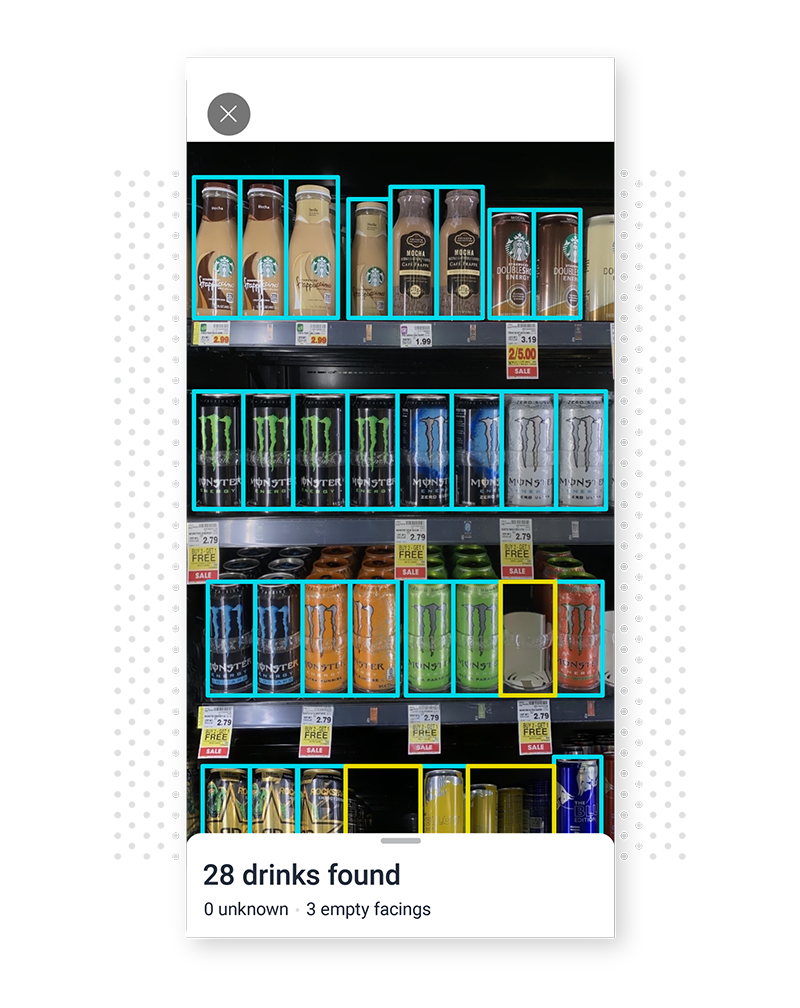
GoSpotCheck by FORM combines mobile task lists, photo reporting, and image recognition for field execution. Its CPG offering covers display and planogram compliance, with offline capture and reporting on shelf conditions.
Consider it when teams need to collect and analyze visual evidence across many retail accounts. The relevant question is what the system can reliably identify in your actual category and store conditions.
Bring representative shelf photos, including awkward angles, reflections, and partially obscured products. Ask how recognition handles your assortment, how uncertain results are reviewed, and how a finding becomes work someone owns. Test offline capture and synchronization if connectivity is a constraint.
Separate two requirements in the evaluation: documenting the shelf and correcting what is wrong. Confirm that the proposed setup supports both your measurement needs and the field team’s follow-up process.

How to choose retail execution software
A useful demo should show how the platform handles an imperfect store, an incomplete submission, and a late change. Give each shortlisted vendor the same campaign and evaluate the same steps.
Run one campaign from brief to verified completion
For a retailer, use a display launch in several store formats. For a CPG team, use a promotion check across retail accounts. Include a location that lacks the required stock and one that submits an incorrect photo.
For display-heavy retailers, this exercise should reflect your visual merchandising compliance workflow and visual merchandising audit checklist. If mobile use is central, our mobile retail execution guide provides additional context for frontline adoption.
Agree what counts as done
Define acceptance before the pilot. A completed task might mean that an employee pressed a button, uploaded a photo, or received manager approval. Those are different events.
For a display launch, an acceptance rule might require a current photo of the full fixture, the correct promotional material, and approval before opening. For a price check, it might require a clear shelf label and a documented resolution of any mismatch. These are example operating rules to configure and test, not claims that every platform enforces them automatically.
Photo collection also creates review work. Decide which submissions need human approval, which exceptions need escalation, and how quickly reviewers must respond. An approval queue that nobody owns can delay a campaign even when stores finish on time.
Check the practical requirements before a pilot
Map access for headquarters, regional managers, store managers, associates, and external field representatives where applicable.
Test your actual devices, login process, languages, accessibility needs, and connectivity conditions.
Confirm the required data flows, including store lists, users, products, and any POS or ERP inputs; request a demonstration of the proposed connection.
Establish who maintains templates, campaign briefs, permissions, and reporting after launch.
Check photo retention, exports, and your company’s data requirements before collecting live store evidence.
Run the pilot with a representative mix of locations, including a busy store and a team that needs more support. Use one full campaign cycle and allow time for corrections. A successful test should include the difficult handoffs your current process struggles with.
What to measure in a retail execution pilot
Measure the quality and timeliness of the outcome as well as adoption. Keep task counts, store counts, and review status separate so a high volume of completed routine tasks does not hide a failed campaign launch.
| Measure | Working definition | What it helps you see |
|---|---|---|
| On-time verified rollout | Participating locations accepted by the deadline ÷ all participating locations due | Whether the campaign reached the required standard on time |
| First-pass acceptance | Initial submissions accepted without correction ÷ initial submissions reviewed | Whether instructions and store execution are clear enough |
| Correction turnaround | Time from a correction request to acceptance of the corrected work | Whether follow-up is fast enough while the campaign still matters |
| Review backlog | Submissions waiting for review, grouped by age | Whether managers have become the bottleneck |
| Coordination effort | Time spent chasing, sorting evidence, and compiling status | Whether the new process reduces manual work |
For example, if 18 of 20 participating stores have accepted evidence before the launch deadline, the on-time verified rollout is 90%. A store that submitted a photo but is still awaiting review does not yet count as verified under this definition.
On-time verified rollout = (locations verified by the deadline ÷ participating locations due) × 100
Record the starting process before the pilot and use the same definitions afterward. Track the reason for delays: missing materials, unclear instructions, lack of time, or slow review require different fixes. Sales results can add context, but a short pilot alone cannot separate the software’s impact from availability, promotions, seasonality, and other changes.
Frequently asked questions
What is the difference between retail execution software and a POS system?
A POS system records sales and payments. Retail execution software coordinates work such as installing displays, checking promotional signage, and verifying store standards. The systems can complement each other, but completing a sale and confirming a store task are different workflows.
Is retail execution software only for CPG companies?
No. CPG brands and brokers use it to coordinate field visits and merchandising across retail accounts. Retailers use execution platforms to assign and verify work across their own stores. Choose according to who performs the work, how locations are organized, and what evidence managers need.
Do you need AI image recognition for retail execution?
It depends on what you need to verify. Manual photo review may suit a display or signage check. Image recognition can be relevant when identifying products, facings, or shelf conditions at scale. Test representative photos and agree how uncertain results are reviewed before relying on automated output.
Can retail execution software replace store visits?
It can provide remote evidence and help managers focus visits on locations needing attention. Photos and task reports do not capture every aspect of service, coaching, or store conditions. Use them to make visits more targeted and to follow through on findings between visits.