

Bitreport, Zipline, Axonify, WorkJam, and Connecteam are five YOOBIC alternatives worth evaluating for retail teams. The right shortlist depends on what you need to replace: store audits and corrective work, daily communication, frontline learning, or a broader employee app.
Start with the work your stores need to carry out. A retailer looking for better follow-up after store visits has a different buying brief from one replacing its training and communication platform across the business.
This guide compares those five options, explains where YOOBIC itself remains relevant, and gives you a practical way to evaluate a replacement without losing workflows your teams already depend on.
Published by Bitreport, one of the vendors included. Product information checked against official sources on October 1, 2026. Selection reflects retail workflow fit, not a numerical ranking or hands-on comparative test. Recommendations and demo scenarios are our editorial judgment. Confirm current modules and configuration with each vendor.
YOOBIC alternatives at a glance
| Platform | Put it on the shortlist when… | Validate before replacing YOOBIC |
|---|---|---|
| Bitreport | Store audits, assigned corrections, and photo review are central to the brief | Which communication and learning workflows will stay in other systems |
| Zipline | Head-office messages need to become clear daily store assignments | How publishing, task priorities, and photo approvals work across your hierarchy |
| Axonify | Associate knowledge and execution need to improve together | How learning, task evidence, and manager follow-up connect in your use case |
| WorkJam | Tasks must connect with shifts and a broader frontline workplace | The data, integrations, and administration required for your proposed setup |
| Connecteam | Employee coordination, recurring tasks, and team communication share one buying brief | Whether assignments require one shared completion or a separate response from each person |
These are starting points, not exclusive capabilities. Several platforms span more than one category. If your brief also includes checkout, stock accounting, or other store systems, begin with our broader retail store management software guide.
What are you replacing in YOOBIC?
Before comparing alternatives, separate a product requirement from a process problem. A task can remain unfinished because the system cannot support the workflow, because instructions are unclear, or because nobody owns the review. Those problems need different fixes.
YOOBIC: the baseline for your comparison
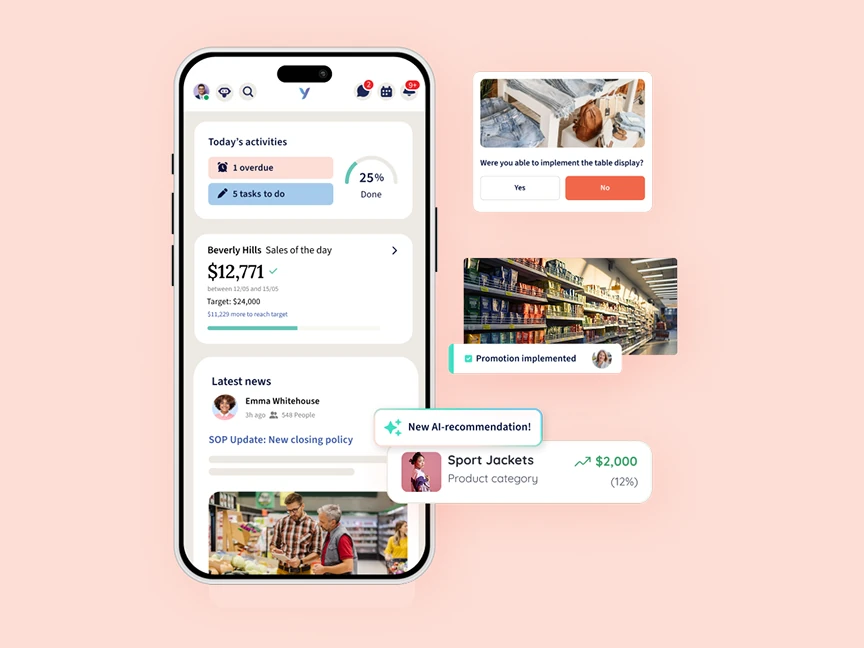
YOOBIC’s task management covers store missions, audits, action plans, reporting, and visual merchandising feedback, including photo annotation and execution approval. Its platform also includes frontline communication and learning. An alternative therefore needs to be evaluated against the parts of that scope you actually use.
Keep YOOBIC in the evaluation if your organization wants execution, communication, and learning in one platform. If you already use it, ask your team to demonstrate the problematic workflow in the current setup before deciding it cannot be supported. This is an evaluation step, not a claim that changing configuration will resolve every issue.
Write a replacement brief before booking demos
Use a recent store initiative to identify what must survive the move. For example: a new promotion required a targeted announcement, a short product lesson, a display task, a photo review, and a report for regional managers.
Record the workflows you use today: assignments, store visits, photo review, announcements, knowledge documents, and training. Mark each as essential, useful, or no longer needed.
Name the problem to solve. “Managers cannot find stores awaiting review” gives a vendor something concrete to demonstrate; “we need a better platform” does not.
Decide which tools remain. A separate learning platform may stay in place while store execution moves, or the project may replace both together.
Define the people and locations involved. Include store teams, regional managers, head office, shared devices, languages, and the people who administer content.
Keep this brief short enough that every shortlisted vendor receives the same requirements. It also helps prevent the evaluation from expanding into an unrelated project halfway through.
Five alternatives to YOOBIC
1. Bitreport: store audits and corrective execution
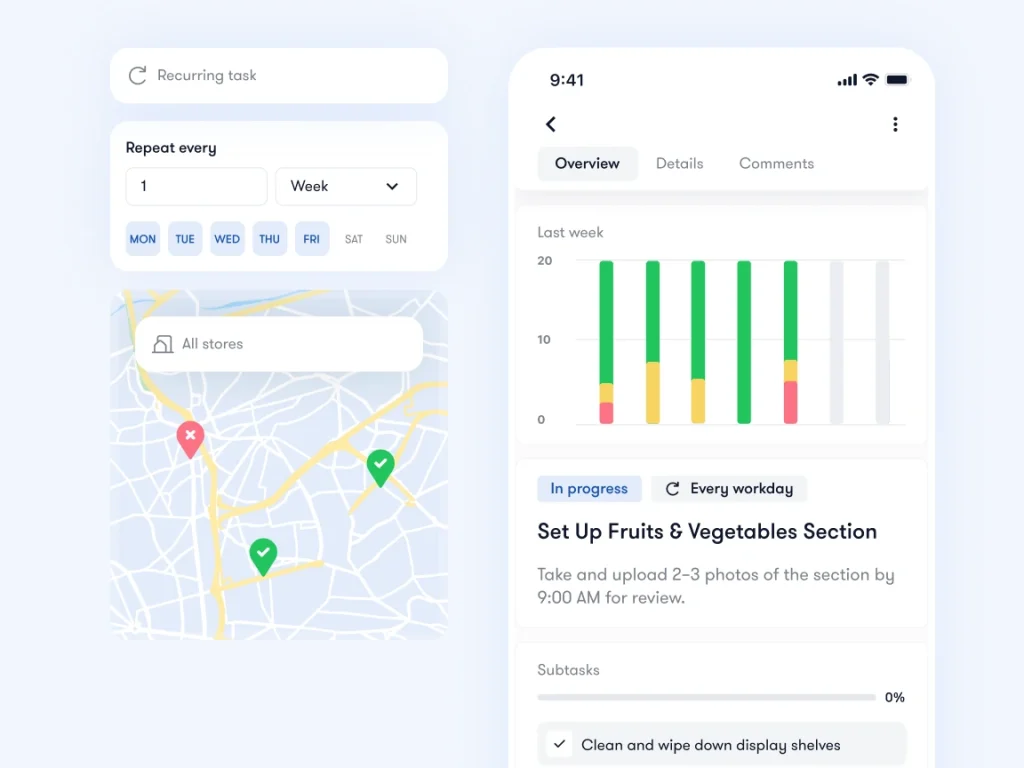
Bitreport is a relevant option when the central requirement is making store standards actionable: check the location, identify an issue, assign the correction, and review the evidence. Its audits and checklists connect failed checks with corrective tasks, owners, deadlines, and photo evidence.
For a retailer, that might mean following an incorrect promotion display from a store-visit finding through correction. The buying question is whether the regional manager can see what still needs attention without collecting updates in separate messages.
There is also a concrete visual merchandising example. Bitreport’s Under Armour CEE case study describes a regional workflow with photo submission, annotation, approval, and reopening of items that need adjustments. This documents that customer’s implementation; it is not evidence that the retailer switched from YOOBIC.
In the demo, use one failed store check and one rejected display photo. Ask to see the original finding, the responsible person, the new evidence, and the manager’s view of unresolved work.
Scope to confirm: Bitreport’s documented focus is operational execution. If your YOOBIC replacement must also cover an extensive learning program, company-wide communications, or workforce scheduling, establish how those requirements will be handled. Do not assume that replacing store tasks replaces the whole employee platform.
2. Zipline: communication connected to daily store work
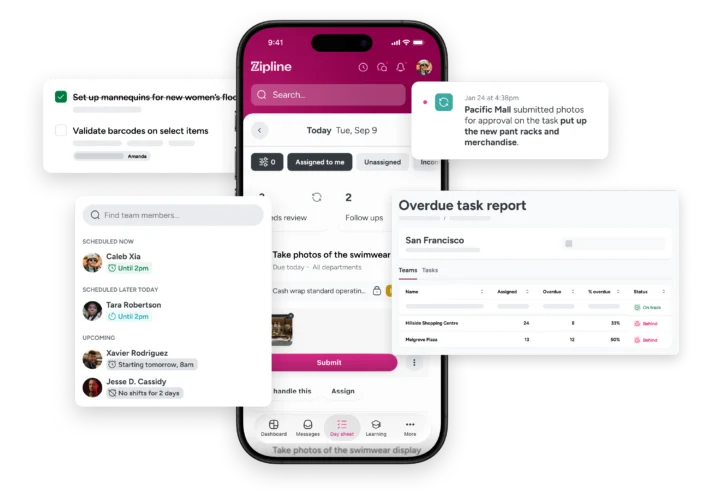
Zipline connects store communication with assignments and task status. Its Day Sheet brings messages and work together, and its task tools include priority settings and photo task approvals. That makes it relevant when your replacement brief puts store communication and daily execution together.
Consider a campaign announced on Monday but implemented in stages through Friday. The useful test is whether an associate can find today’s actions and their context, while the manager can see what the store still owes headquarters.
Ask a head-office user to publish a campaign, then have a store manager allocate the work. Change an instruction after the first announcement and inspect what employees see. Finally, submit an incorrect display photo and review how the feedback reaches the store.
Scope to confirm: Define who can publish, which teams receive each message, and how conflicting priorities are resolved. Check the learning and audit requirements in your own replacement brief as well; do not treat a communication-led evaluation as proof that those needs are covered by the proposed configuration.
3. Axonify: learning linked to frontline execution
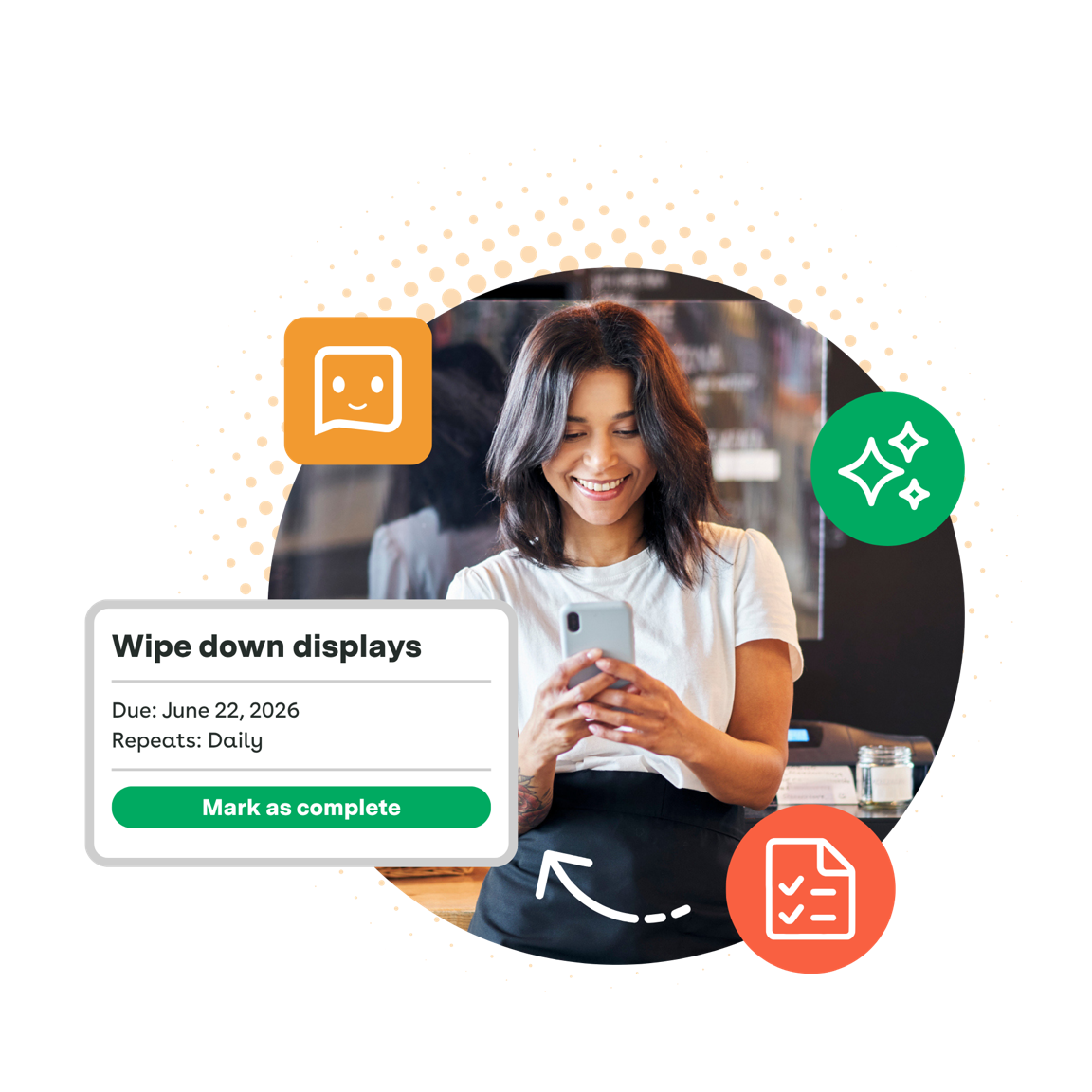
Axonify combines frontline learning with guided execution. Its platform describes task assignment by role, location, or person; audits with photo capture; and follow-up when checks fail. It is a relevant alternative when helping employees understand the work is part of the same project as getting it done.
Imagine a product launch that requires associates to explain a new feature and implement a different display. Your evaluation needs two outcomes: employees understand the product, and stores carry out the launch correctly. A completed lesson alone does not prove the display is ready.
Bring one short lesson and its related store task to the demo. Ask the vendor to show how a manager distinguishes a knowledge gap from an unfinished assignment. Then follow a failed check into the next action and inspect the evidence needed for review.
Scope to confirm: Agree who maintains learning content and who owns operational follow-up. Test the exact photo review and reporting requirements your YOOBIC setup supports today. Treat those as acceptance criteria, rather than assuming that learning and task features automatically reproduce your current process.
4. WorkJam: tasks connected to shifts and business systems
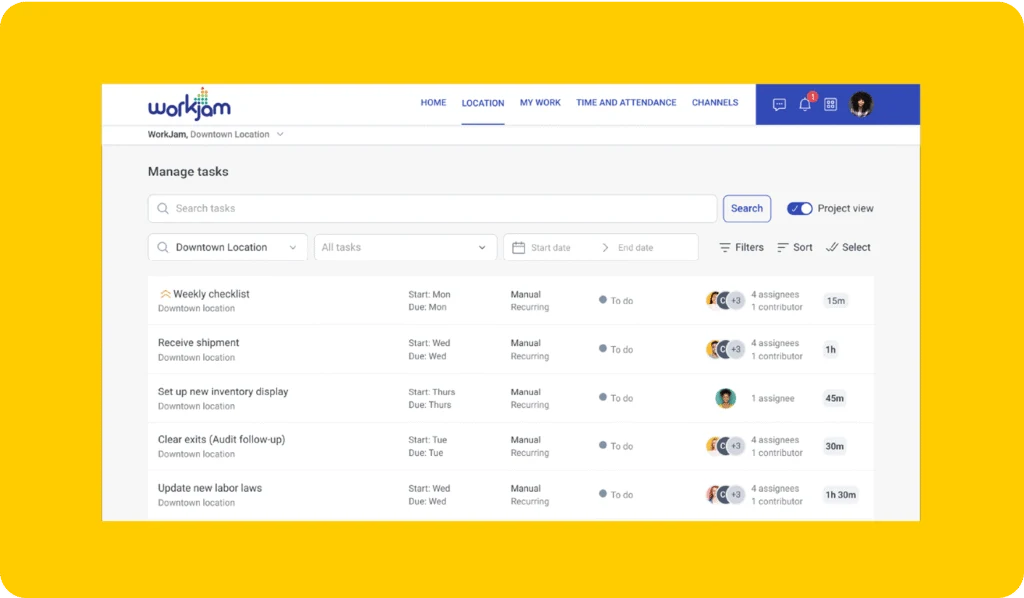
WorkJam’s task and activity management combines frontline assignments with audits, forms, and verification. Its documented capabilities include shift-related targeting, task pooling, photo and video evidence, and connections to external business systems. Include it when the project extends beyond a store checklist into a broader frontline workplace.
For example, a receiving task may need to reach someone working the relevant shift, while a follow-up depends on a signal from another system. The important question is how that handoff works with your actual data and team structure.
In a demo, start with an assignment tied to a shift, then change who is available. Ask how the work remains visible and who can take responsibility. If an integration is essential, have the vendor explain the source event, mapping, permissions, and what happens when synchronization fails.
Scope to confirm: Separate capabilities demonstrated in the product from integration or configuration work needed for your environment. Identify who owns those dependencies internally. This is a broader systems evaluation, so a successful task demo should be followed by a review with the people responsible for workforce data and access.
5. Connecteam: employee coordination and recurring tasks
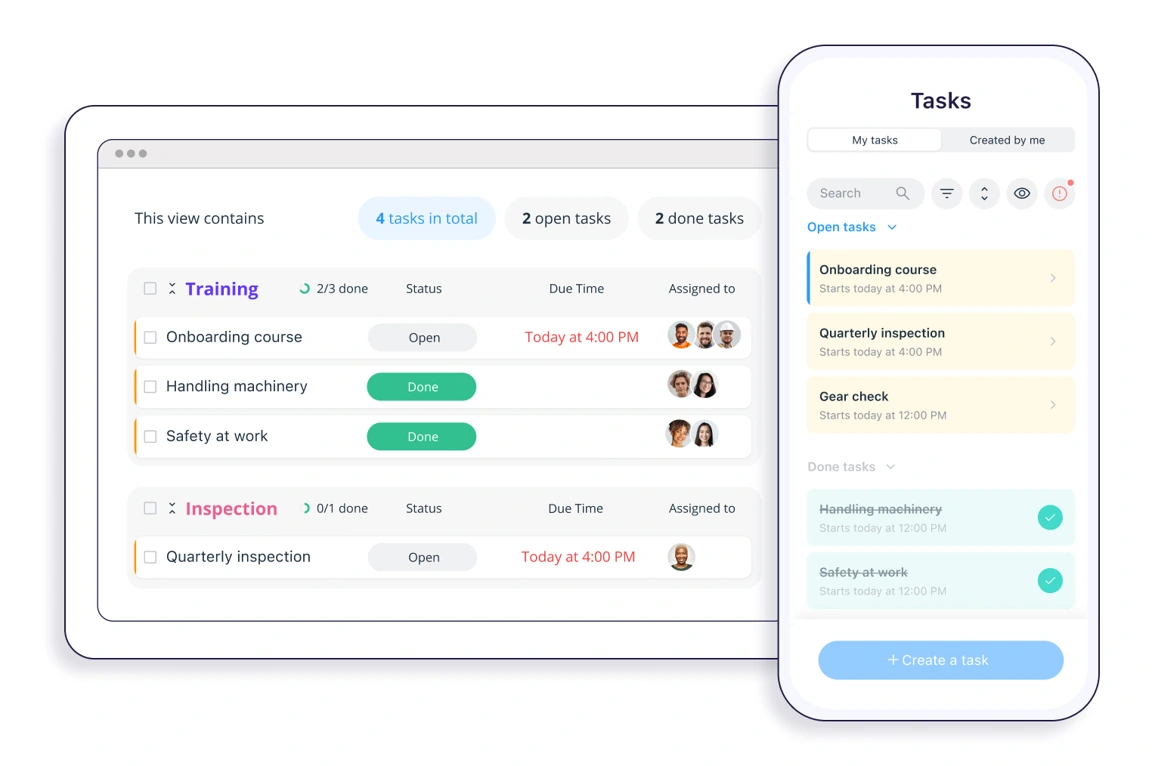
Connecteam combines task management with employee tools such as chat, forms, and scheduling. Its tasks support recurring work, instructions, subtasks, attachments, and progress tracking. It belongs on the shortlist when day-to-day team coordination is a central part of the replacement brief.
One assignment detail deserves particular attention. Connecteam’s Group Tasks documentation describes shared work that an assigned team member can complete for the group. That is different from requiring an individual response from everyone.
Use two examples in the demo: “set up the front display” and “every associate acknowledges the new procedure.” Ask the vendor to configure each correctly, show who is still responsible, and demonstrate what the manager sees when only some people have responded.
Scope to confirm: Test your store and regional hierarchy, evidence requirements, and reporting across locations. Also establish which task settings and employee tools are included in the proposed configuration. A shared task may be exactly right for one display, but it should not hide missing individual acknowledgments elsewhere.
How to choose a YOOBIC alternative
Choose two or three platforms using your replacement brief, then give each the same imperfect store scenario. A demonstration that includes a missed deadline and a rejected submission tells you more about follow-up than a clean sequence of completed tasks.
Run the same store launch in each demo
Use a fictional promotion across two store formats. One store has the correct stock, another is missing a display component, and a third submits a photo with outdated signage. These are example test conditions, not claims about any vendor’s behavior.
Assign the correct brief to each store format, with a named owner, deadline, and reference photo. Ask how a late change reaches assignments already in progress.
Have an employee find the instruction and complete the task on the device they will use at work. If learning is in scope, include the relevant lesson or knowledge document.
Record the missing display component as a blocker. Check whether the manager can distinguish blocked work from completed work without opening a separate chat.
Review the deliberately incorrect photo, request a correction, and follow it through resubmission. Identify who owns the review while the store waits.
Ask a regional manager to identify incomplete, overdue, and unverified stores. Open the supporting evidence and check how the final record can be retained.
Score each requirement as demonstrated, needs configuration, needs another system, or unverified. Keep a short note of what you saw and who must resolve each open point. These categories prevent an unanswered question from quietly becoming an assumed capability.
Our retail task management software guide goes deeper into assignment ownership. For a wider range of campaign and field workflows, see the retail execution software comparison.
Measure the pilot against your current workflow
Use a small, representative group of stores and include the people who will publish work and review it. An enthusiastic headquarters user cannot substitute for a store colleague trying to find an instruction during a busy shift.
Agree the outcome before the pilot starts. For the promotion example, “done” could require a current display photo, correct signage, and manager acceptance by the deadline. Record how many stores meet that definition, how many need corrections, and how much manual follow-up is still required.
Also measure review effort. A tool may make it easy to collect more photos while leaving the same people responsible for examining all of them. Decide what needs approval, who covers absences, and which exceptions require escalation.
Choose the platform that meets your essential requirements with a workable operating process. The longest feature list cannot tell you whether your stores and reviewers can sustain that process.
What to check before switching from YOOBIC
Treat migration as a separate acceptance exercise. Do not assume a task template, old photo, training record, or permission model transfers unchanged between platforms.
Start with one real example from each workflow you intend to move. Rebuild a recurring task, an audit with a failed item, a store-specific announcement, and any essential learning assignment. Verify the result with the person who owns that process.
For historical records, establish what you can export and how you will preserve access to photos, comments, timestamps, and unresolved actions. Agree what needs to be imported, what can remain in a searchable archive, and who owns that archive. Request written confirmation of the available formats and migration scope from the vendors; this guide does not assume an automatic YOOBIC transfer service.
For identities and permissions, test a store transfer, a new starter, and someone leaving the organization. Check whether access and outstanding work follow the rules your team has agreed. Include shared-device and sign-in requirements if they apply.
Finally, set a cutover date and make it clear where new work belongs. A limited pilot can run alongside the existing system, but staff should know which record is authoritative. Avoid closing the old workflow until essential records, open actions, and the new ownership rules have been checked.
If the pilot does not solve the problem in your replacement brief, revisit the requirements before expanding the rollout. Staying with the current platform while resolving an operating issue can be a reasonable outcome.
Frequently asked questions
Which YOOBIC alternative should a retail chain consider?
Start with the workflow. Bitreport is relevant for store audits and corrective execution; Zipline for communication connected to daily assignments; Axonify when learning and execution share the brief; WorkJam when tasks connect with shifts and business systems; and Connecteam for employee coordination and recurring work. Several overlap, so validate your essential requirements in a demo.
Is Bitreport a replacement for every YOOBIC feature?
Do not assume complete feature equivalence. Bitreport’s documented focus is store audits, tasks, corrective actions, and operational visibility. If your current scope includes a broad learning or employee communication program, decide which tools will support those workflows and validate the proposed setup.
Can we move our existing YOOBIC data to another platform?
Confirm export formats, import options, historical access, and migration responsibilities with both vendors. Test a small sample that includes tasks, photos, comments, timestamps, and unresolved actions. No automatic transfer or complete migration compatibility is assumed in this comparison.
How should we compare alternatives without a full rollout?
Use the same store scenario in each demo, including blocked work and a rejected photo. Follow that with a limited pilot covering store users, reviewers, and administrators. Agree acceptance criteria beforehand and record which requirements are demonstrated, need configuration, need another system, or remain unverified.
See your store workflow in Bitreport
If audits and corrective work are central to your shortlist, bring one store checklist and a display brief to a Bitreport demo. Follow an issue from the original check through assignment, photo evidence, and review, then discuss how it fits the tools your team will keep.