
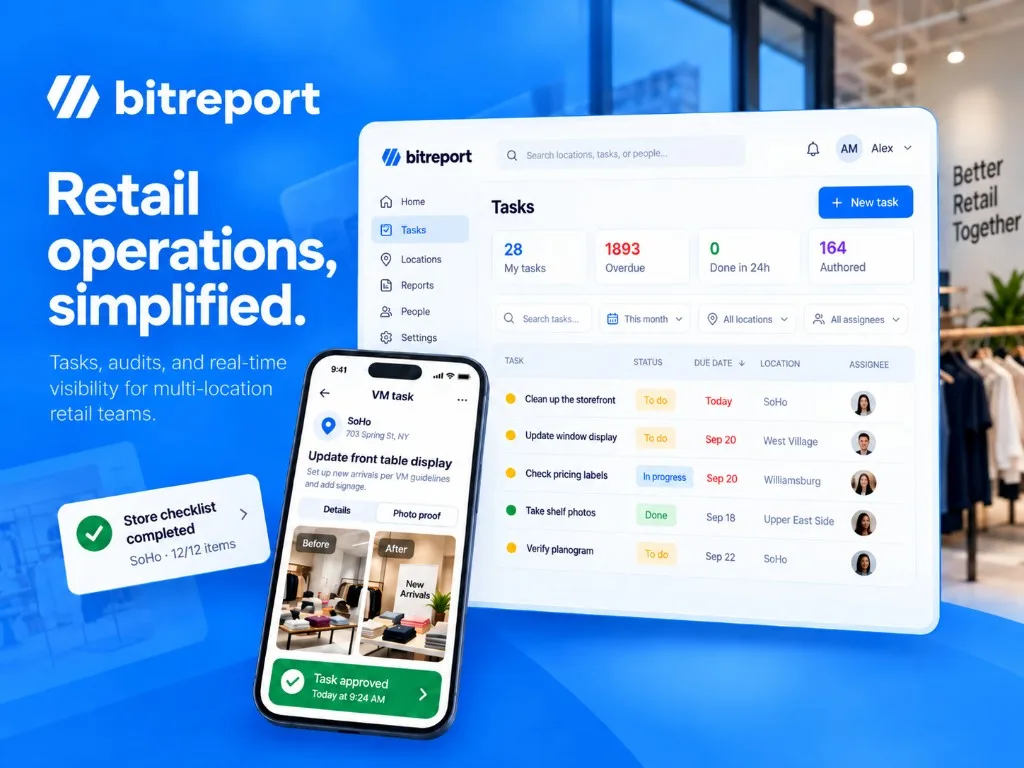
Head office sends the promotion brief. Stores confirm they have seen it. On the next visit, the display is still wrong in several locations. The missing step was a way to assign the work, check the result, and follow up on exceptions.
Retail operations software helps store teams carry out daily work and gives managers visibility across locations. Depending on the platform, it connects checklists, tasks, audits, communications, photo evidence, and corrective actions.
This guide compares seven options for that work: Bitreport, YOOBIC, Zipline, Mitti (by SafetyCulture), Connecteam, Crunchtime Ops Execution, and GoAudits. Start with the problem your teams need to solve: consistent routines, better store communication, inspection follow-up, or coordination between shifts.
For the broader operating model behind the software, see our guide to retail operations.
If you are still deciding between operations, POS, inventory, or other tools, start with our retail store management software buyer’s guide.
Retail operations software: comparison at a glance
| Platform | Useful starting point | Relevant capabilities | What to test in your demo |
|---|---|---|---|
| Bitreport | Audits and daily execution across stores | Checklists, recurring tasks, corrective actions, photo review | Follow a failed check through assignment, correction, and manager review |
| YOOBIC | Store execution alongside communications and learning | Tasks, visual verification, frontline communications, mobile learning | Run a campaign that includes instructions, training, and store evidence |
| Zipline | Connecting head-office communication to store action | Messages, task priorities, photo approvals, store audits | Trace a launch brief into daily assignments and completion reporting |
| Mitti (by SafetyCulture) | Inspections and operational improvement across sites | Inspections, issues, actions, training, analytics | Turn an inspection finding into owned work and review the outcome |
| Connecteam | Tasks alongside employee and shift coordination | Forms, tasks, scheduling, time tracking, communication | Check how shift responsibilities and incomplete work are handed over |
| Crunchtime Ops Execution | Standards across convenience and foodservice networks | Operational tasks, audits, location-based projects, hierarchy visibility | Test routines for different store formats and franchise roles |
| GoAudits | Store audits, reports, and action plans | Digital inspections, photo evidence, reports, follow-up | Track a store-visit finding from the report into a completed action |
Published by Bitreport, one of the vendors included. We reviewed public product and support information on September 17, 2026. The recommendations reflect workflow fit, not hands-on comparative testing or a numerical ranking. Product images illustrate vendor interfaces; they are not comparative test results.
What should retail operations software handle?
A useful operations platform connects instructions, ownership, and evidence. A store manager should know what is due today. An associate should have the instructions needed to complete it. A regional manager should see where work is late, missing, or needs correction.
Consider a blocked aisle found during an opening check. Recording the failure is only the beginning. Someone needs to own the correction, move the obstruction, provide evidence, and make the outcome visible to the manager. If those steps still happen through separate messages, the team continues to coordinate much of the process manually.
Use these capabilities as an initial requirements list:
Repeatable opening, closing, cleaning, and campaign routines with clear deadlines.
Store- or role-specific assignments, so instructions reach the people who need them.
Audits and checklists that capture findings consistently across locations.
Follow-up tasks with an owner, status, and evidence of the correction.
Photo submission and review for work that cannot be verified with a checkbox alone.
Reporting that lets regional managers find exceptions and investigate individual stores.
An audit-focused buyer can use our retail audit software comparison to explore that workflow in more detail. For recurring work, start by documenting the routines your teams need to repeat, then evaluate how the platform assigns and tracks those tasks. Our retail task management software comparison goes deeper into store ownership, recurring assignments, and completion evidence.
Is this the same as a retail operating system?
“Retail operating system” is a broad label. One vendor may use it for payments, inventory, and commerce; another may mean the daily workspace for store teams. Ask which records and decisions the system actually owns.
| System category | Main job | Example question it should answer |
|---|---|---|
| Retail operations and execution | Coordinate store routines, standards, and follow-up | Has every store implemented the display, and which ones need a correction? |
| POS and commerce | Process transactions and support selling | What was sold, returned, or paid for at this location? |
| Inventory and ERP | Maintain stock, purchasing, and financial records | What stock is available, and what needs to be purchased or accounted for? |
| Workforce management | Coordinate staffing, availability, and working time | Who is scheduled, and which shifts need coverage? |
These categories overlap, and a retailer may need more than one. This comparison focuses on the work happening in stores. If replacing your checkout or stock ledger is the main objective, evaluate that requirement separately rather than assuming an operations platform covers it.
Seven platforms to evaluate
1. Bitreport: audits, corrective actions, and photo review
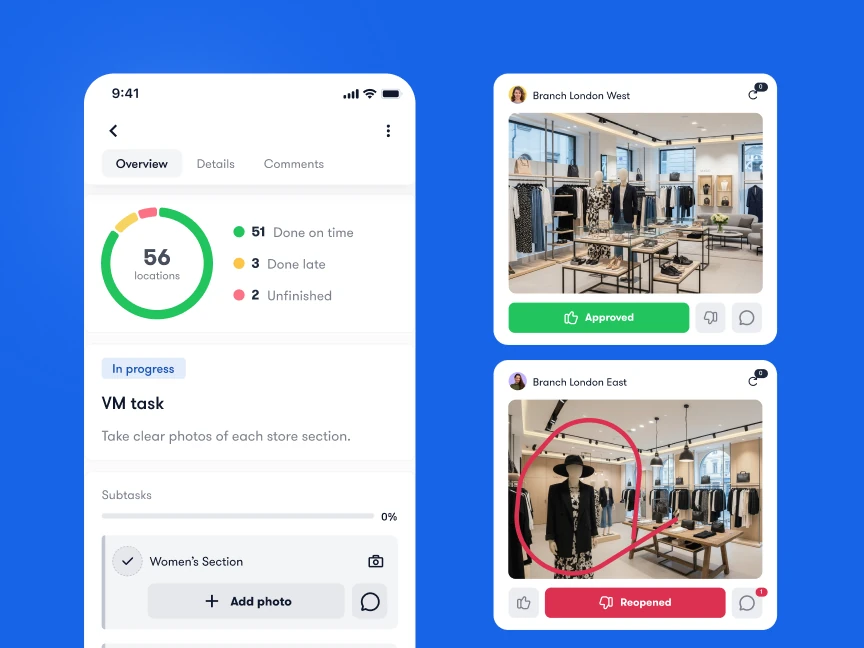
Bitreport is a relevant option for multi-location retailers that need to connect routine checks with assigned work and verified corrections. Its audits and checklists capture store findings, while task management supports scheduled routines and follow-up. A failed audit item can create a corrective task with responsibility, a deadline, and photo evidence.
That makes the platform worth evaluating when area managers are collecting reports but still chasing stores to fix what the reports found. Incident reporting also gives employees a structured way to raise problems outside a scheduled check.
Visual review is another useful test. In Bitreport’s published Under Armour CEE case study, 22 stores across four countries used a weekly merchandising workflow with photo submission, annotation, approval, and reopened items. The retailer reported around 45 minutes saved per store each week on VM tasks. That is a result from this specific workflow and deployment.
Bring one opening checklist and one merchandising brief to a demo. Ask to see the store team’s work, a correction, and the regional manager’s view of unfinished items. Bitreport’s role here is operational execution; confirm separately any requirements for POS, inventory accounting, payroll, workforce scheduling, or integrations.
Request a Bitreport demo using your own store workflow.
2. YOOBIC: execution, communication, and frontline learning
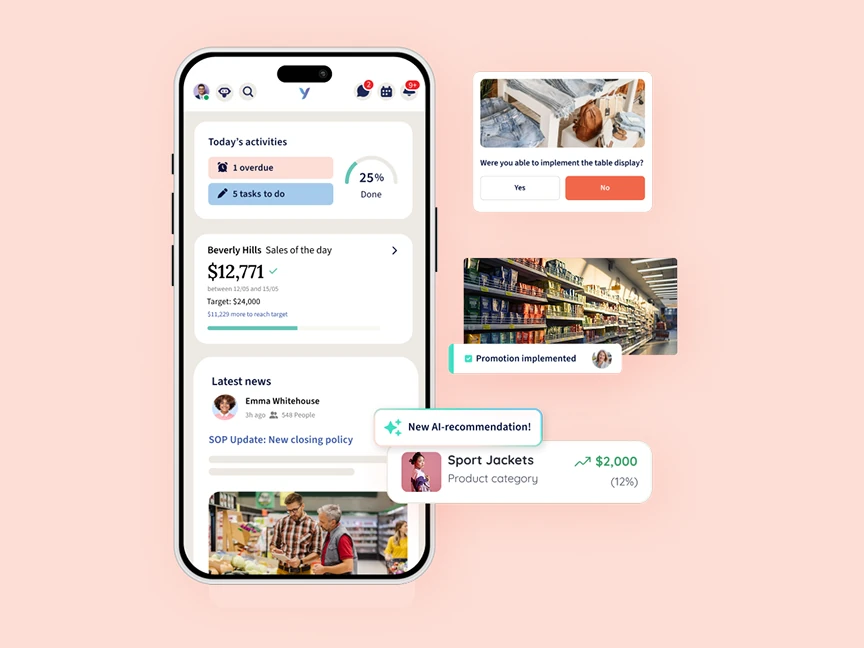
YOOBIC combines task management, frontline communication, and mobile learning. Its public product information describes guided assignments, photo verification, store visits, and visual compliance workflows.
It is worth shortlisting when execution gaps involve both the instruction and the employee’s ability to carry it out. A seasonal promotion, for example, may require a team update, a short product lesson, display instructions, and confirmation from each store.
For your demo, use that complete campaign. Check how an associate finds the right instructions, how evidence reaches the reviewer, and how managers distinguish work that is finished from work that still needs attention.
Decide which parts of the wider platform you intend to use. If communication and training already work well elsewhere, concentrate the evaluation on the execution workflow you are replacing. That is a scope decision, rather than a reason to assume the broader platform is unsuitable.
3. Zipline: turning store communication into action
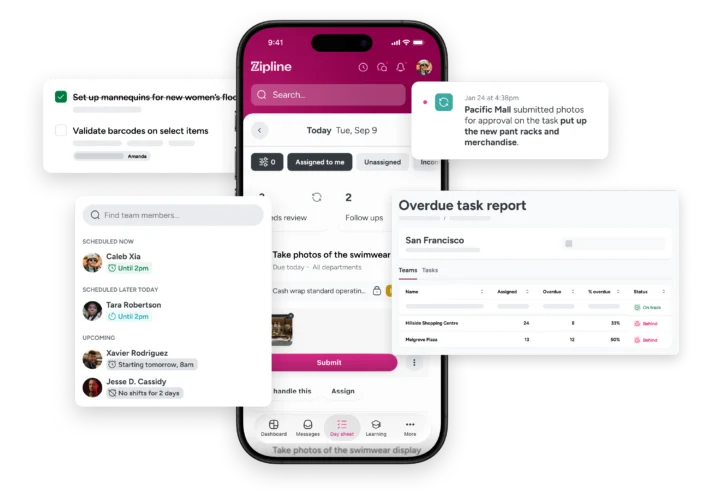
Zipline’s task management connects messages with upcoming and recurring work, priorities, and status. Its Day Sheet brings shift messages and assignments together, and the platform describes photo task approvals and reporting for store and field leaders.
Consider it when the recurring problem is that head-office updates reach stores but do not consistently become clear daily priorities. That can matter during overlapping launches, policy changes, and merchandising campaigns.
Use a promotion with different duties for the store manager and associates. Ask to see the original message, the resulting assignments, a submitted display photo, and the manager’s view of an overdue store.
Zipline also offers store audits, learning, and a knowledge base. Confirm the modules and permissions needed for your workflow. Test whether stores can easily separate urgent work from information they only need to read.
4. Mitti (by SafetyCulture): inspections and operational follow-up
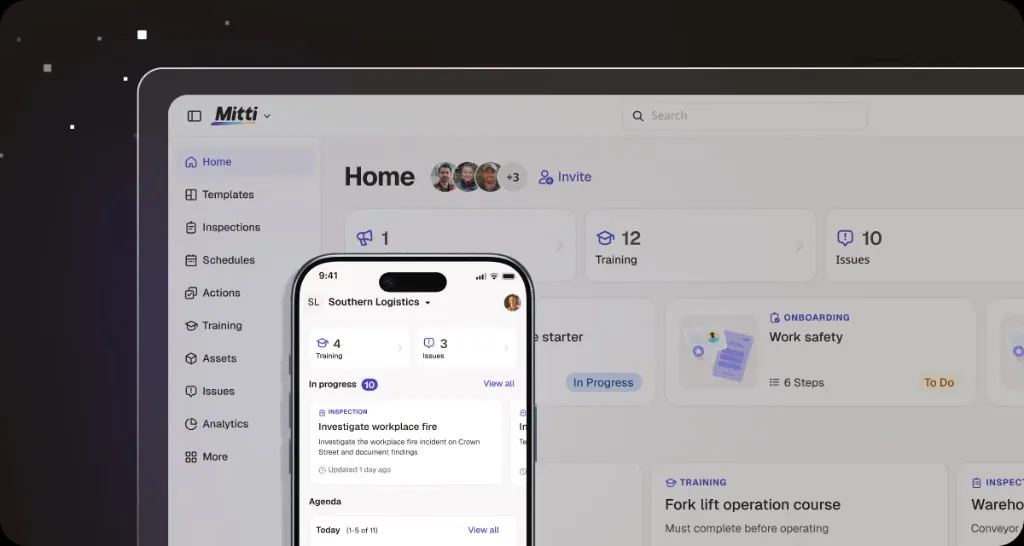
Teams familiar with SafetyCulture or iAuditor should look for the current name, Mitti (by SafetyCulture). Its platform brings together inspections, issue reporting, actions, training, and operational analytics.
Mitti is a relevant candidate when the starting point is a consistent inspection process across sites, with findings that need documented follow-up. That could include store standards, equipment checks, or recurring quality issues.
In the demo, submit an inspection with one failed item. Follow the resulting work through ownership, evidence, and review, then check what a regional manager sees across several sites.
Evaluate the actual retail workflow rather than the size of the checklist library. Your team still needs to define the right questions, evidence requirements, and escalation responsibilities. Confirm which capabilities belong in the proposed setup and how store, regional, and head-office access will work.
5. Connecteam: operations alongside employee coordination
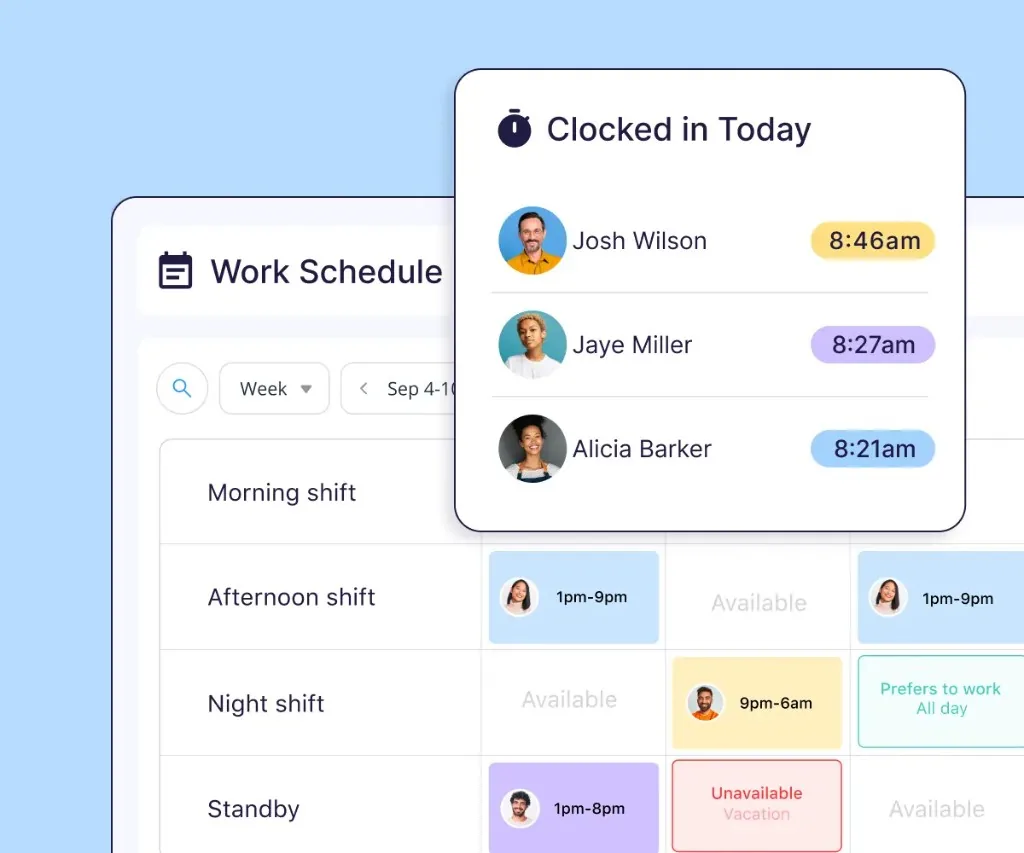
Connecteam’s retail offering brings shift scheduling, time tracking, training, and daily tasks into an employee management app. Its Forms documentation describes mobile checklists, required responses, photo uploads, and visibility into submissions.
It belongs on the shortlist when staffing coordination and daily execution are both part of the problem. A store manager may need to see who is on shift as well as which opening checks or department duties need attention.
Try a handover between two shifts. Ask how unfinished work becomes visible, who owns the next action, and how a manager checks the evidence without chasing another chat thread.
Pay particular attention to the connection between submitted forms and follow-up tasks. Have the vendor demonstrate the configuration you need, including regional reporting, instead of assuming that completing a checklist automatically closes its findings.
6. Crunchtime Ops Execution: convenience and foodservice networks
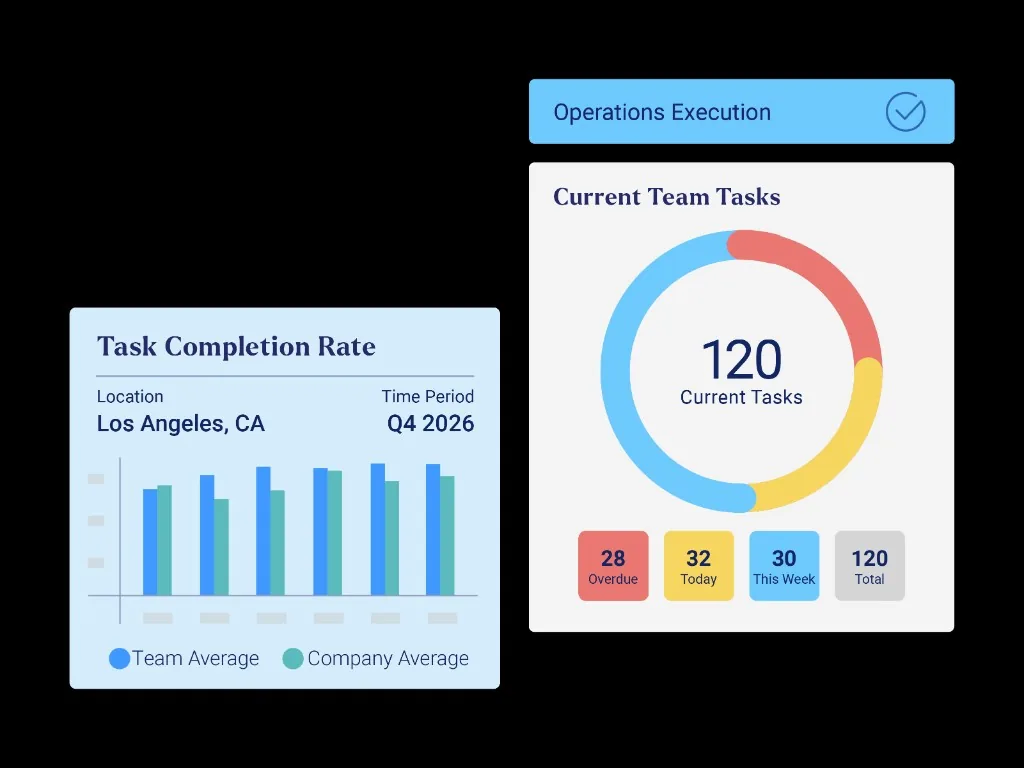
Crunchtime Ops Execution, formerly Zenput, supports operational tasks and audits across multi-unit restaurants and convenience stores. Its public documentation also describes franchise hierarchies and visibility into completed work by location.
It is especially relevant to retailers with foodservice operations or store formats that need different routines. Crunchtime describes location attributes and calendar events that help target work around events such as opening, closing, and shift changes.
Use two store formats in your demo. Test which tasks each receives, how a missed requirement reaches the responsible manager, and what corporate and franchise teams can see.
Keep the proposed product scope clear. Crunchtime offers a broader suite covering inventory, labor, and other restaurant functions. Verify the Ops Execution workflow and any additional products separately. For a fashion or specialty chain, test your own merchandising and store-visit needs rather than assuming a foodservice demonstration proves fit.
7. GoAudits: store inspections and action plans
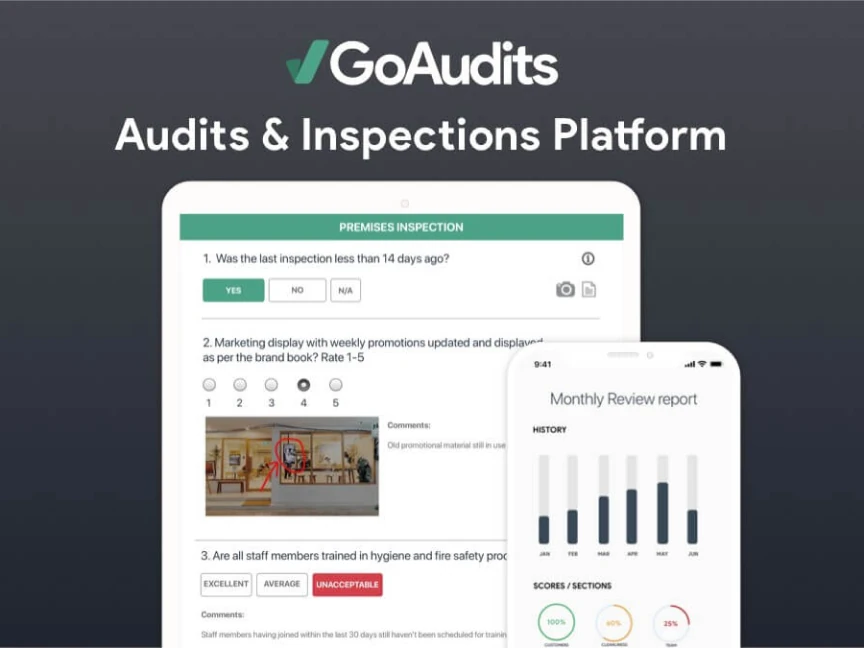
GoAudits focuses on digital audits and inspections, with reports, photographic findings, and action-plan follow-up. It is a useful candidate when area managers need a more consistent store-visit process and a clearer record of what needs fixing.
Use an actual visit checklist for the evaluation. Record a merchandising issue, attach evidence, and follow it into an action plan. Ask the store manager to complete the correction, then inspect how the reviewer finds the result and how repeated findings appear over time.
If the project also includes shift communication, training, or day-to-day assignments outside audits, show those requirements explicitly. Evaluate whether the proposed setup covers them or whether another system remains part of the workflow. The decision should reflect the work your team needs to coordinate, rather than the number of checklist templates available.

How to choose retail operations software
A useful demo follows your work from start to finish. Give shortlisted vendors the same scenario and involve both the people completing tasks and the managers reviewing them.
1. Define the workflow you want to improve
Start with one recurring problem: missed opening checks, inconsistent campaign execution, delayed repairs, or slow follow-up after a store visit.
Write down the trigger, responsible person, deadline, evidence, and reviewer. Identify where the process currently breaks. This becomes your evaluation brief and gives vendors a concrete problem to demonstrate.
2. Run the same exception through every demo
A promotion needs to be ready before Saturday opening. Most stores submit a photo, one sends an incorrect display, and another misses the deadline. Ask each vendor to show the complete process:
Send the brief and assign the right work to the relevant stores.
Let an associate open the instructions and submit completion evidence.
Have a manager identify an incorrect submission and request a correction.
Show who sees the overdue location and who owns the follow-up.
Review the corrected result and find the history later.
Ask what is automatic, what needs configuration, and what someone still does manually. A complete explanation is more useful than a promise that the system “supports workflows.”
3. Check adoption and access on the store floor
Let a store manager and an associate try the core task on the devices they actually use. Check sign-in, shared-device arrangements, photo capture, notifications, and how clearly the app shows today’s priorities.
Include a regional manager with access to several stores. Test that they can investigate exceptions while individual stores see only the information they should. If connectivity is unreliable, ask the vendor to demonstrate the relevant offline behavior and synchronization; do not assume all features work offline.
4. Confirm the work around the software
Clarify who will build templates, maintain the location hierarchy, train managers, and revise routines when standards change. Identify required data connections and confirm the exact systems, data direction, and implementation owner.
For platforms offering AI recommendations or visual review, use examples from your own stores. Inspect incorrect or uncertain results, the review process, and the underlying evidence. Keep accountability for operational decisions clear.
5. Pilot against a baseline
Choose a small set of representative stores, including one with known execution challenges. Keep the initial workflow focused and agree on the evidence that will justify a wider rollout.
| Pilot measure | What to record | What it helps you judge |
|---|---|---|
| On-time completion | Work due and work completed by its deadline | Whether routine execution becomes more reliable |
| Time to correction | Time from a reported finding to verified resolution | Whether follow-up improves, beyond audit submission |
| Evidence quality | Submissions accepted on the first review and those returned | Whether completed work meets the required standard |
| Manager follow-up effort | Time spent requesting updates and chasing corrections | Whether coordination work actually decreases |
Use the same definitions before and during the pilot. Avoid treating a checked box, a submitted photo, and an approved correction as interchangeable outcomes. Review the results with store teams before expanding the rollout.
Frequently asked questions
Can retail operations software replace a POS or ERP?
Usually, its role is different. A retail operations platform coordinates routines, tasks, checks, and follow-up. A POS handles sales transactions, while an ERP or inventory system maintains purchasing, stock, or financial records. Some suites combine functions, so confirm the exact capabilities and connections in the proposed setup.
Do we need a separate operations app if our existing tools have checklists?
Not necessarily. Test whether your current setup handles assignment, evidence, corrections, regional visibility, and a usable history. A separate platform is worth considering when important steps still depend on manual messages or duplicate reports, and the improvement justifies another system.
What is the difference between retail operations and retail execution software?
The terms overlap. Retail operations software can cover a broad set of store routines and coordination needs. Retail execution software often emphasizes carrying out standards, campaigns, and tasks. Some execution products serve field representatives visiting other retailers, so check whether the platform is designed for your own store teams or for an external field force.
Which platform is best for a multi-store retailer?
The best fit depends on the workflow and your existing systems. Shortlist tools around the problem you need to solve, then test the same assignment, exception, correction, and reporting scenario in each. Include store employees and regional managers in a pilot before committing to a wider rollout.
Bring one store workflow to your demo
If your priority is consistent checks, clear task ownership, and evidence that issues are fixed, bring a real opening checklist, store-visit report, or merchandising brief to a Bitreport demo.
We can walk through how your store teams would document the work and how managers would review it across locations. Book a Bitreport demo.