

A POS demo can make a sale look straightforward. The more revealing test is what happens when a customer exchanges an online order, a delivery arrives short, or a store loses its connection during a busy shift.
Retail POS software records sales and supports checkout, payments, returns, and the product information behind each transaction. Many platforms also include inventory, customer records, reporting, and online selling. The right choice depends on how those functions work together in your stores.
This guide compares Shopify POS, Lightspeed Retail, and Square by buying situation, then gives you practical scenarios to test. If you are still deciding between POS, inventory, operations, or audit tools, start with our retail store management software buyer’s guide.
Published by Bitreport, a retail operations software provider, not a POS vendor. This is a focused shortlist based on official product documentation reviewed in September 2026, not a hands-on ranking or an exhaustive market survey. Confirm the edition, plan, hardware, payments, and country availability for your proposed setup.
Retail POS software comparison at a glance
All three vendors offer more than a payment terminal. Their broader capabilities overlap, so use the starting points below to structure your evaluation rather than treating them as exclusive strengths.
| Platform | Useful starting point for evaluation | What to demonstrate | Scope to confirm |
|---|---|---|---|
| Shopify POS | Retailers connecting physical selling with a Shopify online store | An online purchase followed by a store exchange and the resulting stock changes | POS subscription, staff permissions, hardware, and market availability |
| Lightspeed Retail | Retailers evaluating connected checkout, purchasing, and multi-location inventory | A supplier order, partial receipt, store transfer, and subsequent sale | Exact Retail series, inventory workflows, ecommerce connection, and migration scope |
| Square | Retailers evaluating checkout and retail inventory within the Square ecosystem | Item setup, receiving, sale, exchange, and inventory reporting | Retail features included in the proposed plan, supported hardware, and payment availability |
These are suggested demo priorities, not evidence that one vendor cannot perform another row’s scenario. Your shortlist may also require a sector-specific system, particularly when the product catalog or selling process has specialized requirements.
What should a retail POS system handle?
A useful POS evaluation follows the transaction through the business. Check what the employee does, what changes in the stock record, what the customer receives, and what the manager can review afterward.
Checkout, returns, and staff permissions
Start with your actual mix of sales: product variants, promotions, exchanges, and the payment methods customers use. A gift shop, a fashion chain, and a store selling bulky products can have different checkout requirements even when all three sell physical goods.
Ask a store employee to find an item, correct a mistake, and handle a return under the proposed permission settings. Record which actions require a manager. Then check the resulting receipt, refund record, and stock movement. The point is to evaluate the whole process, not simply count taps on the first sale.
Stock, receiving, and transfers
Inventory features should match the way goods enter and move through your business. Test product identifiers, variants, supplier records, receiving, stock adjustments, and transfers wherever these are relevant.
Distinguish stock available for sale from stock in another state, such as an unreceived delivery or a damaged return. Decide which system owns the quantities if the POS connects to a separate inventory platform. Two screens showing different numbers need an agreed explanation and reconciliation process.
Online and physical-store orders
Map the customer journeys you actually offer. These might include ordering online for store pickup, buying in one location and returning in another, or arranging delivery of an item unavailable locally.
A vendor’s statement that a system supports omnichannel selling does not settle every detail. Demonstrate the order handover, inventory reservation, cancellation, and return. Identify which employee sees each step and when the relevant stock becomes available again.
Reporting, hardware, and continuity
Ask to follow a transaction into the sales report and the records used for reconciliation. Confirm how the store, date, discounts, returns, and payment method appear. Reporting is useful when the team understands the definitions and can investigate a discrepancy.
Then test the proposed physical setup. A software feature can be irrelevant if the required scanner, printer, or terminal is unsupported in your market. Establish what happens during a connection or device failure, including any limits and recovery steps. Treat an offline capability as a specific vendor-documented workflow to validate, not a blanket promise that every function continues unchanged.
Three retail POS platforms to evaluate
Shopify POS
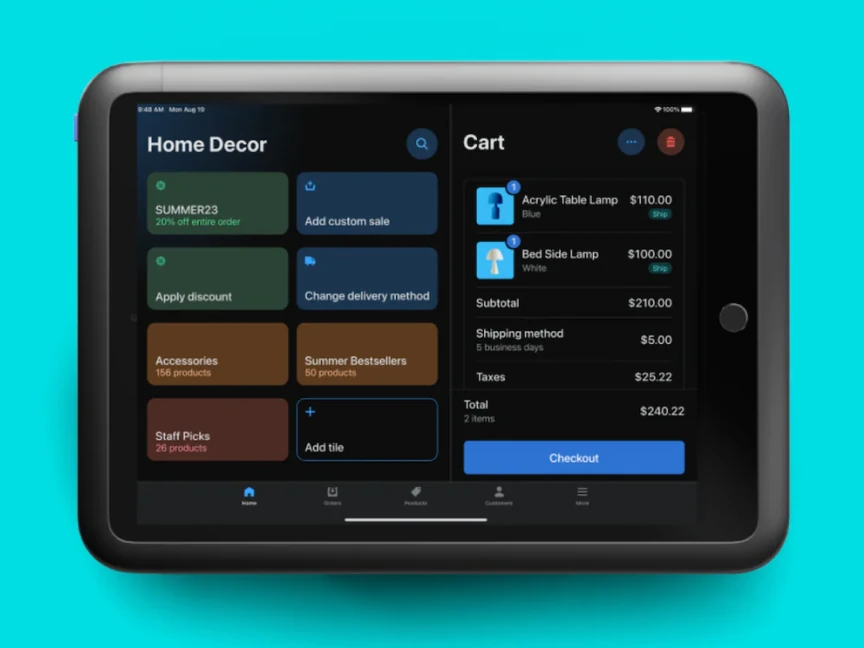
Shopify POS connects in-person selling with Shopify’s commerce platform. It is a relevant starting point for merchants who want their online and store activity managed within that environment. Official product information describes connected orders, inventory, customers, staff permissions, and reporting.
The evaluation should focus on the customer journey across channels. Use one of your own products, with its variants and promotion rules, and follow it from an online order to a store interaction. Check the final record rather than accepting a general statement that the channels are connected.
A concrete detail worth testing is exchanges. Shopify’s exchange documentation specifies POS Pro and the relevant staff permissions. It also explains that restocked exchange items go back into inventory at the processing location. That makes a useful test case for a business whose customers return purchases to different stores.
Demo scenario: Exchange an online purchase for another size at a physical location. Have the employee handle a price difference and show where the returned item is recorded. Repeat with an item that should not be returned to sellable stock.
Confirm before choosing: The subscription and permissions required for your workflow, supported devices and payment setup in your market, and how existing product and order data will be handled. If you are retaining a different ecommerce or inventory system, make the proposed connection part of the demonstration.
Lightspeed Retail
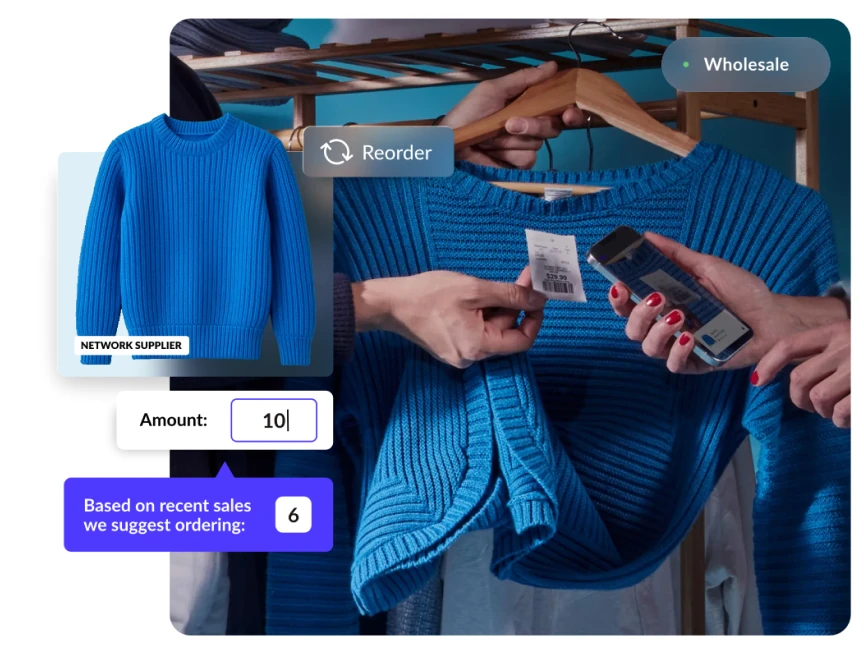
Lightspeed Retail brings together POS, payments, inventory, suppliers, ecommerce, and reporting. It is a relevant candidate when the evaluation places particular emphasis on purchasing and stock movement across stores or channels.
Be specific about the product being proposed. Lightspeed’s portfolio and documentation use different Retail series, so the features and migration route should be confirmed for the actual edition in your quote. Older comparison lists may also include Vend as a separate option. Vend is now Lightspeed Retail (X-Series), so it should not appear as an additional independent vendor in the same shortlist.
Lightspeed’s public materials describe purchase orders, product variants, and stock visibility across locations. Use those capabilities as the start of a stock-flow demonstration. Product breadth matters less than whether your team can follow a discrepancy from its origin to resolution.
Demo scenario: Order twelve units from a supplier, receive ten, and transfer three to another location. Ask the vendor to show what remains outstanding, what is in transit, and what the receiving store can sell. Then process a return and inspect the transaction history.
Confirm before choosing: The series and modules included, how your product variants and supplier records will migrate, the supported ecommerce connection, and which people can change stock records. Ask for the scope of migration support in writing, including any history that will remain in the old system.
Square
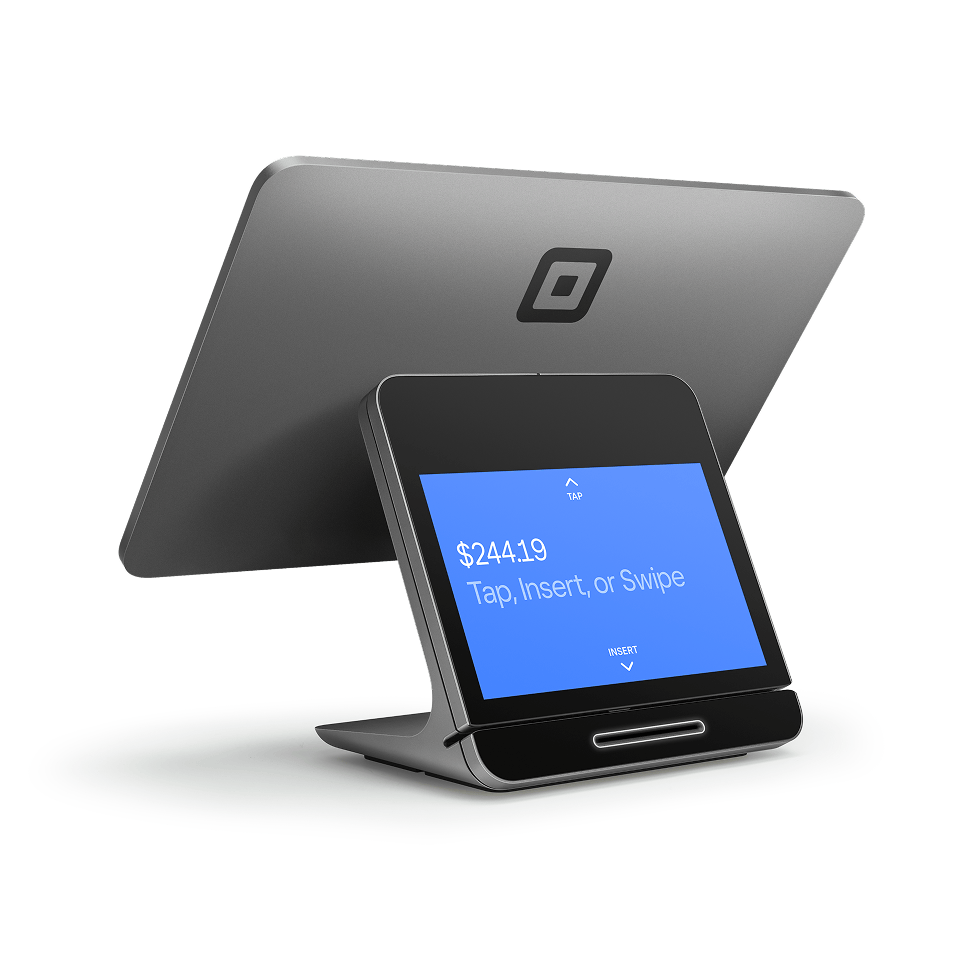
Square’s retail POS offering combines selling with retail inventory workflows. Its product page describes purchase orders, vendor profiles, receiving, returns and exchanges, and inventory and sales reporting. It is a relevant starting point for retailers evaluating those functions within the Square ecosystem.
Do not evaluate Square solely as a small card reader. Equally, do not assume that every retail function described on the website is included in the particular setup you are considering. Check the plan, devices, and country-specific offering against the workflow you need.
Demo scenario: Create a product with two variants, receive a supplier delivery, sell one variant, and process an exchange for the other. Review both the sales record and stock quantities. If you have several locations, add a transfer and verify the receiving process with a store user.
Confirm before choosing: The retail inventory and reporting functions available in the proposed plan, supported hardware, and how your existing online store or accounting process will connect. Ask who will reconcile any differences during the move from your current system.
How to choose: run these five tests
Use the same sample products and scenarios with each shortlisted vendor. Include normal store staff as well as the people responsible for inventory and finance. Record what was demonstrated, what needed configuration, and what remains unverified.
| Test | Scenario | Evidence to collect |
|---|---|---|
| Sale and correction | Sell a variant under a promotion, then correct an error with normal staff permissions | Receipt, permission behavior, and final transaction record |
| Return and exchange | Exchange an item, handle a price difference, and separate damaged stock | Refund or payment record and the resulting inventory movement |
| Receiving and transfer | Receive fewer units than ordered, then move stock between stores | Outstanding quantities, transfer status, and adjustment history |
| Channel handover | Fulfill or cancel an online order involving a physical store | Order status, stock availability, and employee handover |
| Interruption and recovery | Demonstrate the documented procedure for a connection or device failure | Functions available, limitations, recovery steps, and reconciliation |
Score each essential requirement as demonstrated, configuration required, or unresolved. A vendor saying that something is possible is different from seeing the proposed setup do it. Keep those statuses visible in the final decision.
Use a few difficult examples from recent weeks instead of inventing an elaborate test that employees never encounter. The objective is to learn how the software handles your selling process, including the exceptions that interrupt a shift.
POS inventory or a separate inventory system?
Start with the stock capabilities of your shortlisted POS. A separate inventory tool is worth considering when your requirements extend beyond what that setup can demonstrate: for example, a more complex warehouse, purchasing, or multi-channel order process.
The decision should follow a documented gap. If the POS can handle your receiving, transfers, variants, and reporting, adding another system may create unnecessary work. If it cannot, define the records and responsibilities that the specialist tool will own.
Consider a physical shelf problem as well. A POS may show that an item is in stock even though the sales floor is empty. That can require a replenishment task or a check of the stockroom, rather than a new inventory platform. Investigate whether the failure is in the record, the physical process, or both.
For the broader distinction between POS, inventory, and ERP, see the inventory section of our retail software guide. For help deciding which outcomes and data sources to review, use our retail store analytics guide.
What to prepare before a POS migration
Switching systems changes the daily work at the counter as well as the underlying data. Assign an owner to each part of the move and agree what must be verified before the store starts trading on the new setup.
Define the data scope: products, variants, customers, suppliers, opening quantities, and any history or balances the business needs to retain.
Confirm the hardware and connections: supported devices, payment setup, ecommerce, accounting, and any separate inventory system.
Test representative records: include awkward variants, inactive products, outstanding orders, and the return scenarios your team regularly sees.
Train the people who run the shifts: practice normal transactions, corrections, and the documented escalation process with the permissions they will actually have.
Agree the cutover and recovery plan: identify who approves reconciled opening records, who provides support, and what the team does if a critical check fails.
Keep access to the records needed to investigate older transactions. Decide how the store will handle a customer returning an item purchased before the migration. A clean new catalog does not by itself resolve the history and handover questions.
Run a pilot appropriate to the business before extending the setup across the network. Review discrepancies, employee workarounds, and the support required during actual trading. The pilot should establish whether the workflow is ready to repeat, rather than merely confirm that the hardware powers on.
Frequently asked questions
Which retail POS software is best for a small store?
Start with a system that can demonstrate your actual sales, returns, product variants, and stock workflow on supported hardware in your market. Shopify POS, Lightspeed Retail, and Square are candidates to evaluate, but store size alone does not determine the best fit. Your online selling setup and inventory complexity also matter.
Can retail POS software manage inventory across several stores?
Many retail POS platforms offer multi-location inventory functions. Confirm the exact capabilities in the proposed product and plan by demonstrating receiving, transfers, returns, and location-specific stock visibility. If another system owns inventory, establish how the records will stay consistent.
Is Vend a separate alternative to Lightspeed?
Vend is now Lightspeed Retail (X-Series). Treat it as part of the Lightspeed product discussion rather than a separate vendor. Confirm the Retail series being proposed because features, documentation, and migration requirements may differ.
Does a POS replace store audit and task management software?
It depends on the operational workflow and the features included in your POS. Test recurring assignments, failed-check follow-up, photo evidence, and manager review. If these requirements are not adequately covered, a dedicated operations or audit tool may be useful alongside the POS.
When store operations needs a separate workflow
A functioning POS answers questions about selling and stock. Store leaders may also need to know whether opening checks were completed, which display needs correction, and who is following up on a repair.
Check whether your existing tools can handle that work well enough before adding another application. A dedicated operations platform becomes relevant when assignments, evidence, and follow-up remain scattered across chats and spreadsheets.
Bitreport supports audits, tasks, and photo-based follow-up across locations. It is an operations option to evaluate alongside the systems that run checkout and inventory; it is not a fourth POS recommendation or a promise of an automatic connection to the three platforms above.
Compare retail operations software if that is the gap you identified. If you want to test your own store checklist through assignment and review, book a Bitreport demo.