

Bitreport, Mitti by SafetyCulture, GoAudits, Xenia, and Connecteam are five Zenput alternatives to evaluate for restaurant operations. They overlap in daily tasks, inspections, and follow-up, but each deserves a place on your shortlist for a different operational reason.
First, clarify the product name: Zenput is now Crunchtime Ops Execution. Crunchtime announced the change on February 9, 2026, describing continuity of the product, functionality, team, and support. The rename itself does not mean customers need to switch. Read Crunchtime’s announcement.
This guide compares alternatives for the work formerly associated with Zenput: getting routines completed, checking standards, assigning corrections, and giving above-store managers visibility. Replacing Crunchtime’s entire inventory, labor, and kitchen-management suite is a broader buying decision.
Published by Bitreport, one of the vendors included. Product information checked against official sources on October 2, 2026. This is a workflow-based shortlist, not a numerical ranking or hands-on comparative test. Scenarios and recommendations are editorial guidance. Confirm required modules, configuration, and integrations with each vendor.
Zenput alternatives at a glance
| Alternative | Relevant starting point | What your demo should establish |
|---|---|---|
| Bitreport | Restaurant routines, audits, and assigned corrective work | Whether a failed check stays visible through ownership, evidence, and review |
| Mitti by SafetyCulture | Configurable inspections and actions across sites | How templates, approvals, permissions, and unresolved actions fit your operating structure |
| GoAudits | Structured restaurant visits and inspection reporting | Whether a report leads to an owned correction that managers can track |
| Xenia | Operational checks connected to equipment work orders | How an inspection finding moves into maintenance work and back to the restaurant |
| Connecteam | Recurring tasks alongside employee coordination | How work is assigned and handed over when staff or shifts change |
Several platforms cover more than one of these needs. The table identifies a reason to investigate each option; it does not imply that other vendors lack the same capability. For the wider category, see our restaurant management software guide.
Are you replacing Zenput or the wider Crunchtime suite?
Write down what your locations actually use before comparing platforms. Opening checklists, Bluetooth probe readings, employee schedules, and inventory counts may appear in the same operating day, but they are different requirements.
Crunchtime Ops Execution: the comparison baseline
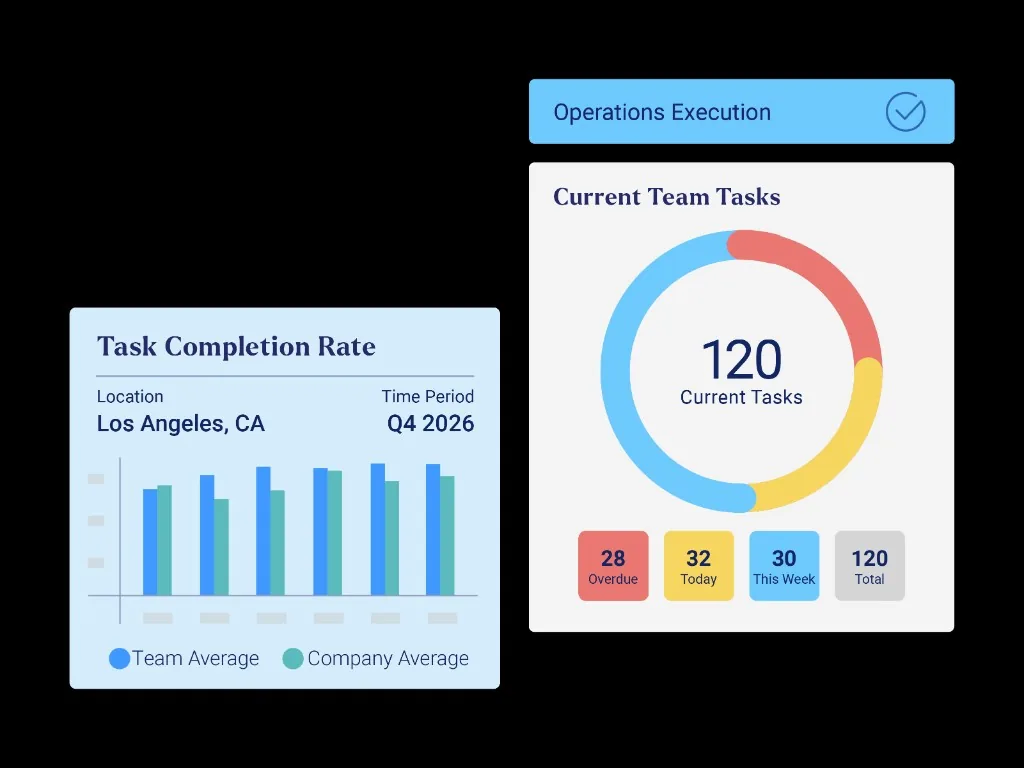
Crunchtime Ops Execution covers operational tasks, audits, and visibility into unfinished work. Its current product page also describes temperature-probe integration, automatic temperature monitoring, food labeling, and AI-assisted photo validation. The wider Crunchtime portfolio includes separate inventory, labor, and kitchen products.
Keep Crunchtime on the shortlist when those connected workflows are important. Ask which products and devices are part of your proposed setup, rather than assuming everything mentioned on the website is included in one deployment.
If you already use the platform, document one real problem before treating a switch as the answer. For example: a regional manager can see that a check was completed but still needs separate messages to discover whether the reported issue was resolved. Ask your current team to demonstrate that exact process, then use it in alternative-vendor demos.
Separate essential dependencies from optional features
An opening checklist can look straightforward until you map who completes it, what equipment supplies the readings, and who handles exceptions. Record those dependencies while the people doing the work are available.
Identify the routines moving to the new platform: opening, closing, line checks, manager visits, brand standards, and corrective work. Name an owner for each process.
Record connected equipment and outputs: probes, sensors, label printers, shared tablets, and any kitchen-display workflow. Ask vendors to demonstrate compatibility with the exact hardware you plan to keep.
Map restaurant, regional, corporate, and franchisee access. Include who can change a template, view results, receive escalations, and close an action.
List the systems staying in place, including inventory, scheduling, payroll, learning, or document storage. Specify any information that needs to pass between them.
This becomes your replacement brief. A product that meets the checklist requirement may still leave a hardware or access dependency unresolved. If inspection design is the main question, our food safety audit software comparison covers that narrower evaluation.
Five alternatives to Crunchtime Ops Execution
1. Bitreport: daily routines and corrective follow-up
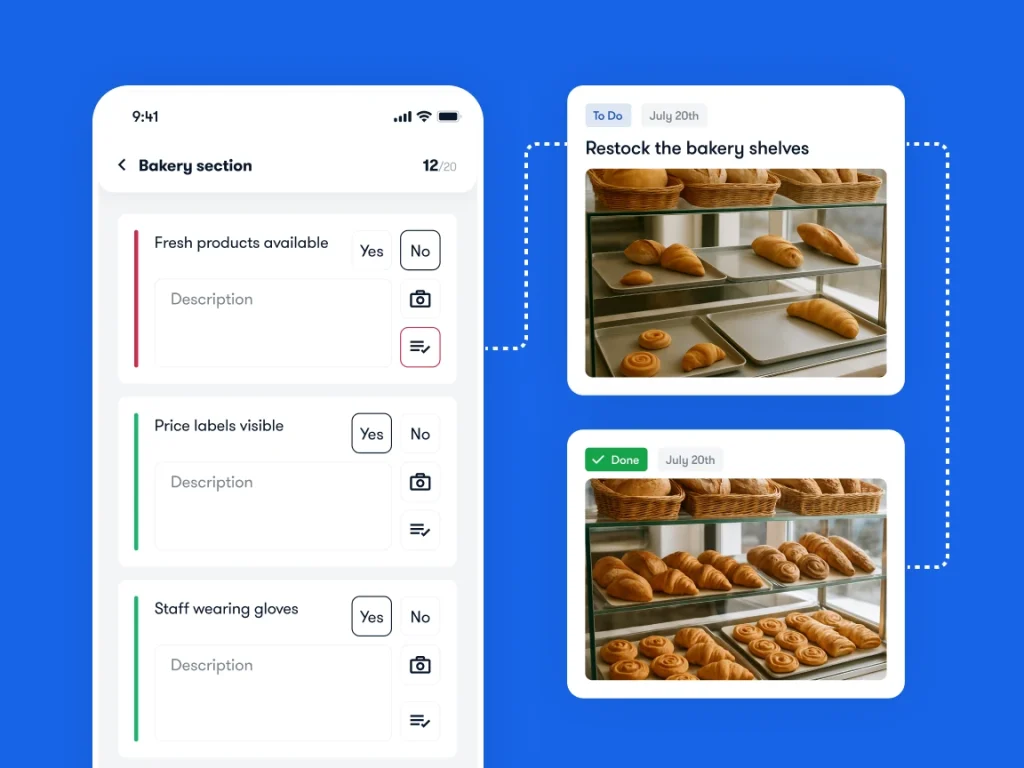
Bitreport is relevant when restaurant and regional managers need a consistent record of checks, assigned work, and outstanding corrections. Its audits and checklists connect failed items with corrective tasks, owners, deadlines, and photo evidence.
For example, an opening check might identify an area that needs attention before service. The useful outcome is a visible correction with someone responsible for it, rather than a completed checklist that leaves the problem in a separate conversation.
Bitreport’s published Domino’s Croatia case study describes guided opening and closing checks, photo evidence, and centralized oversight. That is evidence from the Croatian operation, not a claim about every Domino’s market or a documented switch from Zenput.
In your demo, follow one failed item into its correction and review the evidence after the work is submitted. Then hand the process to another shift manager and ask them to find what is still open. If photo review matters, Bitreport’s review process is manual; do not assume automated image recognition.
Confirm before shortlisting: Show your exact probe, sensor, labeling, and integration requirements. A task-and-audit demonstration does not establish hardware compatibility, inventory accounting, payroll, or equivalence with the complete Crunchtime suite.
2. Mitti by SafetyCulture: inspections and actions across sites
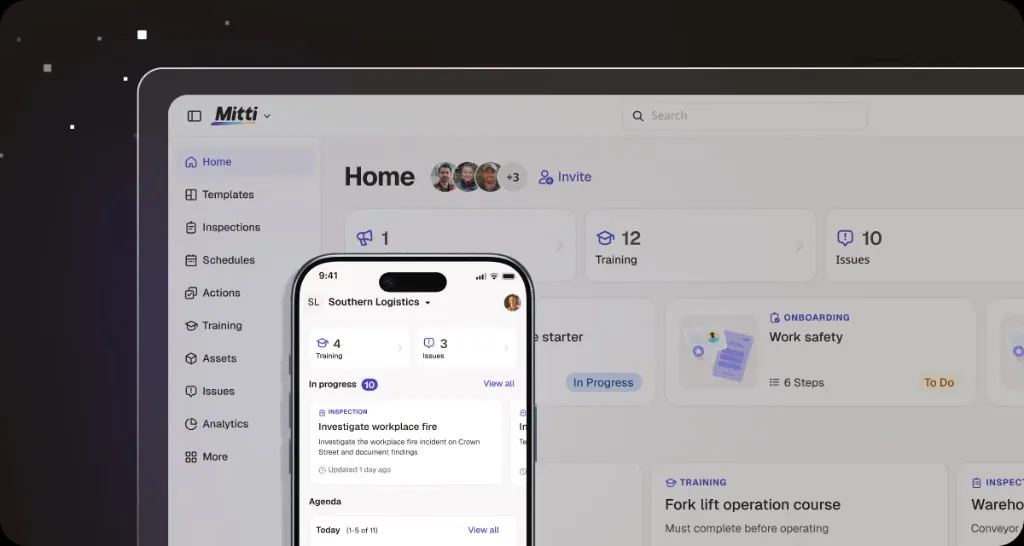
SafetyCulture’s inspection app, historically known as iAuditor, is currently listed as Mitti by SafetyCulture. Its publisher describes customizable inspections, offline completion, photo and video evidence, approval workflows, reports, and assigned actions.
Include it when the evaluation starts with a standard inspection process that needs to work across locations. A restaurant group might want a common brand-standard audit while allowing selected checks to differ by site format.
Bring two versions of a real checklist to the demo. Ask how the team maintains the common questions, controls local changes, and distinguishes a completed inspection from an unresolved action. Have a regional reviewer find the original evidence behind one recurring issue.
Confirm before shortlisting: Test your franchisee and regional permissions, required approval stages, and report access. If monitoring equipment is part of the replacement brief, verify the proposed devices and alert workflow separately. Configurable inspections alone do not answer every question about the wider operating setup.
3. GoAudits: restaurant inspections, reports, and action tracking
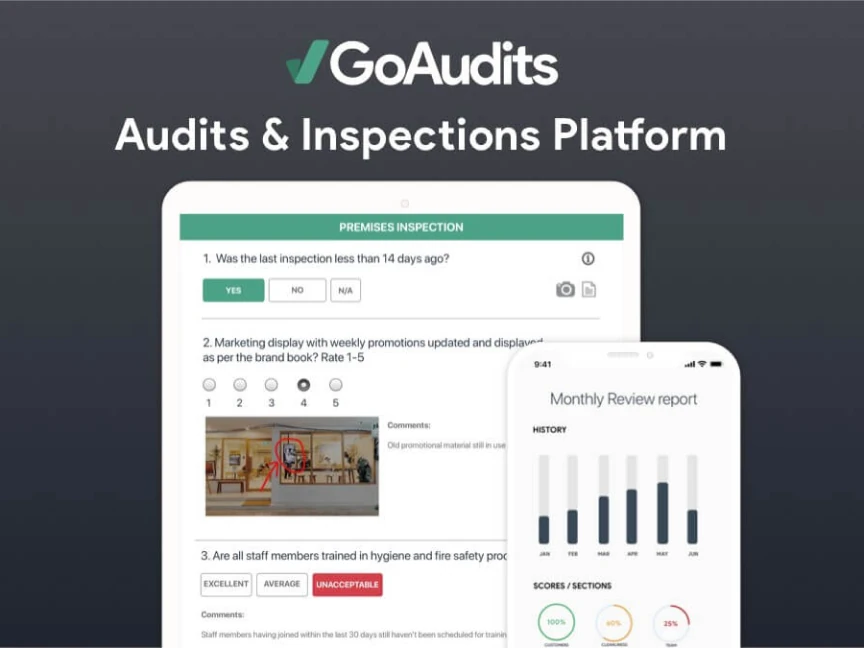
GoAudits supports mobile inspections with photos, annotations, and comments, alongside report generation and assigned follow-up tasks. Its food-and-beverage offering includes tracking issue resolution and retaining evidence of actions taken.
It is worth evaluating when area-manager visits and the follow-up report drive much of your operating process. The report should help the restaurant understand the finding, while the action record should make ownership clear after the visitor leaves.
Use a visit with three findings: one corrected immediately, one assigned to the next shift, and one waiting for external help. Ask to see how those situations appear in the report and the manager’s action view. Then check whether a repeat visit can identify the same problem returning.
Confirm before shortlisting: Walk through daily employee assignments as well as formal inspections. If your Zenput setup serves both jobs, a strong inspection report is only part of the replacement test. Establish the reminders, escalation rules, and location-level reporting your team needs in the proposed configuration.
4. Xenia: operational checks connected to maintenance work
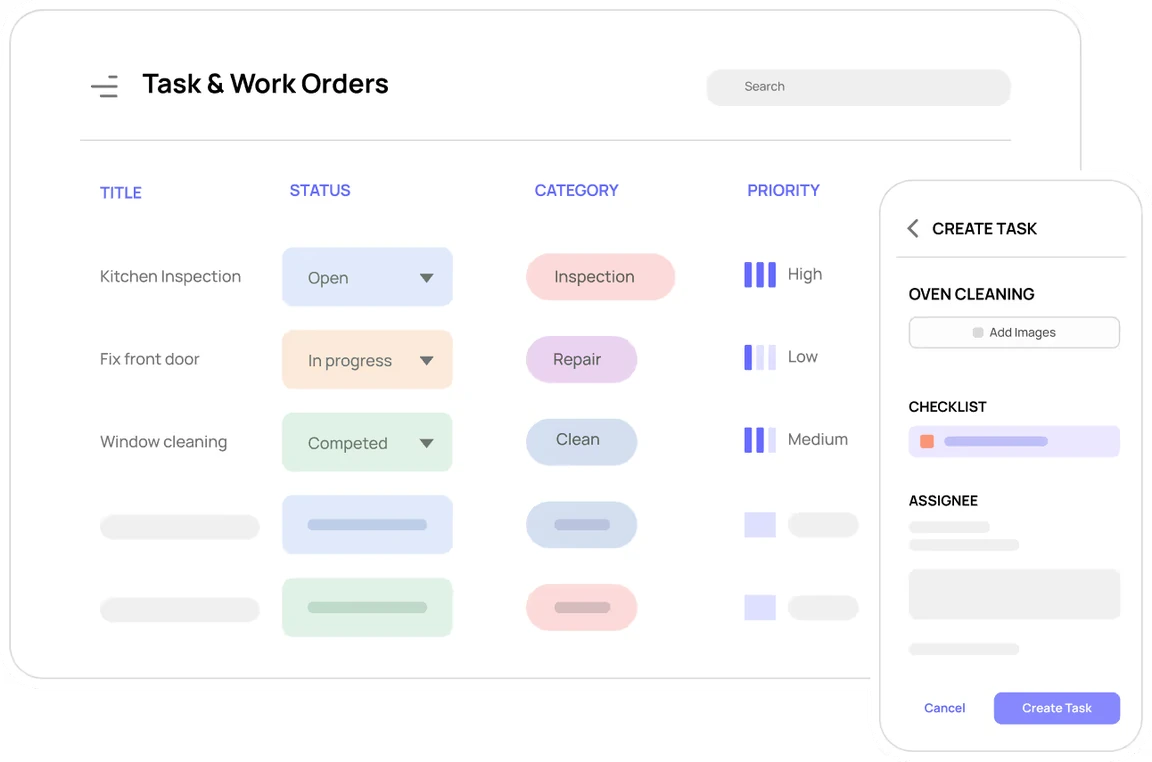
Xenia’s work-order software describes photo-documented requests, work orders created from failed inspections, assignment to maintenance teams or vendors, and equipment-related work tracking. This makes it relevant when restaurant checks frequently produce repair work that needs its own owner and history.
Imagine a manager noticing a damaged door seal during a routine check. Recording the finding is one step; getting the repair assigned and keeping the restaurant informed are separate steps. That handoff is the workflow to examine.
In the demo, create the finding, associate it with the correct equipment and location, and follow the work order through reassignment and completion. Ask what the restaurant manager can see while waiting, and whether the final record makes the repair history understandable.
Confirm before shortlisting: Establish which users can request, assign, and close maintenance work. Xenia’s work-order help documentation explains Facilities access and role permissions, so test the roles intended for your deployment. Also verify that the daily routines outside maintenance remain practical for shift teams.
5. Connecteam: recurring tasks and team coordination
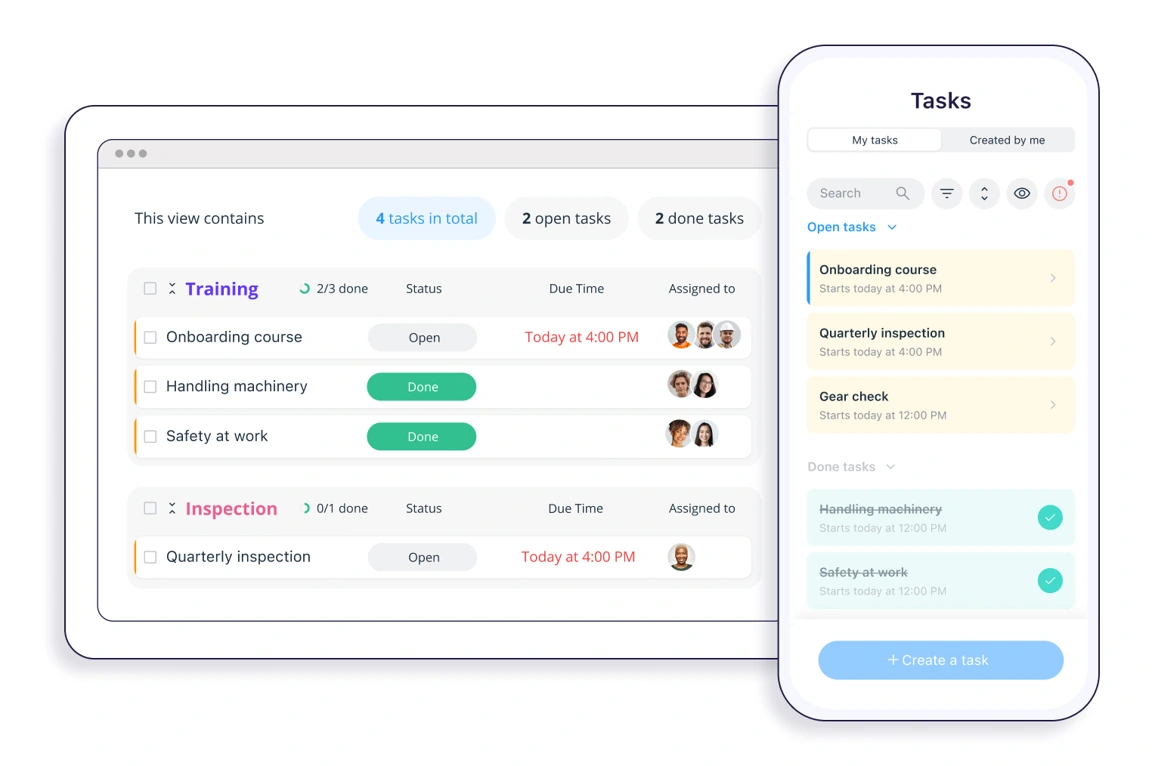
Connecteam’s task management supports recurring assignments, instructions, subtasks, attachments, and progress tracking. The platform also offers employee communication, forms, and scheduling tools. Consider it when the buying brief combines operational routines with how managers coordinate their people.
For a restaurant, that might mean recurring opening work, an announcement about a changed procedure, and clarity about which employee is responsible today. Evaluate those together if they currently depend on separate messages and reminders.
Give the vendor an opening checklist and an unexpected staff absence. Ask who sees the assignment, how another person takes responsibility, and what the manager sees when only part of the work is complete. Include a photo or form submission that needs clarification.
Confirm before shortlisting: Decide whether each task needs one completion for the restaurant or a separate response from every assigned employee. Connecteam’s Group Tasks documentation explains that a shared group task can be completed by any assigned member. Configure and test individual acknowledgments separately from shared operational work.
How to compare Zenput alternatives in a working shift
Use one realistic restaurant scenario with each shortlisted vendor. The goal is to observe what happens when work is incomplete, evidence is unclear, or responsibility changes during the day.
Test the handover, not only the checklist
Start with an opening check that produces an unresolved issue. A second task has an unclear photo, and the original assignee leaves before the next shift arrives. Use your approved operating procedures to define the required response; these are software test conditions, not food-safety instructions.
Publish the correct routine to the intended locations and roles. Verify that a restaurant sees the current version and that any local variation is deliberate.
Record a failed check with evidence and a clear description. Observe how the next action gets an owner, a deadline, and the context needed to act.
Change the responsible person at shift handover. Ask the incoming manager to identify unfinished work without a private briefing or separate spreadsheet.
Submit an unclear photo, request better evidence, and track the response. Establish whether validation is manual or automated and how uncertain results are handled.
Have an above-store manager review the exceptions across locations. Open the original finding and final evidence, then retrieve a record of the work completed.
Record whether each requirement was demonstrated, needs configuration, depends on another system, or remains unverified. Ask vendors to resolve the open points before you approve a rollout. A presentation slide is useful context, but it is not the same as seeing your workflow operate.
Give franchise permissions their own test
If you operate through franchisees, use sample users for corporate operations, a regional manager, a franchisee, and a restaurant. Show each person the records they should be able to access, then check that unrelated locations stay outside their view.
Include a controlled change: the brand updates one mandatory question while a franchisee maintains an additional local check. Ask how the change is distributed, who can edit it, and how an older completed record remains understandable.
This is a configuration test for every shortlisted platform, including your current system. The desired outcome is clear ownership of standards and appropriate visibility, not a generic promise that a product is “franchise-ready.”
Measure closure and follow-up effort
Run a limited pilot with restaurants that represent different operating conditions. Include the people completing checks, reviewing submissions, administering templates, and handling exceptions.
Agree what completion means before collecting results. For a correction, it might require accepted evidence as well as an employee marking the task done. Track which actions meet that definition by the deadline, how many need another submission, and how much manual chasing the managers still do.
Also check the time between a store submitting evidence and a reviewer responding. An approval process can become the delay if nobody has time allocated to it. Decide who covers reviews during absences and what needs escalation.
Use the pilot to compare the proposed process with today’s baseline. Do not assume a higher number of completed checklists means that fewer operational issues remain open.
Before switching: protect routines, records, and hardware
Treat the move as an operational change with a defined handover. A new checklist builder does not establish that historical records, devices, or existing integrations will transfer automatically.
Start with a small migration sample. Rebuild an opening routine, a manager audit, a recurring task, and one exception that crosses a shift boundary. Check the instructions, required evidence, responsible roles, schedules, and escalation rules with the process owner.
For historical information, request the available export formats and test what happens to photos, timestamps, comments, and unresolved actions. Decide which records need to be imported and which can remain in an accessible archive. Confirm responsibility for that archive and the access needed after the old subscription ends. This comparison does not assume a standard Zenput import or complete data-transfer compatibility.
For equipment, test the exact probe, sensor, printer, or shared device you intend to use. Distinguish a manually entered reading from a measurement captured through an integration. If a connection is unavailable, document the operating impact before accepting a substitute process.
Finally, name the system that is authoritative during the pilot and after cutover. Restaurant teams should know where to record new work and where to find older evidence. Keep outstanding corrections accounted for rather than starting the new system with a clean dashboard that hides unfinished work.
Frequently asked questions
What is Zenput called now?
Zenput is now Crunchtime Ops Execution. Crunchtime announced the rename on February 9, 2026 and said the product, functionality, team, and support would continue. A change of name alone is not a reason to replace the platform.
Which Zenput alternative should a restaurant group consider?
Match the shortlist to the work. Bitreport is relevant for routines and corrective follow-up, Mitti by SafetyCulture for configurable inspections and actions, GoAudits for inspection reporting, Xenia for checks connected to maintenance work, and Connecteam for recurring tasks alongside employee coordination. Validate your required workflows rather than treating this as a universal ranking.
Can these tools replace the entire Crunchtime suite?
Do not assume so. This guide addresses alternatives to Ops Execution, formerly Zenput. If you also need inventory accounting, labor management, kitchen systems, or other parts of Crunchtime, include those as separate requirements and verify the complete proposed solution.
Will our temperature probes and historical records transfer?
Confirm the exact hardware models, supported connections, export formats, import options, and archive access with the vendors. Test representative devices and records before committing. Compatibility and automatic migration are not assumed in this comparison.
Bring one restaurant routine to a Bitreport demo
If consistent checks and corrective follow-up are central to your evaluation, bring an opening checklist and a recent unresolved issue to a Bitreport demo. Follow the work from the original check through ownership, evidence, and review. A free trial is available; discuss how to test the workflow with your own restaurant team.