

A kitchen audit records an issue. The restaurant manager takes action. At the next regional review, nobody can tell which action was taken, who checked it, or whether the same problem appeared elsewhere.
Food safety audit software helps restaurant and food-retail teams conduct checks, document findings, assign corrective work, and retrieve the records across locations. The buying decision is whether a tool supports your actual food safety process, including what happens when a check fails.
This guide compares Bitreport, Crunchtime Ops Execution, Mitti by SafetyCulture, GoAudits, and FoodDocs. It distinguishes internal audits from daily monitoring, HACCP planning, and automatic temperature capture, then gives you a practical way to evaluate the shortlisted tools.
Published by Bitreport, one of the providers included. Official product and support information reviewed September 30, 2026. This is a selected comparison by use case, not a ranking or hands-on comparative test. Confirm the capabilities included in your proposed configuration.
Food safety audit software: comparison at a glance
| Platform | Relevant buying situation | Documented capabilities | What to establish in a demo |
|---|---|---|---|
| Bitreport | Internal checks need assigned corrections and oversight across locations | Mobile audits, automatic corrective tasks, deadlines, photo evidence, and dashboards | How a failed check reaches an owner and how the manager reviews the outcome |
| Crunchtime Ops Execution, formerly Zenput | Restaurant or franchise networks need food safety work within wider operating routines | Tasks, audits, location hierarchies, reporting, and separate temperature-monitoring capabilities | Which audit, hardware, and reporting components your setup needs |
| Mitti by SafetyCulture, previously known as iAuditor | Teams want configurable inspections and action tracking across several use cases | Inspection templates, schedules, evidence, approval workflows, reports, and assigned actions | How your food safety procedures translate into templates, permissions, and follow-up |
| GoAudits | Food and beverage teams need inspection reports and corrective-action tracking | Mobile and offline inspections, annotated photos, reports, dashboards, and follow-up tasks | Whether the finding, assigned action, evidence, and final report remain connected |
| FoodDocs | Teams need food safety monitoring alongside HACCP planning and records | Monitoring logs, corrective-action prompts, verification, audits, HACCP planning, and traceability tools | Which functions match your processes, locations, and existing food safety plan |
These are starting points for evaluation, not exclusive strengths. Several products cover overlapping workflows. Compare the same inspection and exception in each, rather than deciding from a feature label alone.
What should food safety audit software actually cover?
Start by identifying the work you need to digitize. An internal audit, a routine temperature entry, and a HACCP plan are related, but they are different requirements.
Internal audits and daily monitoring
An internal audit reviews how a location follows the standards and procedures you have defined. Daily monitoring records the observations or measurements required by a particular procedure. A restaurant group may need both, with different schedules and responsibilities.
For example, a manager’s inspection may review whether required monitoring records are complete and whether exceptions received an appropriate response. Submitting that inspection does not fill a missing monitoring record or establish what happened during an unobserved period.
The FDA’s HACCP principles guidance treats monitoring, corrective actions, verification, and recordkeeping as distinct elements. That distinction matters when defining the software workflow: recording a result and reviewing whether the process worked are separate jobs.
HACCP planning and connected equipment
If you need help developing or maintaining a HACCP plan, evaluate that capability explicitly. A library of checklists does not, by itself, establish that a tool supports the hazard analysis, process-specific controls, and qualified review your operation needs.
Likewise, entering a temperature into a form is different from capturing a reading through a connected probe or fixed sensor. Ask which devices are supported, how the source of a reading is recorded, and what happens when a device or connection fails. Treat hardware and integrations as defined parts of the proposed system.
For US operations, the FDA Food Code is a model used by regulatory jurisdictions. Configure checks against the requirements applicable to each location and the procedures approved for your business, rather than assuming a generic template is sufficient everywhere.
This guide evaluates software workflows. It does not define food-handling limits or corrective procedures, and using a listed product does not guarantee regulatory compliance or a successful inspection.
For a broader comparison spanning workforce coordination and other daily routines, see our restaurant management software guide.
Five platforms to evaluate
Bitreport: internal audits with assigned corrective work
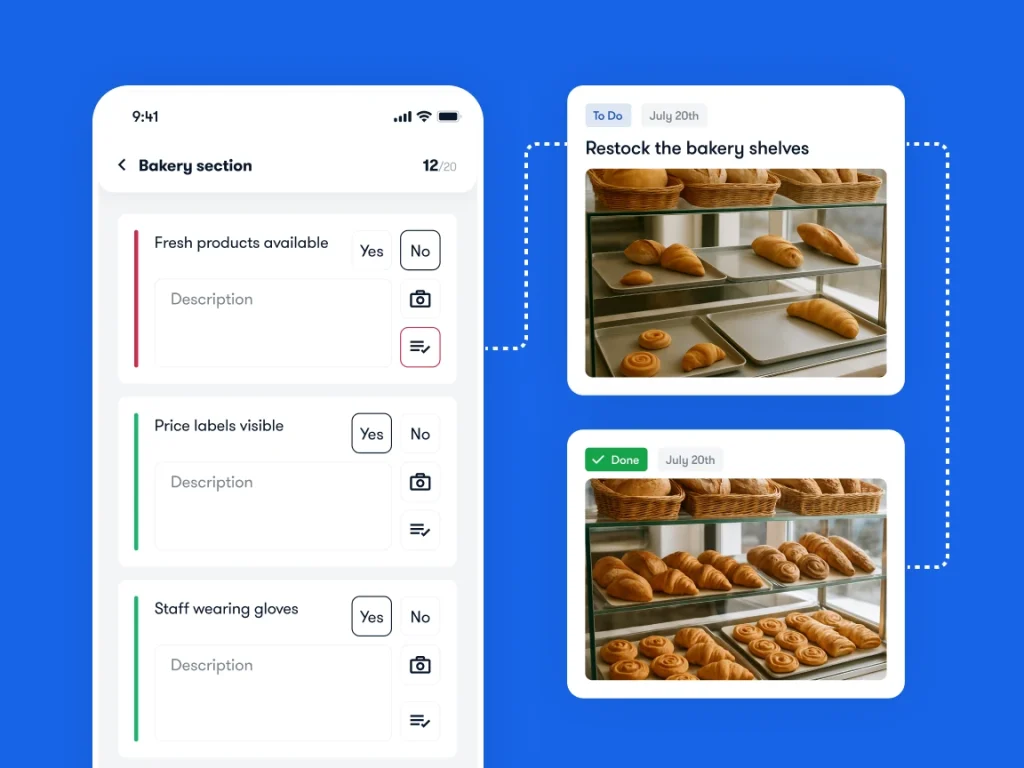
Bitreport’s audits and checklists connect failed checks with corrective tasks, deadlines, instructions, and photo evidence. Managers can track findings and outstanding work across locations. Its restaurant workflows also cover recurring routines and area-manager visits.
This makes Bitreport a relevant candidate when a restaurant group already knows what it must check but needs a consistent way to assign and follow up on the findings. A completed checklist should lead to an understandable record of the work still outstanding.
Demonstrate this: Use one of your existing hygiene or storage checks. Flag an issue, assign the correction, document the response, and show what the regional manager sees. Ask how the chosen workflow handles evidence that needs clarification before a manager accepts the result.
Confirm the boundary: Evaluate Bitreport here as an operational audit and follow-up tool. Do not assume that it generates a HACCP plan, provides automated temperature-sensor capture, or manages ingredient traceability. If those are requirements, ask for specific evidence and an agreed scope before treating them as included.
The product visual illustrates the checklist-to-task workflow using a bakery example; it is not a complete food safety inspection template.
Crunchtime Ops Execution: food safety work across restaurant networks
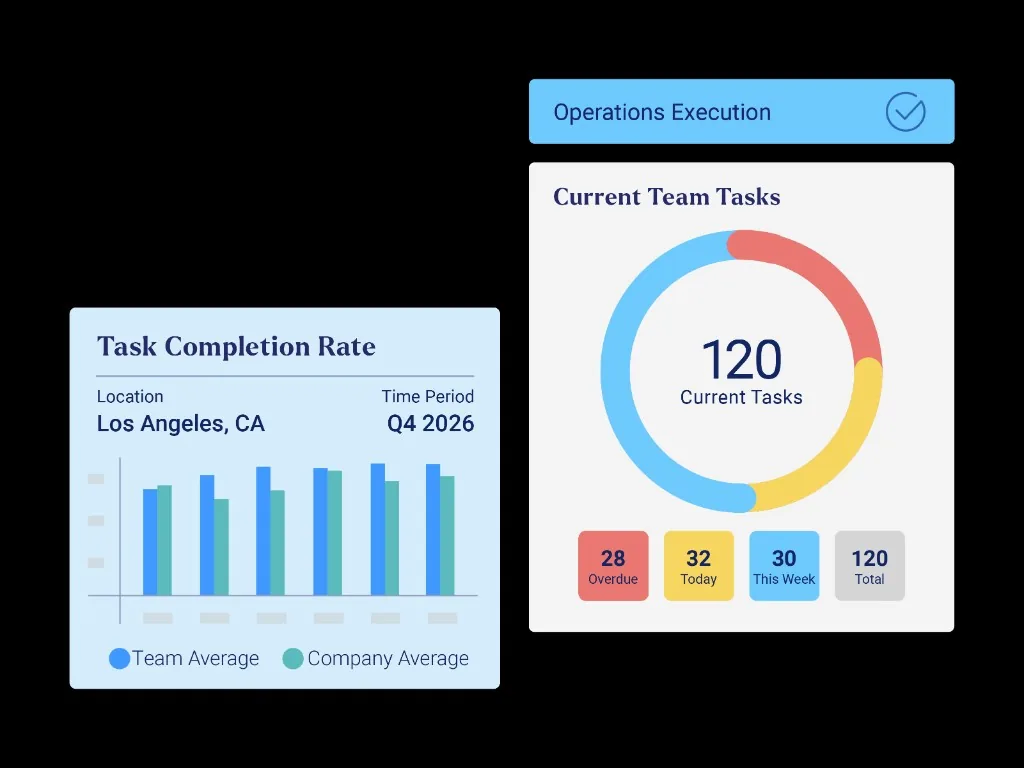
Zenput is now named Crunchtime Ops Execution. Its operations execution offering supports restaurant tasks and audits, reporting by location, and hierarchies for franchise organizations. Its published Pacific Drive-Ins case also describes automated corrective actions after audit submission.
It belongs on the shortlist when food safety checks sit within a broader program of restaurant operating standards. Corporate, regional, franchise, and location teams may need different responsibilities and views of the same work.
Demonstrate this: Submit a failed audit item at one restaurant, follow its corrective action, and retrieve the location’s records for a specified date range. Test who can access those records across your actual organizational hierarchy.
Confirm the boundary: Distinguish Ops Execution from other Crunchtime products and required hardware. Its temperature-monitoring documentation says reports can identify whether readings were captured by a device or entered manually. If that distinction matters to your controls, ask to see it alongside the associated exception and follow-up, using the devices in your proposed setup.
Mitti by SafetyCulture: configurable inspections and actions
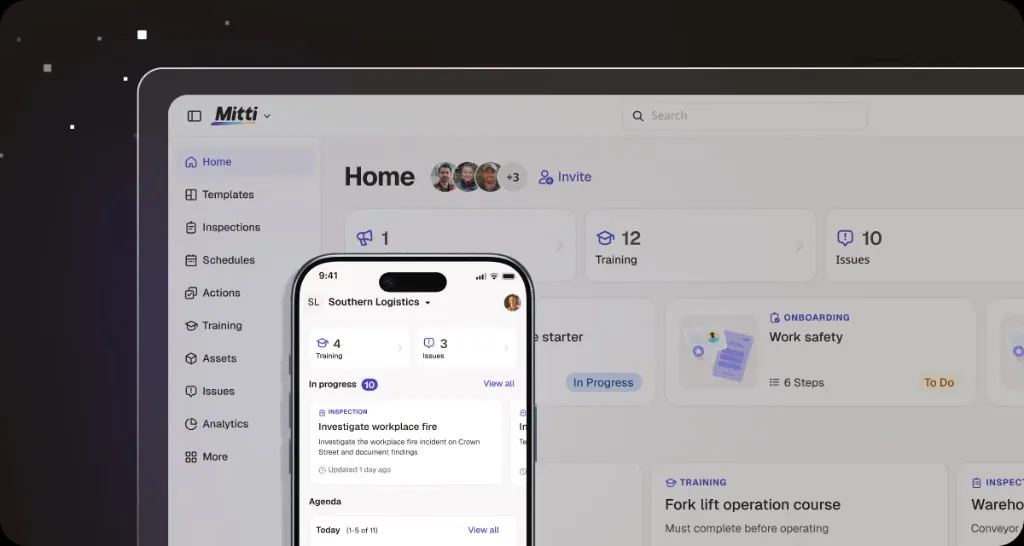
The inspection app many buyers know as iAuditor is now listed as Mitti by SafetyCulture. The publisher’s current app listing describes custom templates, scheduled inspections, photo and video evidence, approval workflows, shareable reports, and actions assigned to individuals or teams. It also documents offline inspection capability.
This is a relevant option when food safety inspections are one of several processes you want teams to manage in a common application. The important work is translating your approved procedures into a usable template and a clear response to each exception.
Demonstrate this: Import a real checklist, create a failed response with evidence, and assign an action. Then show the inspection approval and action-resolution steps separately. An approved inspection report and a resolved finding may represent different milestones.
Confirm the boundary: Test the template rules, role permissions, record access, and offline workflow required at your sites. If sensor monitoring is part of the proposal, demonstrate the relevant hardware and alerts separately. A broad platform description does not establish which components are configured for your restaurant group.
GoAudits: inspection reporting and follow-up
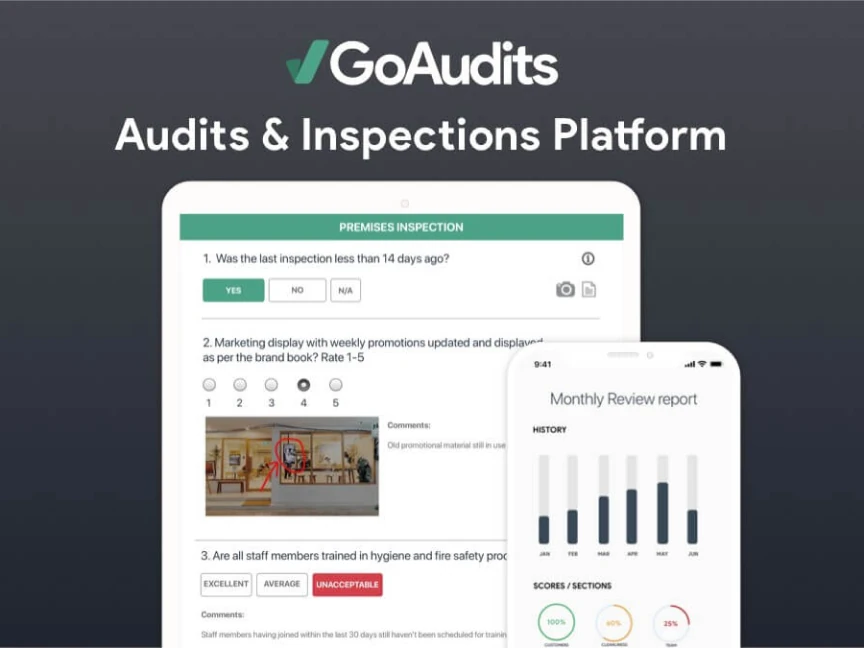
GoAudits’ food safety offering covers mobile inspections, photo annotations, reports, dashboards, and assigned follow-up tasks. Its food-industry documentation describes offline audits with photos and corrective actions, followed by synchronization when the device reconnects.
It is a relevant candidate when inspection teams need to replace paper reports and make findings easier for location managers to act on. The comparison should include what the recipient receives after the inspection, not just how quickly the inspector completes the form.
Demonstrate this: Complete part of a kitchen inspection without a connection, attach evidence, and record a finding. Reconnect, inspect the resulting report, and show the manager’s route from the finding to the corrective action and evidence of resolution.
Confirm the boundary: Ask how template changes, permissions, reassignment, and review work in your configuration. If routine monitoring logs or connected instruments are also required, demonstrate those specific workflows. The ability to produce a food safety audit report does not establish every measurement or integration requirement.
FoodDocs: food safety monitoring, verification, and HACCP tools
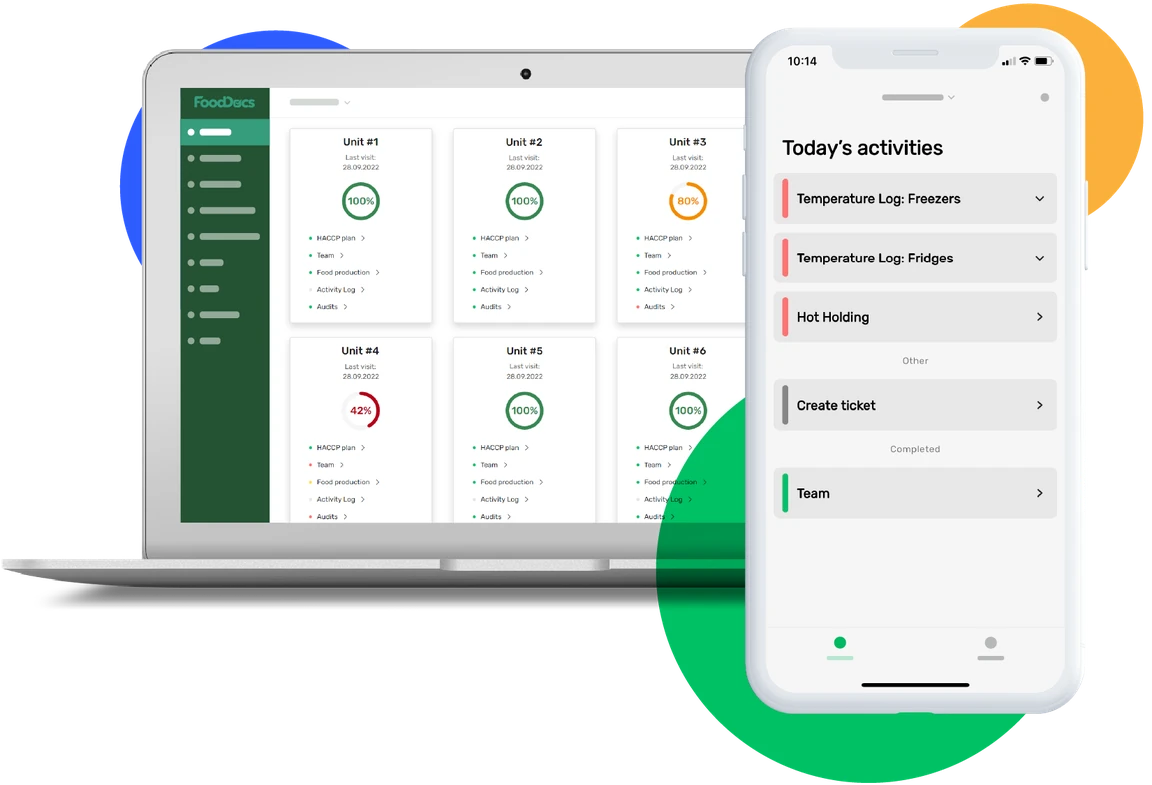
FoodDocs offers a food safety management platform with HACCP planning, daily monitoring, audits, and traceability tools. Its product documentation describes corrective-action prompts for out-of-range entries, supervisor verification, historical logs, data exports, and visibility across locations.
It is a relevant option when the requirement extends beyond periodic inspections into the ongoing records used to run a food safety management system. Establish which parts of your existing process you want the software to support before evaluating the breadth of its tools.
Demonstrate this: Configure a monitoring task from your approved procedure, enter a test exception, follow the configured response, and have the designated supervisor verify the entry. Retrieve the resulting record by location and date, including the response and review history.
Confirm the boundary: Have the responsible food safety specialist review generated plans and suggested actions for your processes and jurisdiction. If a form offers prefilled values, establish which fields can use defaults and which require a fresh observation or measurement. Verify how staff distinguish a suggestion from a recorded result; convenience should not obscure what was actually checked.
What to test beyond a completed checklist
A clear record of the exception and response
Ask the vendor to show the original observation, location, time, responsible person, action taken, supporting evidence, and review outcome together. If a record is corrected later, inspect what remains visible about the original entry and the change.
Separate the response needed at the time of a food safety concern from longer-term follow-up. A task to investigate a recurring equipment problem may remain open after an immediate response has been recorded. Your approved procedure determines what happens operationally; an app’s notification or due date should not become a reason to delay that response.
For evaluation, use a simulated missing-supplies finding at a handwashing station. The team documents the observation and the action required by its approved procedure. The manager reviews restoration of the required condition, while a separate follow-up investigates why supplies were unavailable. Test this as a software demonstration, without creating an unsafe condition in a working kitchen.
Honest handling of missed, late, and changed records
A missed check should remain distinguishable from a completed one. Ask what happens when an employee enters a result after the scheduled time, corrects a mistaken entry, or marks an item not applicable.
Test whether managers can identify these cases without opening every report. Retain the reason for a genuine exception and define who can approve it. Do not measure success by making incomplete records look complete.
Where the workflow includes measurements, examine the source of the result: manual entry, connected instrument, or sensor. A photo may document an observed condition, but it does not replace the measurement your procedure calls for.
Consistent standards with controlled local differences
A café, full-service restaurant, and production kitchen may need different checks. Ask how a shared template is distributed, how approved local differences are managed, and how staff find the correct version.
Compare results only where the underlying questions and scoring support that comparison. A group average can conceal an important unresolved finding at one location. Managers need access to individual exceptions as well as summary scores.
For the operational context around these routines, see our guide to restaurant operations management.
Records you can retrieve and use
Choose a location and a historical date range during the demo. Ask for the inspection, any related monitoring records, assigned actions, evidence, and review history. Check which information can be exported and which remains accessible only in the application.
Also establish retention settings, access after an employee leaves, permissions for external reviewers, and the process for correcting records. Do not assume a PDF includes the full change history or that access continues unchanged after a contract ends.
Bring these materials to a food safety software demo
Use a small, representative set of your own documents. A vendor’s sample checklist may make the application look straightforward while leaving your harder requirements unanswered.
One approved internal audit: Include the questions, response types, scoring, and evidence requirements your team actually uses.
One routine monitoring record: Identify the observation or measurement, required frequency, responsible role, and source of the result.
One exception procedure: Show who must respond, what must be documented, and who reviews the outcome; use a simulated example.
One location map: Include a genuine difference in format, region, or responsibility that affects the workflow.
One reporting request: Specify the historical records and unresolved findings a regional manager needs to retrieve.
If cleaning is part of the evaluation, our restaurant cleaning checklist guide can help structure the recurring work. Adapt any example to your operation’s approved procedures rather than treating it as a complete food safety plan.
How to choose and pilot food safety audit software
Shortlist by the gap you need to close. Bitreport, Crunchtime Ops Execution, Mitti, and GoAudits are relevant candidates for inspection and follow-up workflows. FoodDocs also warrants evaluation when food safety planning, monitoring, and related records are central requirements. These groups overlap; use demonstrations to establish the actual fit.
Configure the representative workflow. Use the same approved audit and monitoring example for every vendor. Record which requirements are demonstrated, need configuration, or remain unverified.
Run a simulated exception. Follow the observation, response record, corrective assignment, and review. Include a shift handover so the workflow does not depend on one person’s memory.
Test failure conditions. Leave a check incomplete, correct an erroneous entry, and test connectivity or device failure where relevant. Inspect both the employee view and what the manager can discover afterward.
Retrieve the evidence. Ask a regional manager to locate the original record and follow-up by site and date. Export the information an authorized reviewer would need, and identify any gaps.
Pilot before wider rollout. Include representative locations and both frontline and reviewing roles. Agree the support process, ownership of templates, and evidence needed to expand deployment.
Measure the workflow you are changing. Useful pilot measures include required checks completed on time, unresolved findings by severity and age, time to retrieve a complete record, and manager time spent chasing information. Define each measure consistently across the pilot locations.
A higher checklist completion rate is not, by itself, evidence that food safety improved. Review the accuracy of the records, the appropriateness of responses, and the issues that recur. The people responsible for food safety must assess the operating outcome alongside the software’s reporting.
Frequently asked questions
What is the difference between food safety audit software and HACCP software?
Food safety audit software typically supports inspections, findings, reports, and corrective follow-up. HACCP software may also support plan development, monitoring of defined controls, verification, and associated records. The categories overlap, so ask vendors to demonstrate the specific planning and operational workflows you need.
Can food safety audit software guarantee compliance?
No. Software can help implement checks and retain records, but the requirements, procedures, configuration, actual work, and review still matter. Have the responsible food safety specialist confirm that the system supports your operation and applicable local requirements.
Do we need temperature sensors as well as an audit app?
That depends on the monitoring methods defined for your operation. An audit app, manual temperature entry, a connected probe, and a fixed sensor serve different functions. If connected capture is required, verify the hardware, reading source, alerts, failure handling, and relationship to follow-up records.
Can we replace paper food safety records with digital records?
Evaluate this against the record requirements that apply to your business and the needs of your regulator or auditor. Demonstrate completeness, access, retention, corrections, exports, and availability when connectivity fails. Confirm the digital process before retiring an existing required recordkeeping method.
See how Bitreport handles your audit follow-up
Bring one internal audit and an example of an issue that required follow-up across shifts or locations.
Book a Bitreport demo to see how a finding becomes assigned work, how teams document the correction, and how managers track what still needs attention. Use that workflow to decide whether Bitreport fits the operational part of your food safety program.