
The closing checklist is complete, but the same issue appears on the next manager visit. The team recorded the problem; the correction never reached the person responsible for fixing it.
For restaurant groups, choosing management software often comes down to that gap: knowing what happened at each location, assigning the next action and checking that the work is finished.
This guide compares five tools for daily restaurant operations: Bitreport, Crunchtime Ops Execution (formerly Zenput), Connecteam, SafetyCulture (iAuditor, now Mitti), and 7shifts. It focuses on checklists, recurring tasks, corrective actions and oversight across locations. If your main requirement is taking payments or managing ingredient purchasing, you will need to evaluate those categories separately.
Restaurant management software: comparison at a glance
| Software | Useful starting point | Relevant capabilities | What to evaluate in your demo |
|---|---|---|---|
| Bitreport | Consistent routines and follow-up across a restaurant group | Audits, recurring tasks, assigned corrections and photo evidence | Follow a failed check through correction and regional review |
| Crunchtime Ops Execution | Operational standards across restaurant and franchise networks | Tasks, audits, follow-up and visibility through location hierarchies | Follow a failed check through correction across restaurant, regional and franchise roles |
| Connecteam | Daily tasks alongside broader employee coordination | Mobile forms, task assignment, scheduling and time tracking | Show how checklists, shifts and manager follow-up fit together |
| SafetyCulture / Mitti | Standardized inspections and action tracking | Digital inspections, evidence, reports and assigned actions | Follow an inspection finding through resolution and review by site |
| 7shifts | Shift duties alongside restaurant workforce coordination | Recurring task lists, completion evidence and overdue-task visibility | Test shift-linked responsibilities and how missed work reaches the next manager |
How we compared these products: This guide is published by Bitreport, one of the vendors included. We reviewed public product and support documentation on September 15, 2026. The fit recommendations are our editorial assessment, not hands-on test results or an exhaustive market ranking. The numbering is for navigation, not a performance score.
What does restaurant management software cover?
Restaurant management software includes several categories. Choosing the right one starts with the work you need to improve:
Daily operations: Opening and closing routines, cleaning checks, manager audits and follow-up on unresolved issues. This is the focus of the comparison below.
Workforce management: Staff schedules, availability, time tracking and team communication. These functions can overlap with daily operations tools.
POS and service: Orders, payments, tables and kitchen communication.
Inventory and financial management: Purchasing, ingredient costs, stock records and accounting.
A restaurant may use tools from more than one category. Start with the gap in your existing setup. A working POS does not automatically resolve missed closing checks, while a separate operations app adds little if your current tools already handle the complete workflow. For a closer comparison of inspection records, corrective actions, and HACCP-related workflows, see our food safety audit software guide.
1. Bitreport: for audits and daily execution across locations
Best fit: Restaurant, café and hospitality groups that need consistent routines and a clear view of unfinished work across locations.
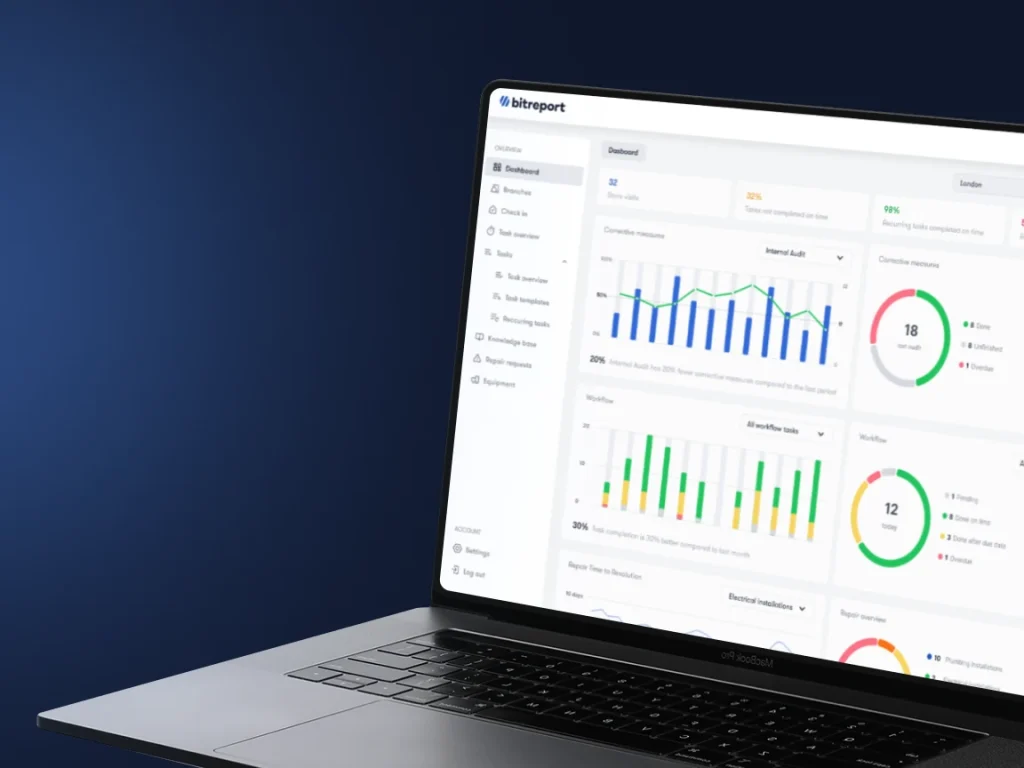
Bitreport focuses on what teams need to check, do and follow up on. Its restaurant workflows include opening and closing routines, recurring cleaning tasks and area-manager visits. Managers can review completion across locations instead of collecting separate status updates from each restaurant.
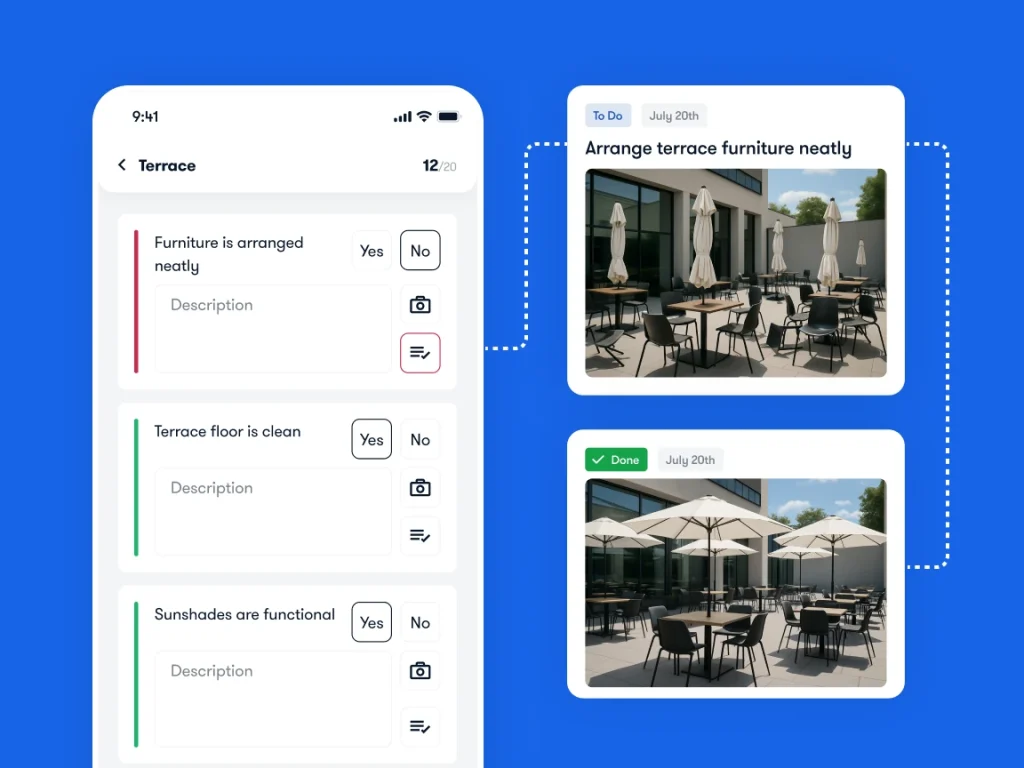
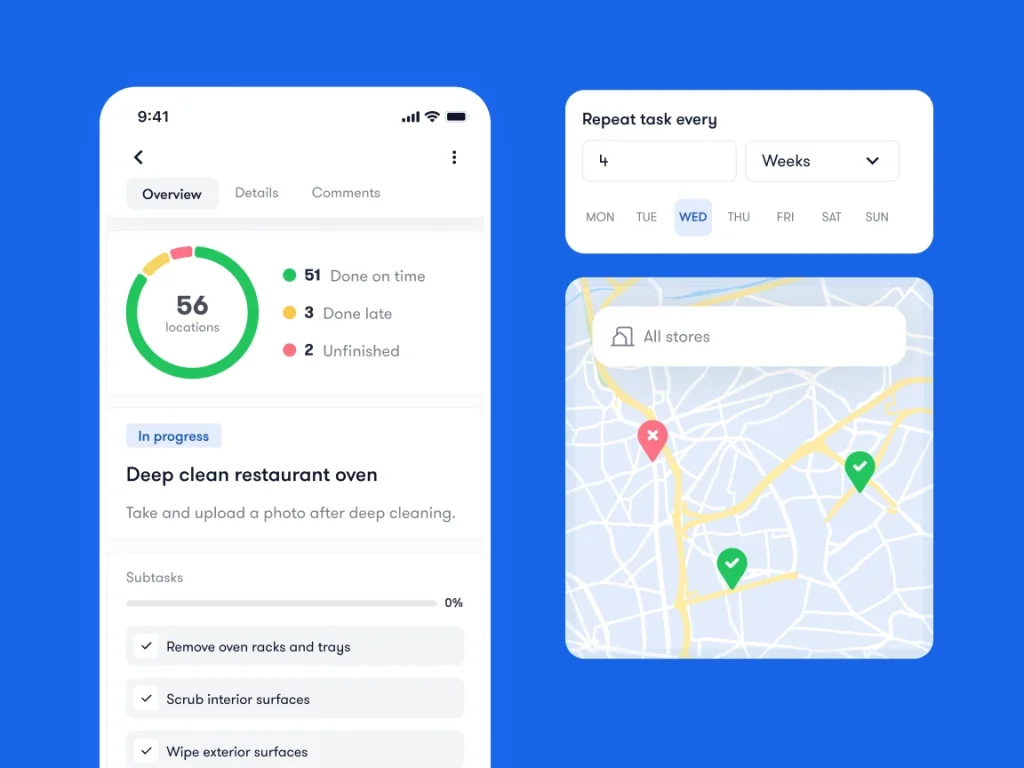
The workflow connects a finding with its correction. With audits and checklists, a failed check can create an assigned corrective task with a deadline and photo evidence. Task management also supports recurring work, so teams can work from a schedule rather than recreating routine instructions.
For a demo, bring an actual opening checklist. Ask to see a failed item become an assigned task, the shift team document the correction, and a regional manager find the outstanding work across locations. That is more useful than comparing dashboard screenshots.
Customer evidence: In Bitreport’s published Domino’s Croatia case study, regional manager Kristina Kruljac reports a reduction of more than 95% in missed or overdue tasks. This is a reported result from that operation, not a forecast for every restaurant.
What to check: Bitreport’s scope here is operational execution. It does not replace a POS, inventory ledger, payroll system or full staff-scheduling suite. If you need data to move between systems, confirm the specific connection and scope with the team.
Request a Bitreport demo to discuss your restaurant checklists, corrective actions and reporting needs.
2. Crunchtime Ops Execution (formerly Zenput): for restaurant networks and franchise operations
Best fit: Multi-unit restaurant groups and franchise operators coordinating daily standards, audits and follow-up across a location hierarchy.
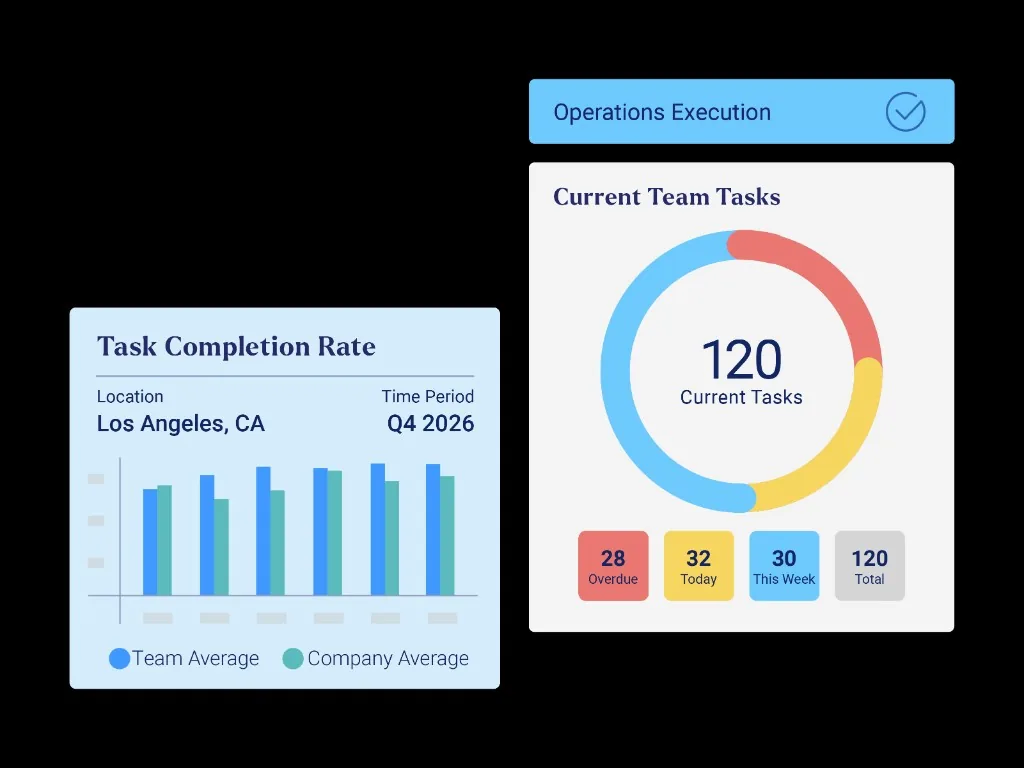
Zenput is now named Crunchtime Ops Execution. It belongs on this shortlist because restaurant execution is its core purpose: helping local teams carry out required work while giving regional and corporate teams visibility into completion.
Its operations execution offering covers operational tasks and audits, with automated follow-up on issues. Its task-management documentation also describes support for franchise hierarchies and reports showing work and audits completed at a location. Those capabilities matter when responsibilities span restaurants, regional teams and franchise organizations.
For a demo, use a recurring brand-standard check that applies across your restaurants. Show how a failed item reaches the responsible person and how the regional manager tracks the correction. Include a franchise or regional access scenario if your organization needs different teams to see different locations.
What to check: Confirm the hierarchy, permissions and follow-up rules required for your operating model. Crunchtime also offers inventory, labor and other products; distinguish the Ops Execution workflow from any additional products in the proposed setup. Evaluate the complete correction process rather than treating an audit submission as the end of the work. If you are comparing replacements for that workflow, our Zenput alternatives guide covers shift handover, equipment dependencies, and the scope to verify before switching.
3. Connecteam: for daily tasks and employee coordination
Best fit: Restaurant teams looking to bring operational checklists and task assignment into a broader employee management app.
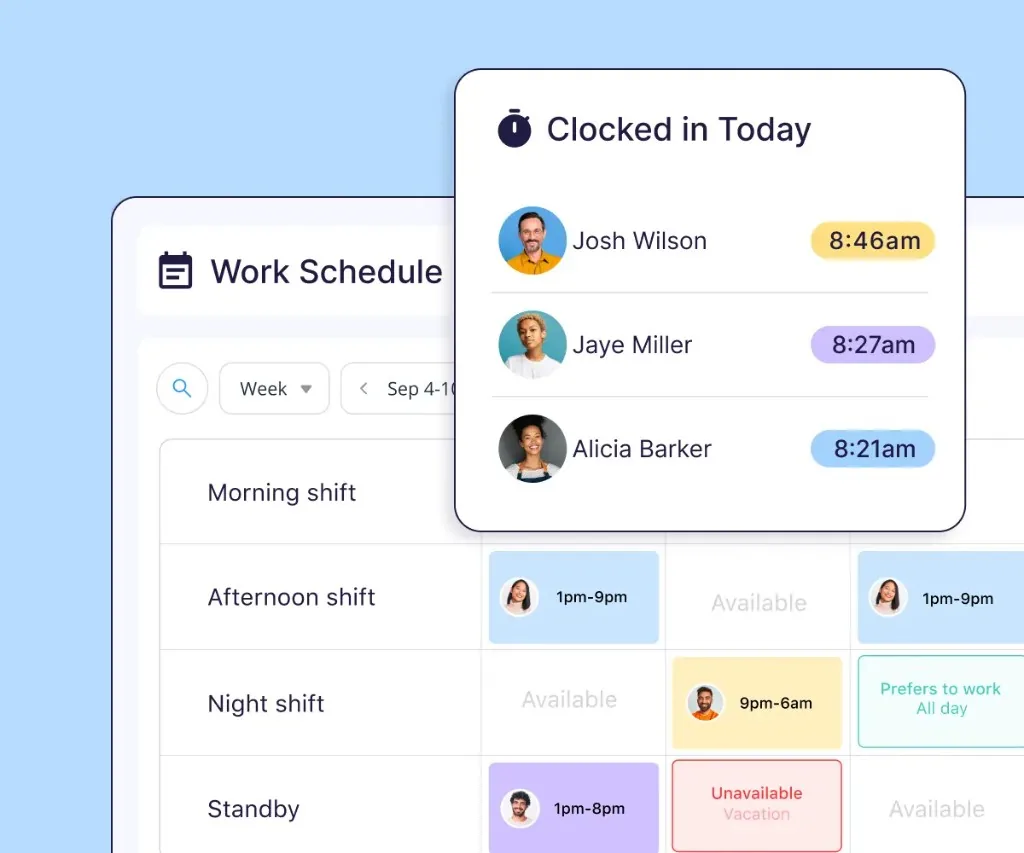
Connecteam’s Operations Hub includes forms, tasks, scheduling and time tracking. That makes it relevant when your teams need to coordinate both who is working and what needs to happen during the shift.
Its Forms documentation describes mobile checklists with required fields, image uploads and signatures. Managers can review submissions, organize them by details such as location, and add feedback or sign-off through Manager Fields. For restaurant use, those capabilities can support an opening checklist with evidence and a review step.
Quick Tasks supports assigning work with descriptions, locations, due dates and subtasks. Recurring tasks can repeat on a schedule. Connecteam also documents ways to link checklists to shifts or tasks.
What to check: Ask the vendor to connect those parts using your own process. When a team member flags a problem in a form, show who receives it, how the correction is assigned and where a regional manager reviews the outcome. Confirm the configuration and package needed for recurring tasks, reminders and manager permissions.
Connecteam deserves a place on the shortlist when employee coordination and operating routines need to work together. Evaluate that combined flow with a shift lead and a regional manager, because they need different views of the same work.
4. SafetyCulture (iAuditor, now Mitti): for inspections and corrective actions
Best fit: Restaurant groups prioritizing structured inspections, documented evidence and follow-up on findings.
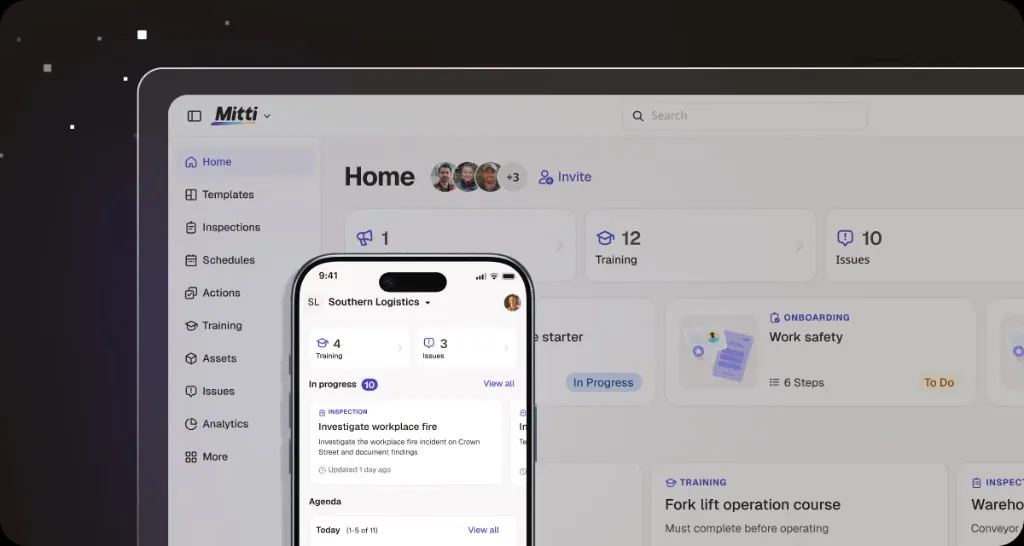
The product many teams know as iAuditor or SafetyCulture is now branded Mitti (by SafetyCulture). Keeping the earlier names in mind helps when reviewing existing templates, internal references and product documentation.
Its official app documentation describes custom inspection templates, scheduled checks, photo and video evidence, and shareable reports. Teams can also assign actions to individuals or groups and track them through resolution. It therefore belongs in a comparison of operational follow-up as well as inspection software.
For a restaurant group, a useful evaluation scenario is a manager visit that identifies an unresolved cleaning or equipment issue. Ask to see the finding, supporting evidence, assigned action and final record together. Then test how the regional team finds similar outstanding issues across restaurants.
What to check: Bring your actual inspection template and define what happens after a failed response. Confirm the action-assignment rules, review permissions and site reporting available in the setup you are considering. If staff will work with unreliable connectivity, test that scenario with your devices and required workflow.
Choose based on how the inspection and follow-up process works for your team. A long template library alone does not tell you whether managers can find and resolve the issues that matter.
5. 7shifts: for shift-based tasks and workforce coordination
Best fit: Restaurant teams that want daily duties connected to their employee schedules, particularly when they already use 7shifts.
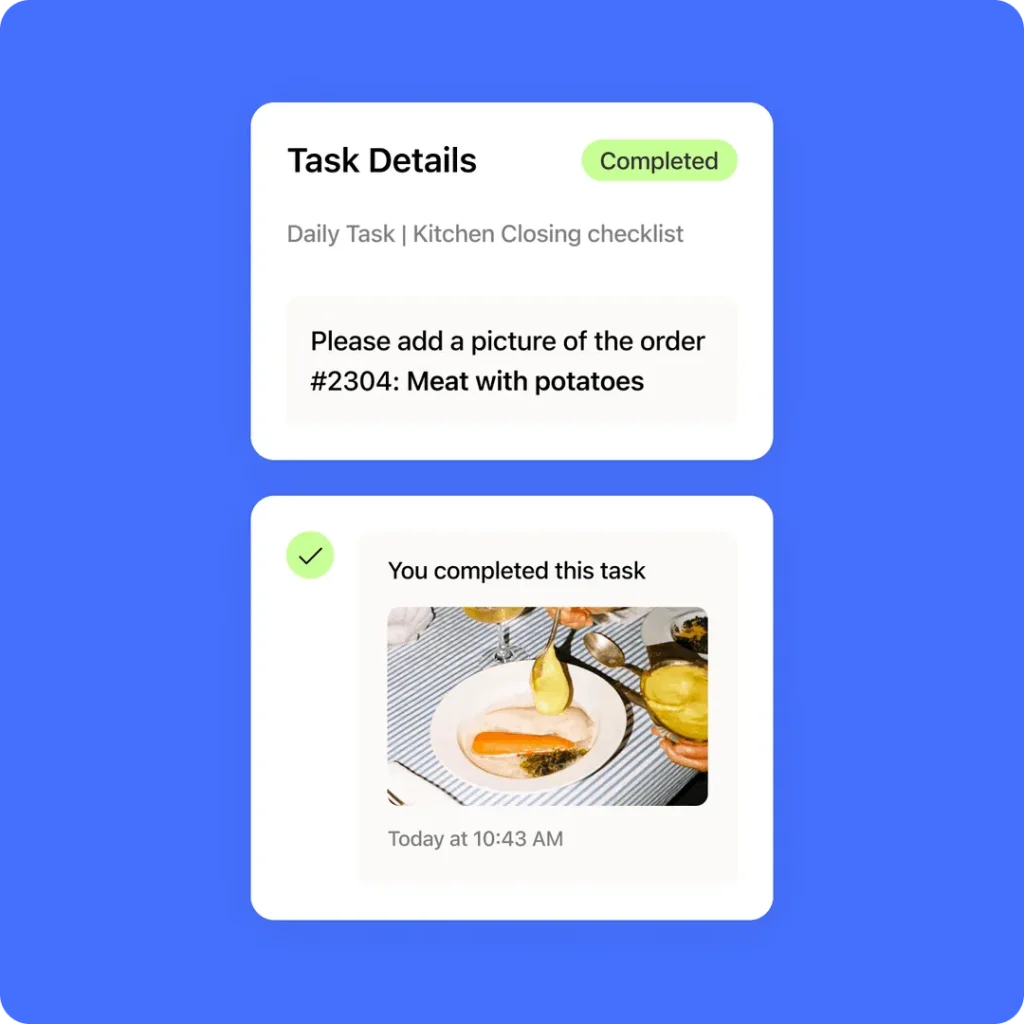
7shifts Task Management supports daily, weekly and one-time task lists tied to scheduled shifts. Tasks can request completion evidence such as photos, values or temperature readings. Managers can see completed and outstanding work, making it relevant to opening, closing and cleaning routines.
Its task-management guide describes location-specific lists, employee reminders and alerts to managers when lists are incomplete. It also distinguishes between creating or editing lists in the web app and employees completing tasks on mobile.
For a demo, bring a closing checklist and a shift handover. Show which employee receives each responsibility, what happens when a task remains unfinished and how the incoming manager finds it. That makes the evaluation specific to work between shifts.
What to check: Confirm Task Management access, the devices your teams will use and the visibility available to regional managers. Test how exceptions become assigned follow-up work if your requirements extend beyond completing a shift checklist.

How to choose restaurant management software
Start with one operational problem
Write a purchase requirement that a shift manager could recognize. “Improve efficiency” is too broad. Better examples are “see which restaurants still have unresolved closing-check issues” or “give every failed manager-audit item an owner and a deadline.”
Choose the category that directly addresses that problem. If orders and payments work well today, assess whether changing POS is necessary. If ingredient purchasing is the problem, add specialist inventory tools to your research.
Check the tools you already pay for
List the capabilities available in your current plan and the upgrades that would unlock what is missing. Then compare that route with a separate tool. Include staff effort: switching between apps, entering the same information twice and teaching managers a new process all matter.
An advertised integration needs a specific definition. Ask what data moves, in which direction, how frequently, and which team handles failures. Two products can be used alongside each other without exchanging data automatically.
Run a realistic demo
Use the same scenario with each shortlisted vendor so the comparison stays fair:
- A shift lead receives the work due today and finds the instructions.
- A required check fails or an assigned task is missed.
- A manager assigns the next action and a deadline.
- The responsible person submits the required evidence.
- A regional manager identifies what is still unresolved across locations.
Repeat the scenario with a shift lead and a regional manager. Ask each person to find their next action without help. Record what happens automatically, what needs configuration and what still depends on a separate message or spreadsheet.
Confirm rollout and access requirements
Before selecting a tool, confirm which capabilities are included in the proposed setup. Walk through permissions for restaurant staff, local managers and regional teams. Check how existing checklists will be imported, who maintains them and how changes reach every location.
Plan how staff will access the app during a shift, including shared-device requirements where relevant. Assign someone to maintain templates and review unresolved work. The software needs to fit a process that your team can run consistently.
Define what a successful rollout looks like
Agree on a small set of observable results before rollout. Track missed tasks, overdue corrections and manager follow-up time. Record a baseline and review the same measures after the team has had time to use the system.
Frequently asked questions
What is the best restaurant management software?
For daily operations, Bitreport, Crunchtime Ops Execution, Connecteam, SafetyCulture/Mitti and 7shifts are relevant options to evaluate. Compare them using your own checklists, task-assignment process and regional reporting needs. If your priority is orders, payments or ingredient accounting, start with the software category that handles that work.
Is restaurant management software the same as a POS?
A POS is one type of restaurant management software. It handles transactions and related service workflows. The broader category also includes staff scheduling, operational checklists and back-office tools. Some vendors combine several functions, but you still need to verify the package you are buying.
Do we need a separate operations app if we already have a POS?
Only if there is a meaningful gap. First check your current system’s task and checklist capabilities. A separate tool becomes worth evaluating when you need a workflow your existing setup does not adequately support, such as consistent audits, assigned corrections and visibility across a restaurant group.
Bring your restaurant workflow to the demo
If your priority is making daily standards and unresolved issues visible across locations, start with one checklist your teams already use. Show where work gets missed, how corrections are assigned and what regional managers need to review.
Request a Bitreport demo to discuss how your team could manage those checks, tasks and follow-up in Bitreport.