
Running a successful retail business means managing far more than just sales. It’s juggling staff scheduling, task execution, and performance tracking.
And in all that noise, the right software can make all the difference.
Read: The Complete Guide to Retail Operations
A good retail store management software helps retailers simplify complex processes, boost team productivity, and save time by giving you clear visibility across every location.
In this blog we’ll break down the seven best retail store management software solutions available today – each catering to different needs, sizes, and budgets.
1. Bitreport
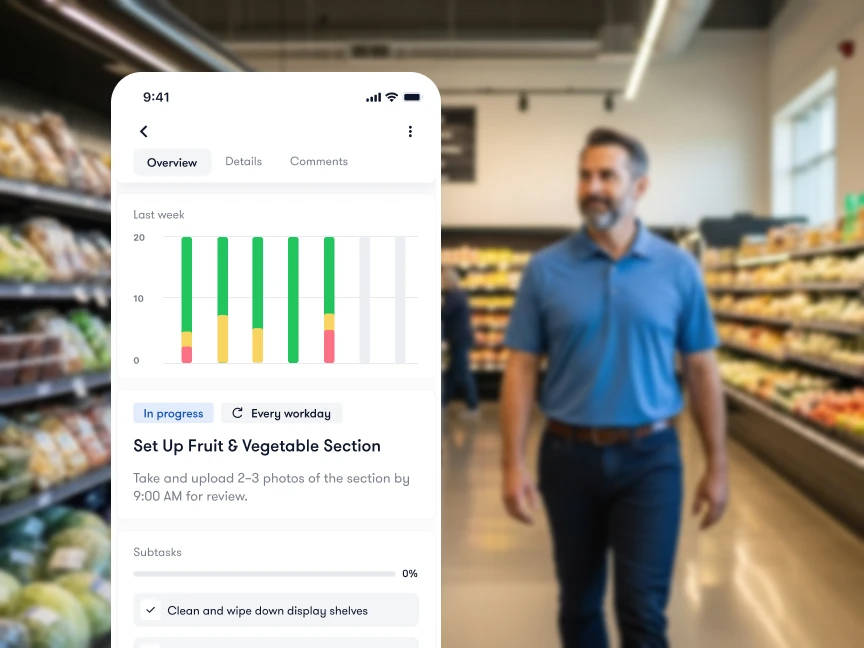
Bitreport is a perfect solution for every retail business looking to simplify daily chaos by replacing spreadsheets and scattered communication. Using structured checklists and digital audits you can simplify and streamline daily store operations – therefore putting focus on execution, not administration. By assigning, tracking, and verifying tasks every day, Bitreport makes sure every shift runs smoothly.
Key Features:
Pros:
Mobile-first access for easy audits and communication on the go
Real-time visibility into task completion and location grading
User-friendly interface perfect for quick onboarding
Automatic report generation after auditing process (saving time and nerves)
Cons:
Doesn’t include a full POS system (designed to integrate seamlessly with one)
What sets Bitreport apart is the focus on daily retail operations. It’s something that customers feel immediately when they step into the store. Has everything been cleaned and neatly ordered? Are prices set correctly? Those are just some of the questions that become simple answers with Bitreport’s digital checklists and corrective measures.
Take control of your operations, before chaos takes control of you.
2. Shopify POS
Shopify Point of Sale (POS) is retail store management software that integrates payment processing, inventory tracking with retail analytics. It’s a great fit for retailers who want their physical and online stores to work seamlessly together.
Key Features:
Payment processing
Reporting & analytics
Inventory management
Customer management
Pros:
Integrates seamlessly with Shopify e-commerce
POS customization available
User-friendly interface
Cons:
Setting up a POS can be costly for smaller businesses
Some users report complicated record-keeping features
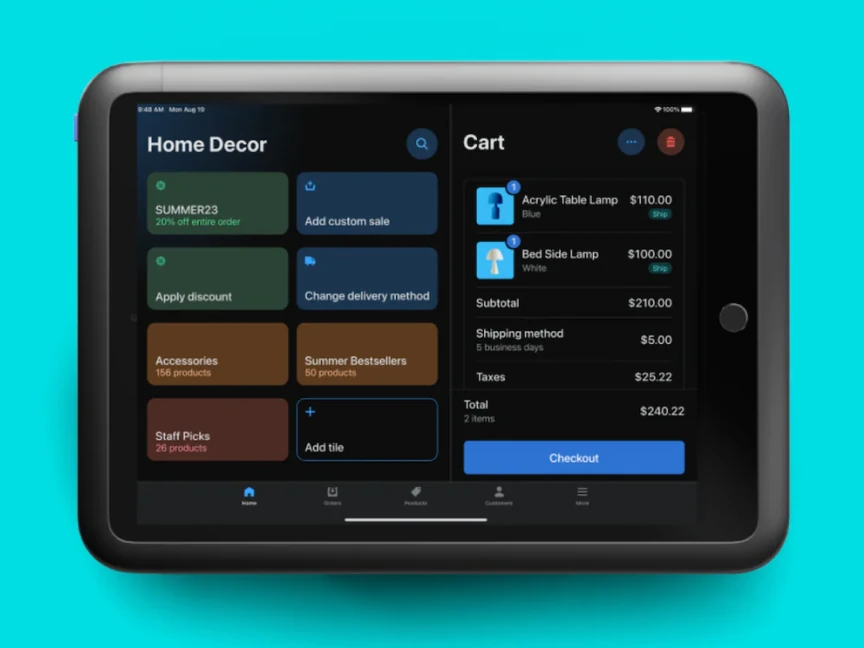
Image source: Shopify POS
3. Lightspeed Retail
Lightspeed combines robust POS functionality with detailed analytics, giving you deep insights into sales patterns and customer behavior. The system excels at managing multiple locations and sales channels while keeping everything centralized. It’s built for retailers who want comprehensive data without sacrificing ease of use.
Key Features:
Customizable interface
Sales reporting & analytics
Integration with e-commerce
Tools for creating and managing customer loyalty programs
Pros:
Real-time visibility using customizable reports
Open API available for building customized workflows
Availability of multiple payments methods
Cons:
Customer support can be slow and unresponsive
Key advanced features often require extra payment
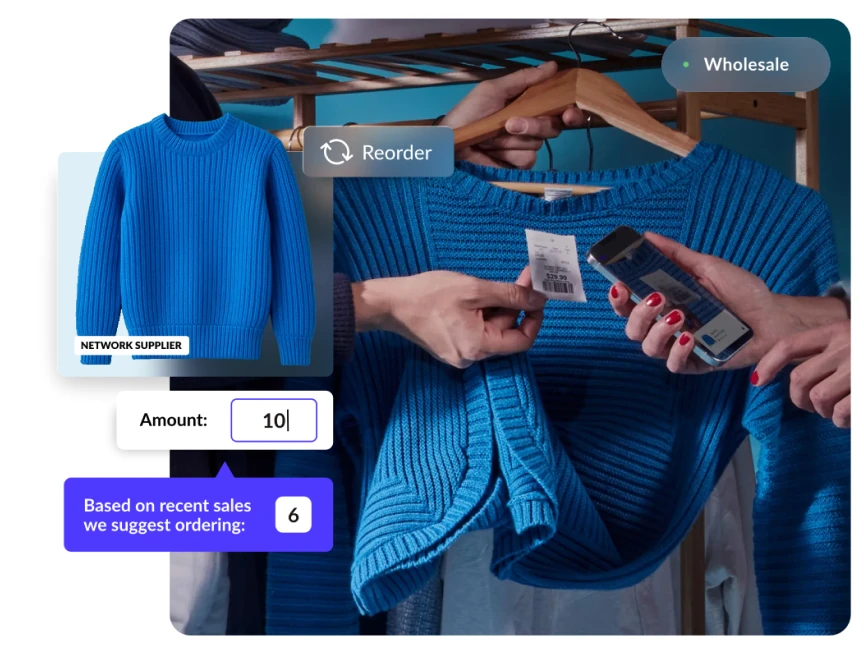
Image source: Lightspeed – POS & Payments Platform
4. Oracle NetSuite
NetSuite offers a complete enterprise resource planning (ERP) solution. It’s designed for retailers who want to consolidate multiple business functions into a single platform. The system excels at handling complex operations across departments and locations.
Key Features:
Payment processing
Invoice creation
Project planning & scheduling
Global inventory and order management
Pros:
Replaces multiple different tools (combines ERP, invoicing, reporting and CRM)
Significant time-saver with automatization (+ less manual work)
Robust dashboards for better decision-making
Cons:
Steep learning curve with complicated interface navigation (drives up the cost)
Additional payments required for advanced features such as demand forecasting reports
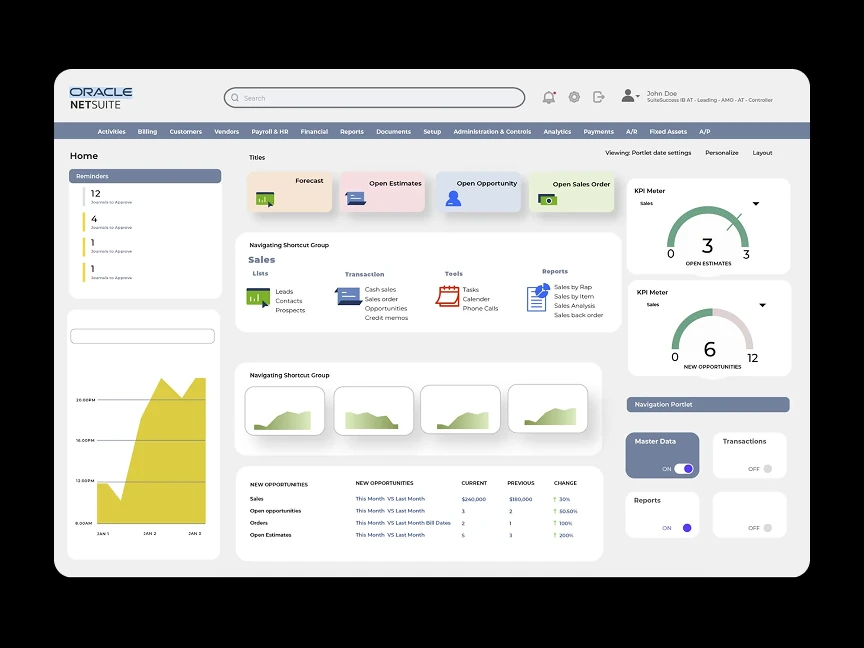
Image source: ERP Buddies – Oracle NetSuite ERP
5. PayPal for Business
While most people know PayPal for personal transactions, their business platform offers solid payment processing capabilities for smaller retailers. It’s particularly appealing for smaller businesses that don’t have a budget for bigger solutions. The familiar interface reduces training time and customer hesitation.
Key Features:
Payment processing
Data security
Payment fraud prevention
Mobile payments
Pros:
Familiar platform many customers already trust
Easy to set up without major IT support
Useful invoicing and recurring payment features
Cons:
Slow and tedious refund process
Transaction fees can add up fast
6. Gofrugal
Designed for retailers who want to handle sales, inventory, and financial management from a single platform, Gofrugal integrates POS with built-in accounting features. Particularly fitting for businesses that need detailed financial tracking and automated compliance features.
Key Features:
Payment processing
Billing and invoicing
Inventory management
Integrated accounting
Pros:
Real-time inventory control
Automated purchase orders and supplier price tracking
Built-in accounting & automated VAT calculations
Cons:
Some modules feel complicated without accounting expertise
Customer support quality often criticized
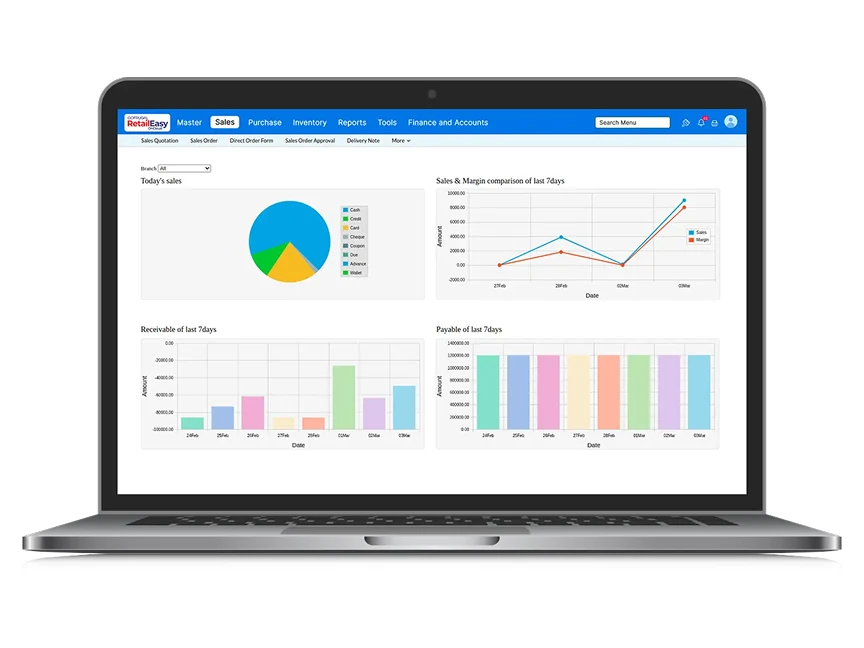
Image source: GoFrugal – POS System for Retail Stores
7. Fishbowl Inventory
Fishbowl specializes in advanced inventory management – meaning it’s a great tool for businesses where precise inventory control directly impacts profitability. It combines inventory management, material requirements planning (MRP) and work order management. The tool is specifically designed with small to medium-sized businesses in mind.
Key Features:
Inventory management
Inventory auditing
Data import/export
Shortage reporting
Pros:
Speedy order fulfillment process (think picking, packing, and shipping tools)
Easy to add discounts using kitting features
Visibility into missing parts
Cons:
Reporting module is missing some key reports
Lack of task management
Final Thoughts
When selecting retail store management software, focus on three key factors that will determine your long-term success.
First, consider your current business size and how quickly you plan to grow – some solutions scale better than others.
Second, be realistic about your budget, including both upfront costs and ongoing fees for the features you actually need.
Finally, think about your team’s technical comfort level and how much training time you can realistically invest in a new system.
The best software is the one your team will actually use consistently, so prioritize user-friendly interfaces and reliable support over impressive feature lists you may never need.